

 v2.0.0
multi_image_layout
Flexible Galerie-Paket zum Anzeigen mehrerer Netzwerk- und Ressourcenbilder in anpassbaren Layouts.
61Likes 12230-Tage-Downloads150Pub-Punkte
AndroidiOS
Flutter-Paket, das mehrere Medien (Bilder, Videos, Audiodateien) mit verschiedenen Layouts anzeigt

Englischer Projektschnappschuss. Aktuelle Inhalte auf GitHub.
Flexible Flutter layouts for mixed media grids and fullscreen viewing.
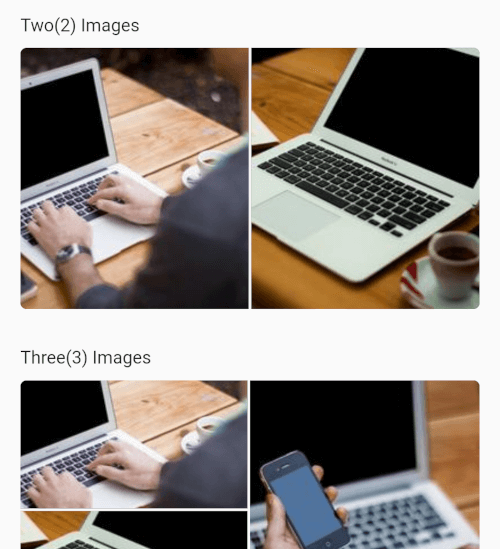
multi_image_layout lets you render single or multiple media items in adaptive
layouts, then open them in a fullscreen viewer with captions, save support, and
media-specific controls.
1, 2, 3, 4, and 4+ itemsautoPlay: true by defaultAdd the package to your project:
dependencies:
  multi_image_layout: ^1.0.0
Import it:
import 'package:multi_image_layout/multi_image_layout.dart';
If you use the save action, add these keys to
ios/Runner/Info.plist:
<key>NSPhotoLibraryAddUsageDescription</key>
<string>This app saves images and videos to your photo library.</string>
<key>NSPhotoLibraryUsageDescription</key>
<string>This app accesses your photo library to save and manage media.</string>
Without these keys, iOS may terminate the app when save is triggered.
If you plan to load remote media, prefer https URLs. If you need http
sources, configure App Transport Security for your app.
If you load remote images or videos, make sure your app has internet access:
<uses-permission android:name="android.permission.INTERNET" />
If you use the save action, request the appropriate storage or media permissions for your target Android version. For older Android versions, that may include:
<uses-permission android:name="android.permission.WRITE_EXTERNAL_STORAGE" />
And, where needed:
<application android:requestLegacyExternalStorage="true" ...>
Permission handling is app-specific, so you should request it from your app
layer before calling the save action. A package like
permission_handler can be used
for that flow.
MultiImageViewer(
  images: const [
    ImageModel(
      imageUrl:
          "https://4.img-dpreview.com/files/p/TS250x250~sample_galleries/3800753625/4684313123.jpg",
      caption: "Caption 1",
    ),
    ImageModel(
      imageUrl:
          "https://3.img-dpreview.com/files/p/TS250x250~sample_galleries/3800753625/8719688791.jpg",
      caption: "Caption 2",
    ),
  ],
);
MultiImageViewer(
  autoPlay: true,
  images: const [
    ImageModel(
      imageUrl:
          "https://4.img-dpreview.com/files/p/TS250x250~sample_galleries/3800753625/4684313123.jpg",
      caption: "Image caption",
    ),
    ImageModel.video(
      videoUrl:
          "https://flutter.github.io/assets-for-api-docs/assets/videos/butterfly.mp4",
      caption: "Video caption",
    ),
    ImageModel(
      imageUrl:
          "https://3.img-dpreview.com/files/p/TS250x250~sample_galleries/3800753625/8719688791.jpg",
      caption: "Another image caption",
    ),
  ],
  height: 220,
);
MultiImageViewer(
  autoPlay: false,
  images: const [
    ImageModel.video(
      videoUrl:
          "https://flutter.github.io/assets-for-api-docs/assets/videos/butterfly.mp4",
      caption: "Tap to open and play",
    ),
  ],
);
ImageModelUse ImageModel(...) for images:
const ImageModel(
  imageUrl: 'https://example.com/image.jpg',
  caption: 'An image',
)
Use ImageModel.video(...) for videos:
const ImageModel.video(
  videoUrl: 'https://example.com/video.mp4',
  caption: 'A video',
)
MultiImageViewerCommon parameters:
images: media items to renderheight: layout heightwidth: optional layout widthgap: spacing between tilesradius: edge corner radiusenableSave: show or hide the save action in fullscreenautoPlay: autoplay videos in the grid and fullscreen viewernetworkImageHeaders: headers used for remote image and video requeststextStyle: style for the +N overlayWhen a video is opened fullscreen, the viewer includes:
Network videos are also warmed into cache to improve repeat playback speed.
Contributions, issues, and feature requests are welcome.
Feel free to check the issues page.
This project is MIT licensed.
Abhängigkeiten 11 Einträge
^0.15.0^4.0.1^3.0.0^5.9.0^3.4.1^3.4.1^2.1.5^2.10.1{"sdk":"flutter"}{"sdk":"flutter"}^6.0.0Nach Anwendungsfall filtern, Aktivität vergleichen und vor der Nutzung das Originalprojekt prüfen.
“A repository is the most basic element of GitHub.”
GitHub Docs — About repositories ↗