
 v35.1.42
syncfusion_flutter_pdfviewer
Die Flutter-PDF-Ansichtsbibliothek wird verwendet, um ein PDF-Dokument nahtlos und effizient anzuzeigen.
1150Likes 243.00030-Tage-Downloads140Pub-Punkte
AndroidiOSWebmacOSWindowsLinux
SavePass ist eine Open-Source-Anwendung, mit der Sie Passwörter und Notizen sicher speichern können.
 v35.1.42
Die Flutter-PDF-Ansichtsbibliothek wird verwendet, um ein PDF-Dokument nahtlos und effizient anzuzeigen.
Intelligente Projektstruktur mit Abhängigkeitsinjektion und Routenverwaltung
Flutter-Integration für Supabase. Dieses Paket erleichtert Entwicklern die Erstellung sicherer und skalierbarer Produkte.
Eine Integration, die die Unterstützung für das Aufzeichnen von Protokollen aus dem logging-Paket hinzufügt.
Konvertiert bereits gebaute Widgets in Skeleton-Lader ohne zusätzlichen Aufwand.
Eine einheitliche Formularrepräsentation in Dart, die darauf abzielt, die Darstellung und Validierung von Formularen auf generische Weise zu vereinfachen.
Schöne Animationen, inspiriert von Animate.css, mit anpassbaren widgetbasierten Animationen ohne externe Abhängigkeiten.
Eine Dart-Bibliothek, die kryptografische Algorithmen und Primitiven implementiert und sich an der BouncyCastle-Bibliothek orientiert.
 v8.2.0
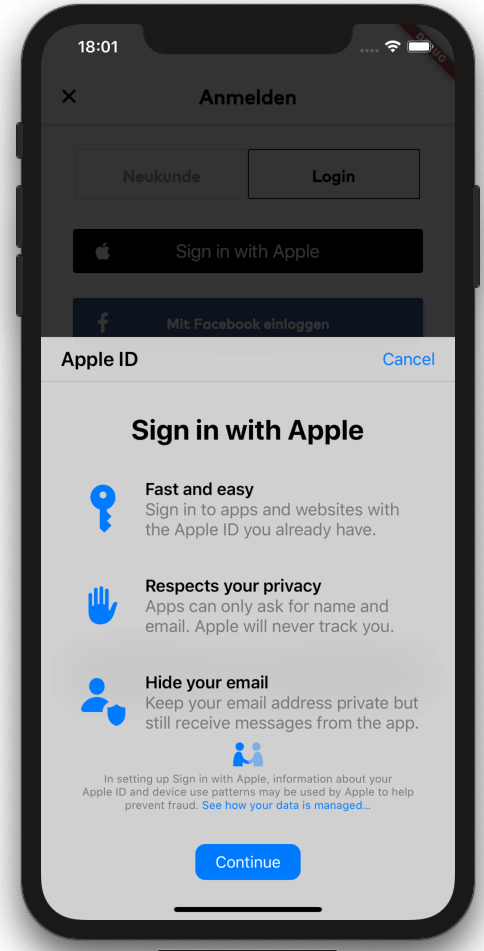
Flutter-Bridge zum Starten der Anmeldung mit Apple (auf iOS, macOS und Android). Enthält Unterstützung für Schlüsselbund-Einträge sowie die Anmeldung mit einer Apple-ID.
Liest Umgebungsvariablen explizit aus einer .env-Datei in eine Dart-Datei ein, um Sicherheit zu erhöhen und die Startzeiten zu beschleunigen.
Generator für das Envied-Paket. Siehe https://pub.dev/packages/envied.
Kryptografische Algorithmen für Verschlüsselung, digitale Signaturen, Schlüsselvereinbarungen, Authentifizierung und Hashing. AES, Chacha20, ED25519 und mehr. Plattformübergreifend (Mobile, Desktop, JS, WASM).
Abhängigkeiten 42 Einträge
^3.3.4{"git":{"url":"https://github.com/judatop/atomic_design_system","ref":"master"}}^3.4.1^5.0.0^3.0.6^2.7.0^1.0.6^0.10.1^11.0.0^5.0.3^0.5.4+1^2.0.5{"sdk":"flutter"}^8.1.6^0.14.1{"sdk":"flutter"}^6.3.2^9.2.2^2.0.14^0.7.0^6.2.2^1.1.2any^2.0.1^2.3.0^1.3.0^3.1.2^8.1.1^11.3.1^3.6.2^8.14.1^8.14.1^7.0.12.0.0^2.8.0^28.2.7^6.3.1^4.5.1^2.4.13^0.5.4+1^3.0.0{"sdk":"flutter"}Englischer Projektschnappschuss. Aktuelle Inhalte auf GitHub.
Image
Image
SavePass project is a password manager developed in Flutter. It's goal is to provide a secure and easy-to-use solution for storing and managing passwords. The app will allow users to create an account, log in, and store their passwords in a secure way. The project is open source and can be used as a starting point for building your own password manager app, just make sure to follow best practices for security and privacy and mention the original project.
If you find issues/improvements with this app, feel free to submit a PR or create a new issue. We want to keep this app with the best practices.
This projects depends on a few external services to work properly, so you'll need to set up a few things before running the app.
We are using Supabase as our database, API, storage and authentication manager. Create an account on https://supabase.com/ and create a new project, then, find and copy the values: SUPABASE_URL and SUPABASE_ANON_KEY.
Supabase Storage is used to store files/images related with the app. You'll need to set up your storage and create a new bucket and folder, copy the values: SUPABASE_BUCKET and SUPABASE_BUCKET_AVATARS_FOLDER.
One of the authentication methods we are using is Google. You'll need to create a new project on Google Cloud Platform and create a new OAuth client ID for web, Android and iOS. Then, copy the values: GOOGLE_WEB_CLIENT_ID and GOOGLE_IOS_CLIENT_ID. After that, you'll need to enable the Google Auth method on Supabase and fill the respective values.
Other authentication method we are using is Github. You'll need to create a new OAuth App on Github and get the Client ID and Client secret. Put these values on the Github configuration on Supabase. Set up the URL Configuration (deep link) on Supabase and assign the value for SUPABASE_REDIRECT_URL.
The database set up is up to you and your needs. You can create the tables and columns manually or use the Supabase SQL editor. The logic or the design for the database/api on this project is confidential for mantain the security of the app.
Flutter Secure Storage is used to store data in secure storage, Keychain for iOS and EncryptedSharedPreferences for Android, in order to use this plugin you need to define some keys with a random value:
Get a local copy of the project by running the following command:
git clone https://github.com/judatop/savepass.git
Use the following command to create your own .env file:
cp .env.sample .env
Fill your env file with the values you got from the previous steps.
Then, you can generate the offuscated values from the .env file using the following command:
dart run build_runner build -d
Install the dependencies with the following command:
flutter pub get
Run the app with the following command:
flutter run
This project is under the MIT License. See the LICENSE file.