neon_circular_timer
Make a timer application with a fancy neon effect and beautiful UI
v0.0.3 and above now the timer has also a neumorphic border
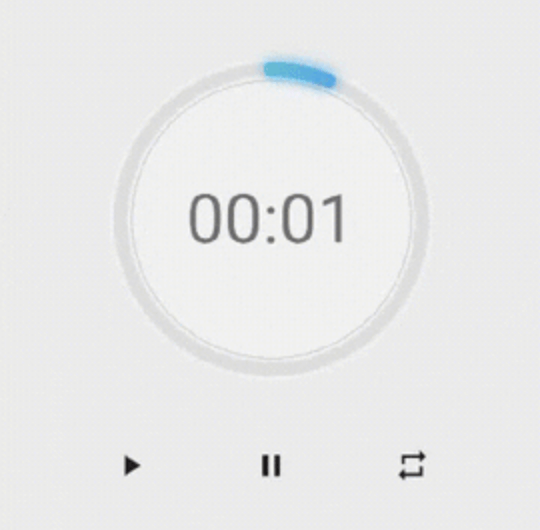
Preview of example
example preview
Usage
Use neumorphicEffect to show or hide the neumorphic border
Use isTimerTextShown to show or hide the text
With neumorphicEffect is true and isTimerTextShown is false
  NeonCircularTimer(
                width: 200,
                    duration: 20,
                    controller : your_controller
                    isTimerTextShown: false,
                    neumorphicEffect: true,
                    innerFillGradient: LinearGradient(colors: [
                      Colors.greenAccent.shade200,
                      Colors.blueAccent.shade400
                    ]),
                    neonGradient: LinearGradient(colors: [
                      Colors.greenAccent.shade200,
                      Colors.blueAccent.shade400
                    ]),
                   ),
neum no text
with neumorphicEffect is false and isTimerTextShown is false
  NeonCircularTimer(
                width: 200,
                    duration: 20,
                    controller : your_controller
                    isTimerTextShown: false,
                    neumorphicEffect: false,
                    innerFillGradient: LinearGradient(colors: [
                      Colors.greenAccent.shade200,
                      Colors.blueAccent.shade400
                    ]),
                    neonGradient: LinearGradient(colors: [
                      Colors.greenAccent.shade200,
                      Colors.blueAccent.shade400
                    ]),
                   ),
no txt nor neum
Parameters
| Name |
Type |
Default Value |
Description |
key |
Key |
null |
Key for Countdown Timer. |
neon |
double |
4.0 |
The itensity of the neon |
duration |
int |
required |
Countdown duration in Seconds. |
initialDuration |
int |
0 |
Countdown initial elapsed Duration in Seconds. |
controller |
CountDownController |
required |
Controls (i.e Start, Pause, Resume, Restart) the Countdown Timer. |
width |
double |
required |
Width of the rectangle that surrounds the circle ( Diameter of the Countdown Timer). |
neonColor |
Color |
Colors.white54 |
neon Color for Countdown Widget. |
neonGradient |
Gradient |
null |
neon Gradient for Countdown Widget. Note that neonColor will not be effective if gradient is provided. |
neumorphicEffect |
bool |
true |
show neumorphic border |
innerFillColor |
Color |
Colors.black12 |
Filling Color for Countdown Widget. |
innerFillGradient |
Gradient |
null |
Filling Gradient for Countdown Widget. Note that fillColor will not be effective if gradient is provided. |
outerStrokeColor |
Color |
Colors.white |
border Color for Countdown Widget. |
backgroundColor |
Color |
Colors.white54 |
must be provided if you choose to use neumorphic effect . |
outerStrokeGradient |
Gradient |
null |
border Gradient for Countdown Widget. Note that backgroundColor will not be effective if gradient is provided. |
strokeWidth |
double |
10.0 |
Border Thickness of the Countdown Ring. |
strokeCap |
StrokeCap |
StrokeCap.round |
Begin and end contours with a flat edge and no extension. |
textStyle |
TextStyle |
Theme.of(context).textTheme.headline3 |
Text Style for Countdown Text. |
textFormat |
String |
TextFormat.MM_SS |
Format for the Countdown Text. |
isReverse |
bool |
false |
Handles Countdown Timer (true for Reverse Countdown (max to 0), false for Forward Countdown (0 to max)). |
isReverseAnimation |
bool |
false |
Handles Animation Direction (true for Reverse Animation, false for Forward Animation). |
isTimerTextShown |
bool |
true |
Handles visibility of the Countdown Text. |
autoStart |
bool |
true |
Handles the timer start. |
onStart |
VoidCallback |
null |
This Callback will execute when the Countdown Starts. |
onComplete |
VoidCallback |
null |
This Callback will execute when the Countdown Ends. |
About the Controller
to get the time in seconds use :
controller.getCurrentTimeInSeconds();
to get the time formated into the selected TextFormat use:
controller.getTime();
to control the timer use :
controller.restart(); // to reset the timer
controller.start(); // to start the timer from 0
controller.pause(); // to pause the timer
controller.resume(); // to continue from the value where the timer stopped


 v0.0.8