

 v0.0.4
optimize_battery
Check for battery optimization status and open settings or disable it
38Likes 3.1K30-day downloads160Pub points
Android
Flutter plugin to check for battery optimization status, open optimization settings and disable optimization.

English project snapshot. Visit GitHub for the latest content.
Check for application battery optimization status and open settings or disable it
  OptimizeBattery.isIgnoringBatteryOptimizations().then((onValue) {
      setState(() {
          if (onValue) {
              // Igonring Battery Optimization
          } else {
              // App is under battery optimization
          }
      });
  });
OptimizeBattery.openBatteryOptimizationSettings()
OptimizeBattery.stopOptimizingBatteryUsage();
This opens the battery optimization disable dialog.
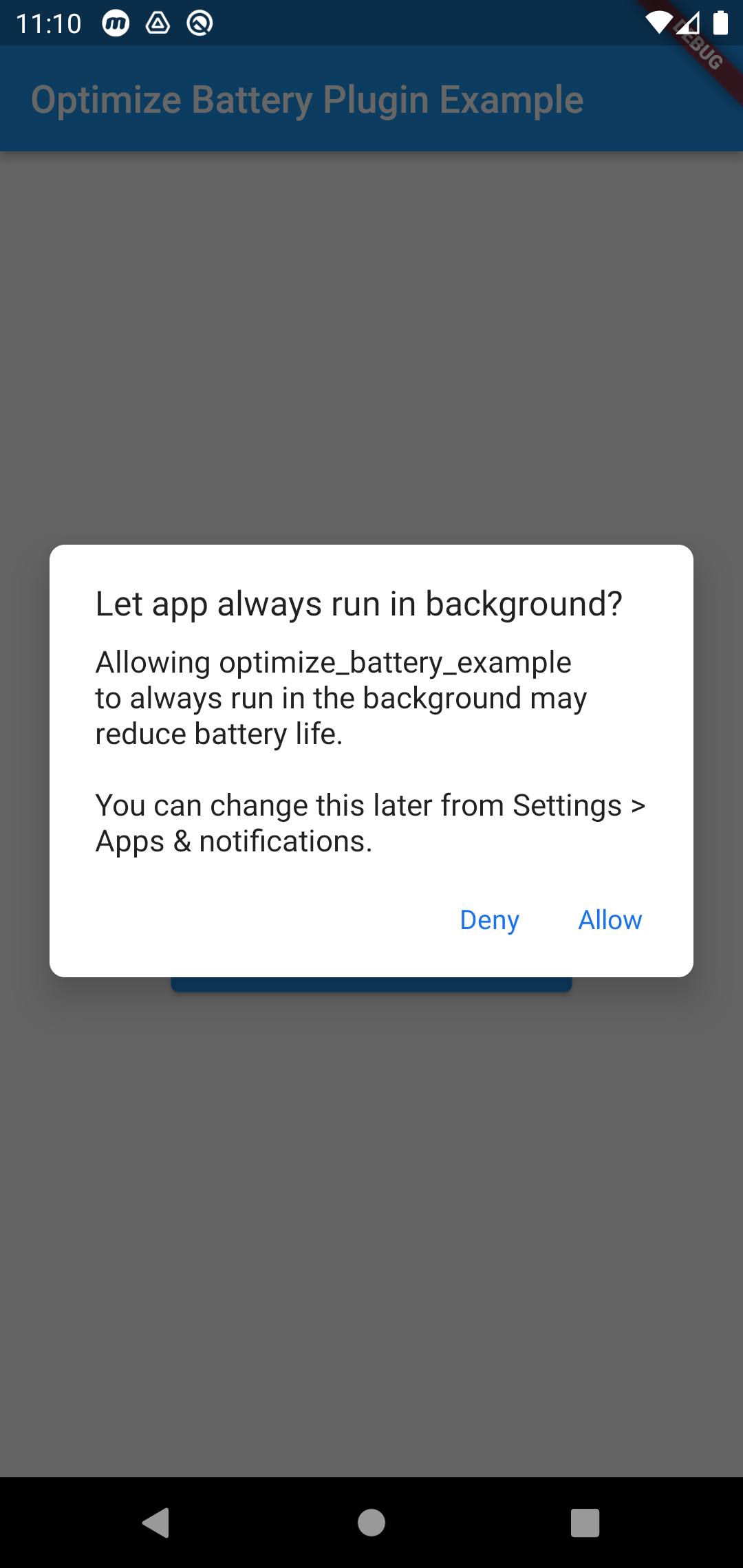
Add the permission in Mainfest file
<uses-permission android:name="android.permission.REQUEST_IGNORE_BATTERY_OPTIMIZATIONS"/>
It uses the intent(ACTION_REQUEST_IGNORE_BATTERY_OPTIMIZATIONS). Which is not recommended unless its an excemtion case. Such as the applications main functionality needs the battery optimisation to be disabled.
Read more here : https://developer.android.com/training/monitoring-device-state/doze-standby#exemption-cases
This plugin is inspired from battery_optimization but with supporting Null safety and Android V2 embedding
Dependency list 3 items
{"sdk":"flutter"}{"sdk":"flutter"}^1.0.0Start with your use case, compare repository activity, and check the original project before adopting it.
“A repository is the most basic element of GitHub.”
GitHub Docs — About repositories ↗