Search packages, repositories and app categories

optimize_battery cover
Package detailsv0.0.4

optimize_battery

Check for battery optimization status and open settings or disable it

Android
30-day downloads
3.1K
Likes
38
Pub points
160

Install package

flutter pub add optimize_battery

Package Overview

Package selection guidance compiled from public package information, community data, and project usage.

The optimize_battery package allows Flutter apps to check the current battery optimization status on Android devices. It provides functionality to open the battery settings directly or disable battery optimization for improved app performance, especially for background tasks. Designed specifically for Android, it helps developers ensure their apps run efficiently without being restricted by system power-saving features. The package is lightweight and integrates seamlessly into existing Flutter projects with minimal setup.

Use cases

  • Check battery optimization status
  • Open battery settings from app
  • Disable battery optimization
  • Improve background task reliability
  • Ensure consistent app performance
  • Support for foreground services

Key features

  • Android-only support
  • Simple API for status checks
  • Direct access to battery settings
  • No additional permissions required
  • Lightweight and fast
  • Easy integration via pubspec.yaml

Suitable for

  • Apps requiring background execution
  • Services needing consistent timing
  • Location tracking apps
  • Push notification handlers
  • Battery-sensitive applications

Considerations

  • Limited to Android platforms
  • Requires user interaction to change settings
  • May prompt users to adjust system settings
  • Not applicable to iOS devices
  • Best used with clear user guidance
  • Potential privacy concerns if misused

Original README

Original README snapshot from the linked source repository. Visit the repository for the latest content.

optimize_battery

Check for application battery optimization status and open settings or disable it

Getting Started

Check if app is ignoring battery optimization

  OptimizeBattery.isIgnoringBatteryOptimizations().then((onValue) {
      setState(() {
          if (onValue) {
              // Igonring Battery Optimization
          } else {
              // App is under battery optimization
          }
      });
  });

Take user to battery optimization settings

  OptimizeBattery.openBatteryOptimizationSettings()

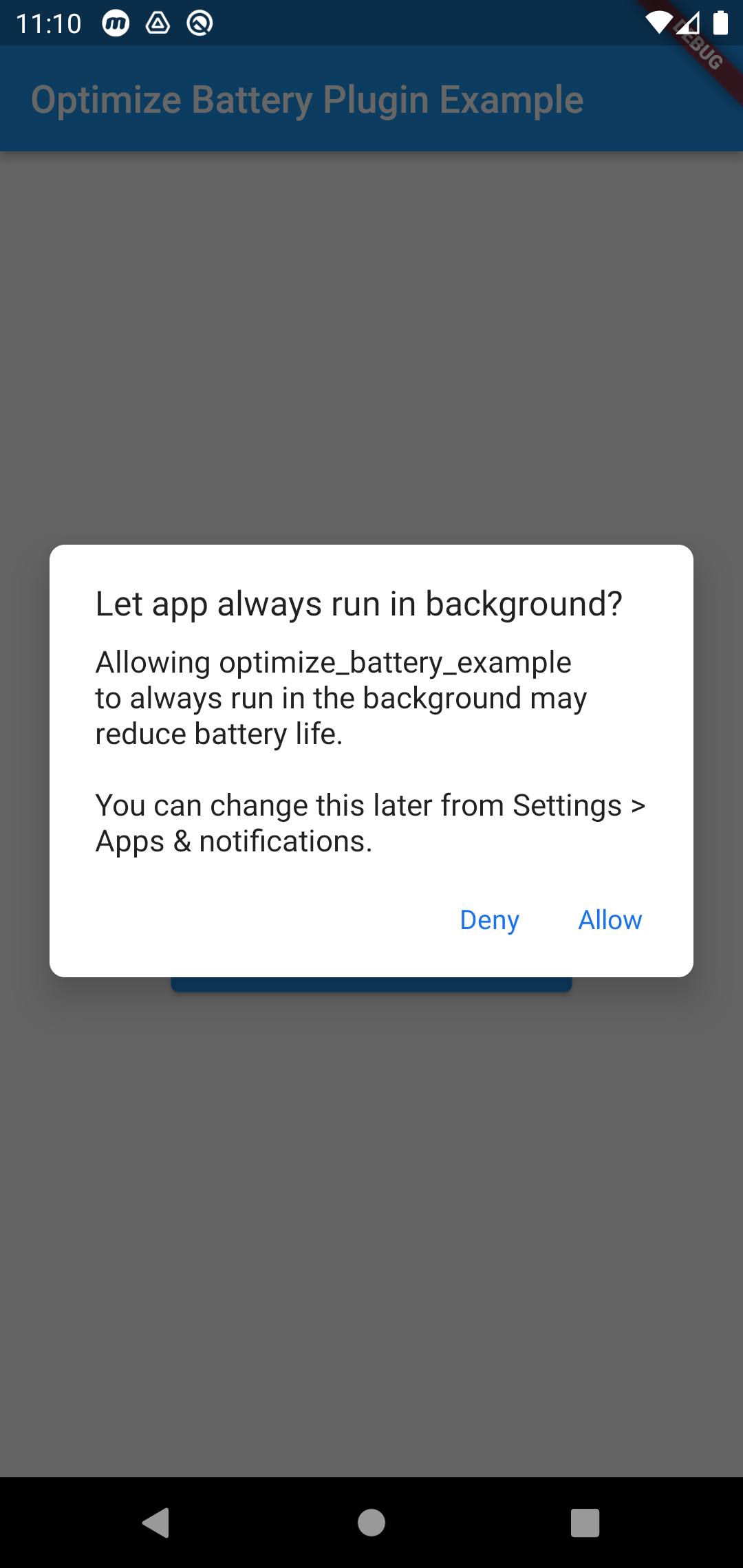
Show battery optimization disable dialog

  OptimizeBattery.stopOptimizingBatteryUsage();

This opens the battery optimization disable dialog.

Example

Add the permission in Mainfest file

<uses-permission  android:name="android.permission.REQUEST_IGNORE_BATTERY_OPTIMIZATIONS"/>

It uses the intent(ACTION_REQUEST_IGNORE_BATTERY_OPTIMIZATIONS). Which is not recommended unless its an excemtion case. Such as the applications main functionality needs the battery optimisation to be disabled.

Read more here : https://developer.android.com/training/monitoring-device-state/doze-standby#exemption-cases

Credit

This plugin is inspired from battery_optimization but with supporting Null safety and Android V2 embedding

Categories

Source repository

Projects using this package

No data available yet.