

 v2.1.2
flutter_wall_layout
A Layout widget displaying a set of bricks (widgets with different shapes) as a vertical or horizontal list, like a wall...
133Likes 2.6K30-day downloads150Pub points
AndroidiOSWebmacOSWindowsLinux
A Layout widget displaying a set of bricks (widgets with different shapes) as a vertical or horizontal list, like a wall...

English project snapshot. Visit GitHub for the latest content.
This library provides a unique widget, WallLayout, rendering into a list children having different shapes.
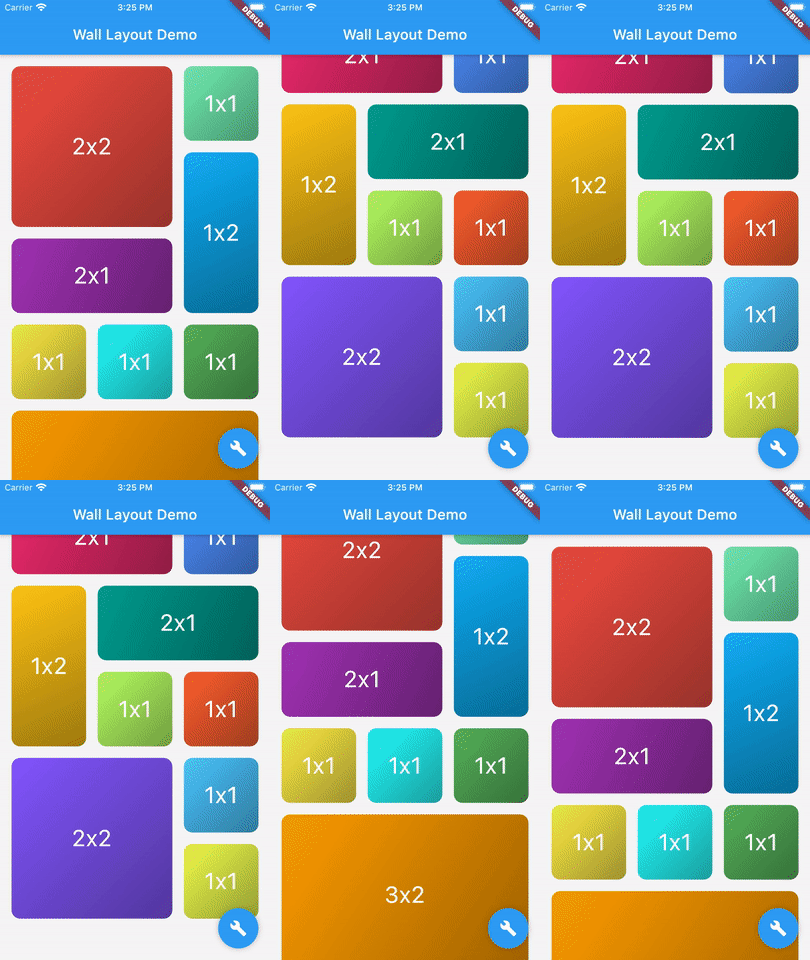
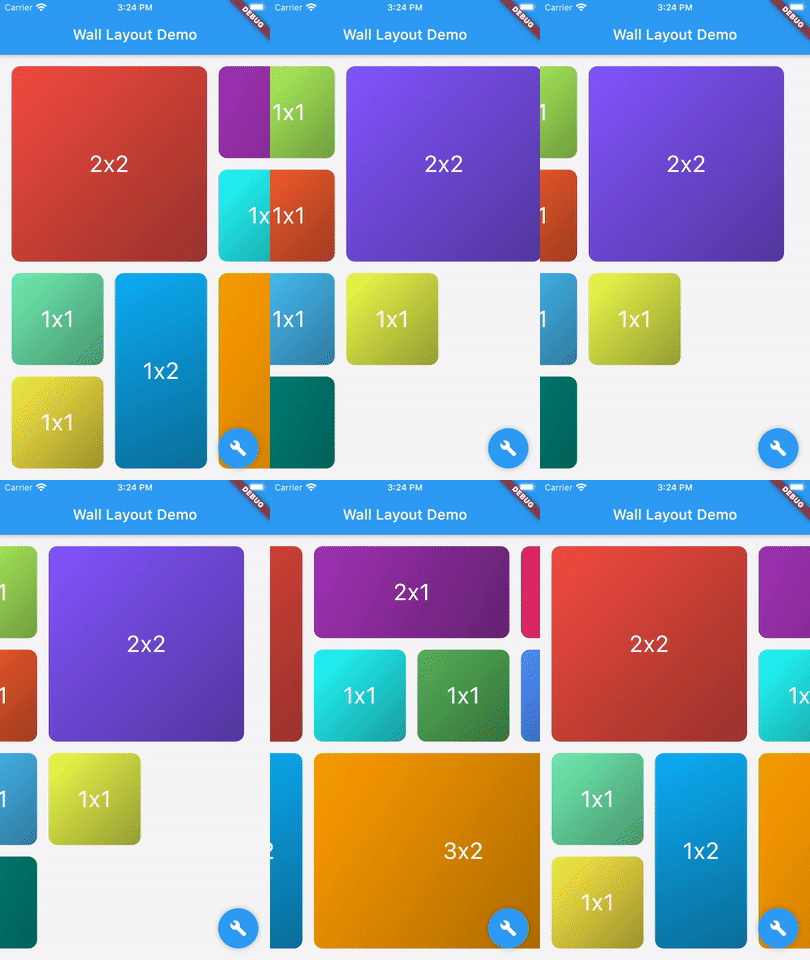
There is two main classes: WallLayout and Stone.
This component has been inspired by the ListView widget, in which you can choose scroll direction and the way. Added to that, you can also define how many rows or column have the wall, if you want to create a responsive design.
WallLayout(
  stones: _buildStonesList(),
  layersCount: 3,
  scrollDirection: Axis.vertical,
  reverse: false,
);
| Parameter | Description | Default value |
|---|---|---|
| stones | List of Stone widgets, representing wall layout's children. | - |
| layersCount | Define the number of layers the wall have. Must be higher or equal to 2. When direction is Axis.vertical, it defines the number of columns the wall has. When direction is Axis.horizontal, it defines the number of rows. | - |
| wallBuilder | Define how the wall is built: where each stone is positioned within the wall.The wall builder is allowed to use less stones than provided, and can create new stones (see ./example for more details). | WallBuilder.standard() |
| stonePadding | Padding between stones. | 16.0 |
| primaryAxisStoneSize | Optional. If specified, indicates the exact size of each stone in the direction of the primary scroll axis. If not specified, each stone will be exactly square. | - |
| scrollController | Same as [ListView.scrollController]: "control the position to which this scroll view is scrolled". | - |
| physics | Same as [ListView.physics]: "How the scroll view should respond to user input". | - |
| restorationId | Same as [ListView.restorationId]: used "to save and restore the scroll offset of the scrollable". | - |
| dragStartBehavior | Same as [ListView.dragStartBehavior]: "Determines the way that drag start behavior is handled". | DragStartBehavior.start |
| clipBehavior | Same as [ListView.clipBehavior]: "ways to clip a widget's content". | Clip.hardEdge |
| primary | Same as [ListView.primary]: "Whether this is the primary scroll view associated with the parent [PrimaryScrollController]" | false |
| scrollDirection | Same as [ListView.scrollDirection]: "axis along which the scroll view scrolls". | Axis.vertical |
| reverse | Same as [ListView.reverse property]: "whether the scroll view scrolls in the reading direction". | false |
A Stone Widget is a widget proxy defining stone's size (width and height). It's rendered object is optimized thanks to it's id property.
Stone(
    id: 7,
    width: 2,
    height: 2,
    child: Container(
      color: Colors.red,
      child: Center(child: Text("2x2")),
    ),
);
| Parameter | Description | Default value |
|---|---|---|
| width | Stone width (relative to the number of wall divisions). Must be higher or equal to 1. | - |
| height | Stone height (relative to the number of wall divisions). Must be higher or equal to 1. | - |
| id | Proxy layout identifier: must be unique. | - |
| child | Widget to render, where its size will be constrained by the stone width and height. | - |
Dependency list 2 items
{"sdk":"flutter"}{"sdk":"flutter"}Start with your use case, compare repository activity, and check the original project before adopting it.
“A repository is the most basic element of GitHub.”
GitHub Docs — About repositories ↗