


 v2.0.1
msh_checkbox
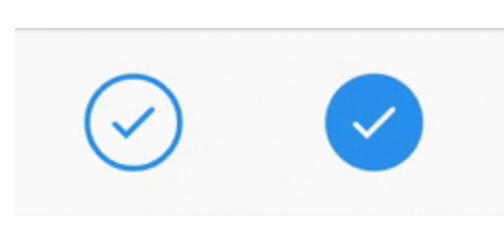
An animated checkbox, inspired by BEMCheckbox for iOS, using an API similar to Flutter's own Checkbox.
57Likes 2.7K30-day downloads150Pub points
AndroidiOSWebmacOSWindowsLinux
A customizable circular checkbox which plays an animation when checked or unchecked.

English project snapshot. Visit GitHub for the latest content.



A customizable circular checkbox which plays an animation when checked or unchecked. Inspired by BEMCheckbox for iOS.

Choose from 4 animation/visual styles (stroke, scale in checkmark, scale in background, fade in).
Customize colors for active, inactive and disabled states.
Customize the animation duration.
Install the package:
flutter pub add msh_checkbox
class Example extends StatefulWidget {
  Example({Key? key}): super(key: key);

  @override
  State<Example> createState() => _ExampleState();
}

class _ExampleState extends State<Example> {
  bool isChecked = false;

  @override
  Widget build(BuildContext context) {
    return Center(
      child: MSHCheckbox(
        size: 60,
        value: isChecked,
        colorConfig: MSHColorConfig.fromCheckedUncheckedDisabled(
          checkedColor: Colors.blue,
        ),
        style: MSHCheckboxStyle.stroke,
        onChanged: (selected) {
          setState(() {
            isChecked = selected;
          });
        },
      ),
    );
  }
}
I know it's a small and simple widget, but if you'd like to support it is certainly appreciated!

Dependency list 3 items
{"sdk":"flutter"}{"sdk":"flutter"}^2.0.0Start with your use case, compare repository activity, and check the original project before adopting it.
“A repository is the most basic element of GitHub.”
GitHub Docs — About repositories ↗