

 v0.2.0
flutter_annual_task
Flutter package for displaying grid view of daily task like Github-Contributions(Github calendar).
45Likes 6330-day downloads60Pub points
Platforms unavailable
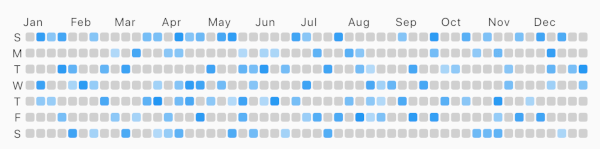
Flutter package for displaying grid view of daily task like Github-Contributions.

English project snapshot. Visit GitHub for the latest content.
Flutter package for displaying grid view of daily task like Github-Contributions.
Example

Make sure to check out example project.
AnnualTaskView(
  taskItem	// List<AnnualTaskItem>
),
Add to pubspec.yaml:
dependencies:
  flutter_annual_task: ^0.1.3
Then import it to your project:
import 'package:flutter_annual_task/flutter_annual_task.dart';
And finally add AnnualTaskView widget in your project.
AnnualTaskView(
  taskItem	// List<AnnualTaskItem>
),
AnnualTaskItem
class AnnualTaskItem {
  final DateTime date;
  final double proceeding;	// 0.0 ~ 1.0

  AnnualTaskItem(this.date, [this.proceeding = 1.0]);
  ...
}
The value of proceeding affects the opacity on the each cell of daily task.
- For showing the color in visual, the minimum value of displaying is 80(max: 255).
AnnualTaskColorItem
If you want to specify color for each daily task, you can use AnnualTaskColorItem.
class AnnualTaskColorItem extends AnnualTaskItem {
  final Color color;

  AnnualTaskColorItem(
    DateTime date, {
    double proceeding = 1.0,
    this.color,
  }) : super(date, proceeding);
  ...
}
You should generate list of AnnualTaskItem(List<AnnualTaskItem>) to use this package.
Below is an example for building list of AnnualTaskItem.
//AnnualTaskItem
<your_item_list>.map(
  (item) => AnnualTaskItem(
    item.date,
    0.5,
  ),
)
.toList();

//AnnualTaskColorItem
<your_item_list>.map(
  (item) => AnnualTaskColorItem(
    item.date,
    color: <color_for_each_item>
  ),
)
.toList();
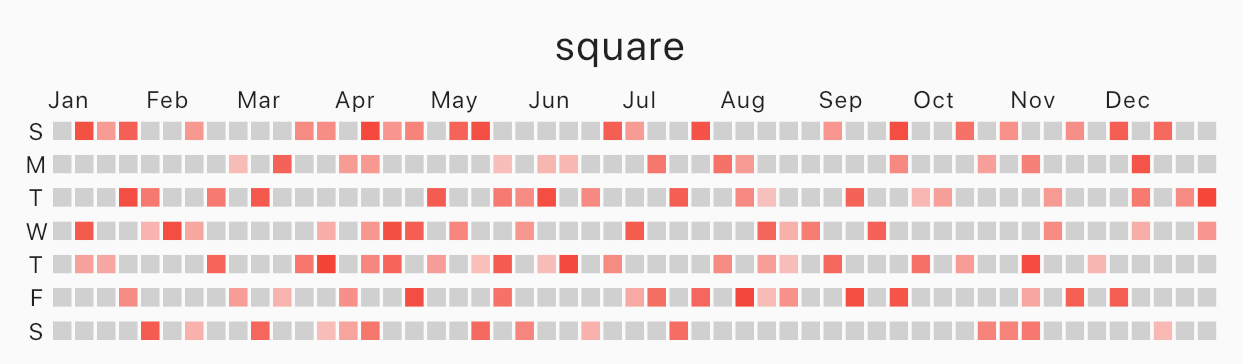
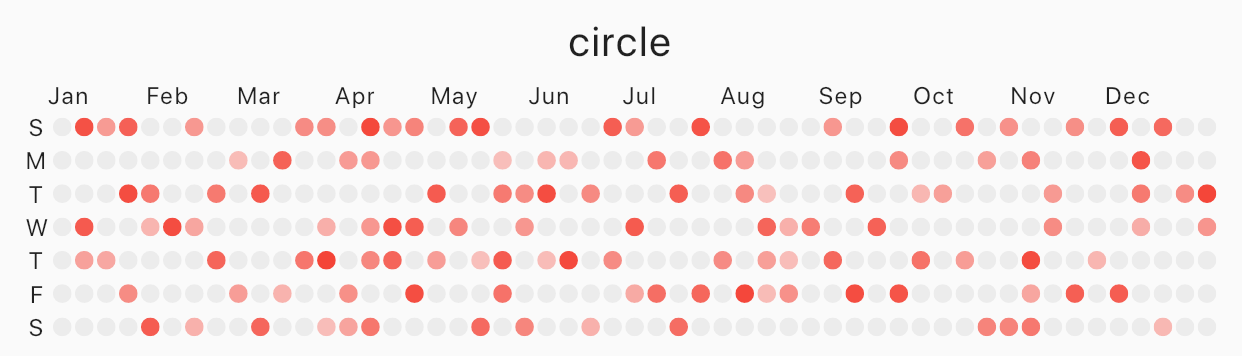
Specify cellShape with AnnualTaskCellShape with AnnualTaskCellShape.ROUNDED_SQUARE(default), AnnualTaskCellShape.SQUARE or AnnualTaskCellShape.CIRCLE.
Square
 |
|---|
| square |
AnnualTaskView(
  taskItem, // List<AnnualTaskItem>
  cellShape: AnnualTaskCellShape.SQUARE,
)
Circle
 |
|---|
| circle |
AnnualTaskView(
  taskItem, // List<AnnualTaskItem>
  cellShape: AnnualTaskCellShape.CIRCLE,
)
AnnualTaskColorItem
 |
|---|
| circle |
AnnualTaskView(
  taskItemWithColor, // List<AnnualTaskColorItem>
)
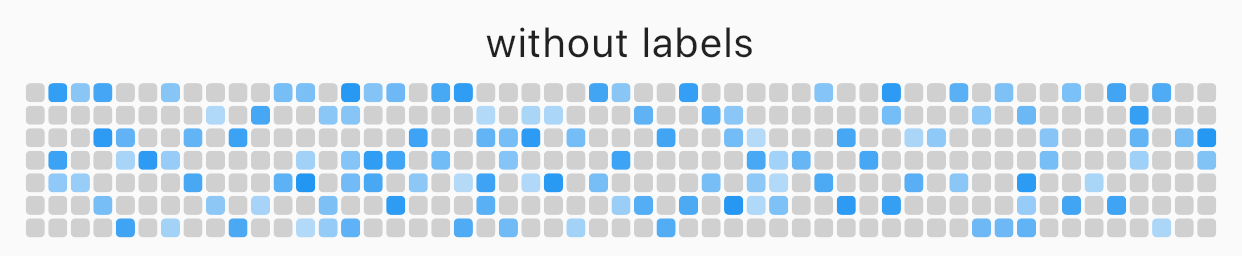
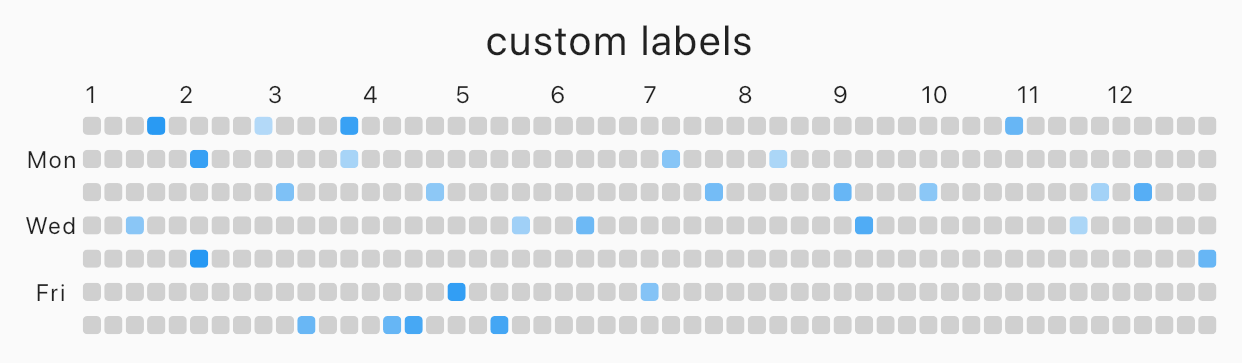
You can edit the labels of week or the labels of month.
AnnualTaskView(
  taskItem, // List<AnnualTaskItem>
  showMonthLabel: false, //default : true
  showWeekDayLabel: false, //default : true
)
 |
|---|
| without labels |
Custom label
 |
|---|
| custom labels |
AnnualTaskView(
  taskItem, // List<AnnualTaskItem>
  weekDayLabels: ['', 'Mon', '', 'Wed', '', 'Fri', ''],
  monthLabels: ['1','2','3','4','5','6','7','8','9','10','11','12'],
)
The type of weekDayLabels and monthLabels is List<String>.
weekDayLabels starts from Sunday.monthLabels' is ['Jan', 'Feb', 'Mar', 'Apr', 'May', 'Jun', 'Jul', 'Aug', 'Sep', 'Oct', 'Nov', 'Dec']`.''). But, weekDayLabels should be length of 7 and, monthLabels should be length of 12.Styled label
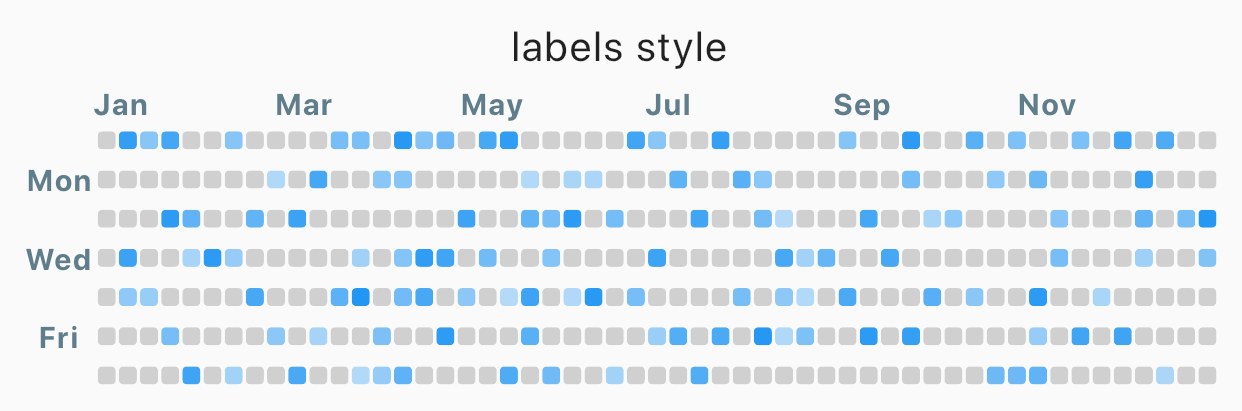 |
|---|
| Styled label |
AnnualTaskView(
  taskItem, // List<AnnualTaskItem>
  labelStyle: TextStyle(
    color: Colors.blueGrey,
    fontSize: 10,
    fontWeight: FontWeight.bold,
  ),	// default label style : TextStyle(fontSize: 8)
)
| props | type | desc |
|---|---|---|
| items | List<AnnualTaskItem> |
List of AnnualTaskItem |
| year | int |
default : DateTime.now().year |
| activateColor | Color |
default : Theme.of(context).primaryColor |
| emptyColor | Color |
Color of cell with proceeding 0.0 or the day which items doesn't contain. default : Color(0xFFD0D0D0) |
| showWeekDayLabel | bool |
Show the labels of week, if true. default : true |
| cellShape | AnnualTaskCellShape |
Shape of cell. One of AnnualTaskCellShape.ROUNDED_SQUARE, AnnualTaskCellShape.SQUARE or AnnualTaskCellShape.CIRCLE.default: AnnualTaskCellShape.ROUNDED_SQUARE |
| showMonthLabel | bool |
Show the labels of month, if true. default : true |
| monthLabels | List<String> |
Labels of month. default: ['Jan', 'Feb', 'Mar', 'Apr', 'May', 'Jun', 'Jul', 'Aug', 'Sep', 'Oct', 'Nov', 'Dec'] |
| weekDayLabels | List<String> |
Labels of week. default: ['S', 'M', 'T', 'W', 'T', 'F', 'S'] |
| labelStyle | TextStyle |
TextStyle of labels.default: TextStyle(fontSize: 8) |
Dependency list 2 items
{"sdk":"flutter"}{"sdk":"flutter"}Start with your use case, compare repository activity, and check the original project before adopting it.
“A repository is the most basic element of GitHub.”
GitHub Docs — About repositories ↗