Search packages, repositories and app categories

flutter_annual_task cover
Package detailsv0.2.0

flutter_annual_task

Flutter package for displaying grid view of daily task like Github-Contributions(Github calendar).

30-day downloads
63
Likes
45
Pub points
60

Install package

flutter pub add flutter_annual_task

Package Overview

Package selection guidance compiled from public package information, community data, and project usage.

A Flutter package that displays a grid view of daily tasks similar to GitHub's contribution calendar. It visualizes task completion over time with a color-coded grid, making it ideal for tracking habits, productivity, or project milestones. The package is lightweight and customizable, supporting various themes and styling options. Designed for simplicity and clarity, it integrates seamlessly into apps focused on personal development, goal tracking, or data visualization.

Use cases

  • Tracking daily habits
  • Visualizing productivity over time
  • Monitoring project progress
  • Displaying user activity
  • Creating achievement dashboards

Key features

  • GitHub-style contribution grid
  • Customizable colors and themes
  • Simple integration with Flutter
  • Responsive grid layout
  • Supports date-based task data

Suitable for

  • Productivity apps
  • Habit trackers
  • Personal development tools
  • Goal-setting applications
  • Data visualization in health or fitness apps

Considerations

  • Limited to daily task visualization
  • No built-in data persistence
  • Requires manual task data management
  • Not optimized for large datasets
  • No interactive features like tooltips or click events

Original README

Original README snapshot from the linked source repository. Visit the repository for the latest content.

flutter_annual_task

flutter_annual_task

Flutter package for displaying grid view of daily task like Github-Contributions.

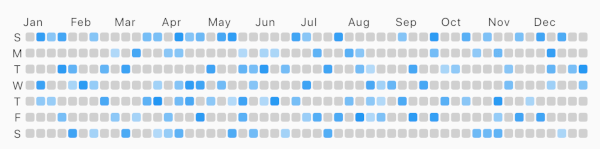
Example example

Usage

Make sure to check out example project.

AnnualTaskView(
  taskItem	// List<AnnualTaskItem>
),

Installation

Add to pubspec.yaml:

dependencies:
  flutter_annual_task: ^0.1.3

Then import it to your project:

import 'package:flutter_annual_task/flutter_annual_task.dart';

And finally add AnnualTaskView widget in your project.

AnnualTaskView(
  taskItem	// List<AnnualTaskItem>
),

AnnualTaskItem

AnnualTaskItem

class AnnualTaskItem {
  final DateTime date;
  final double proceeding;	// 0.0 ~ 1.0

  AnnualTaskItem(this.date, [this.proceeding = 1.0]);
  ...
}

The value of proceeding affects the opacity on the each cell of daily task.
- For showing the color in visual, the minimum value of displaying is 80(max: 255).

AnnualTaskColorItem

If you want to specify color for each daily task, you can use AnnualTaskColorItem.

class AnnualTaskColorItem extends AnnualTaskItem {
  final Color color;

  AnnualTaskColorItem(
    DateTime date, {
    double proceeding = 1.0,
    this.color,
  }) : super(date, proceeding);
  ...
}

You should generate list of AnnualTaskItem(List<AnnualTaskItem>) to use this package.
Below is an example for building list of AnnualTaskItem.

//AnnualTaskItem
<your_item_list>.map(
  (item) => AnnualTaskItem(
    item.date,
    0.5,
  ),
)
.toList();

//AnnualTaskColorItem
<your_item_list>.map(
  (item) => AnnualTaskColorItem(
    item.date,
    color: <color_for_each_item>
  ),
)
.toList();

Examples

Cell Shape

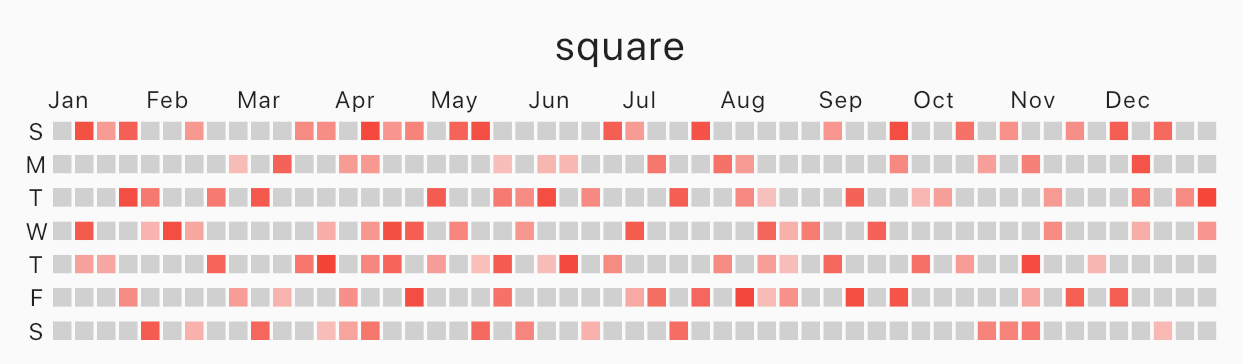
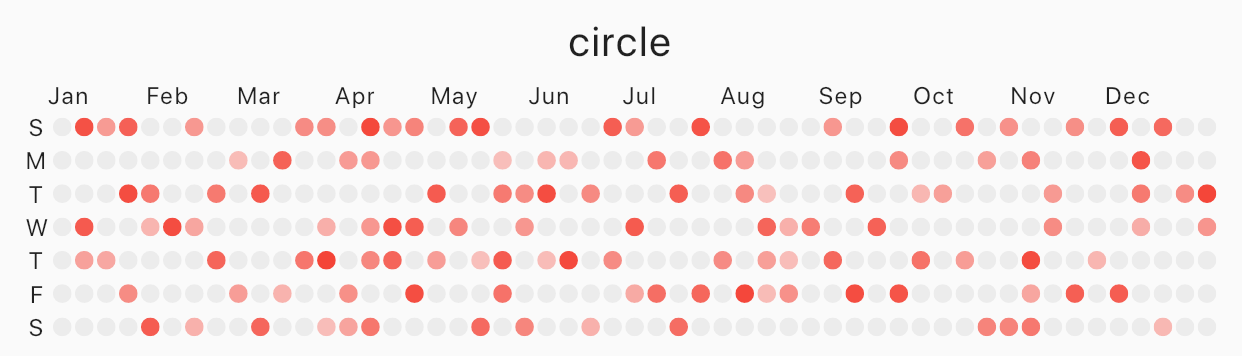
Specify cellShape with AnnualTaskCellShape with AnnualTaskCellShape.ROUNDED_SQUARE(default), AnnualTaskCellShape.SQUARE or AnnualTaskCellShape.CIRCLE.

Square

Image
square
AnnualTaskView(
  taskItem, // List<AnnualTaskItem>
  cellShape: AnnualTaskCellShape.SQUARE,
)

Circle

Image
circle
AnnualTaskView(
  taskItem, // List<AnnualTaskItem>
  cellShape: AnnualTaskCellShape.CIRCLE,
)

AnnualTaskColorItem

Image
circle
AnnualTaskView(
  taskItemWithColor, // List<AnnualTaskColorItem>
)
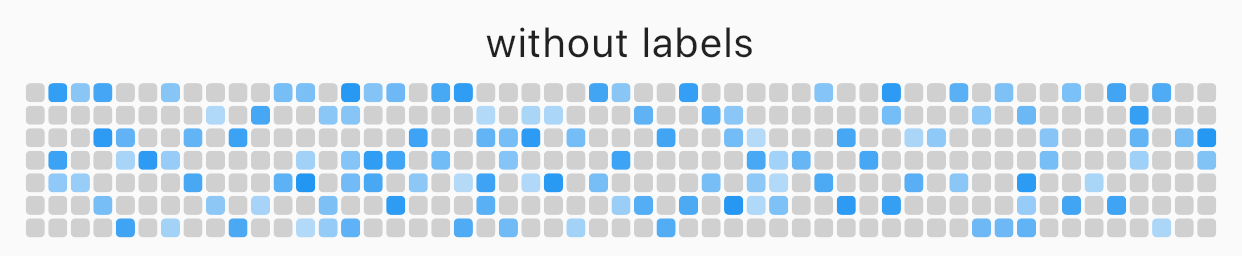
Labels

You can edit the labels of week or the labels of month.

AnnualTaskView(
  taskItem, // List<AnnualTaskItem>
  showMonthLabel: false, //default : true
  showWeekDayLabel: false, //default : true
)
Image
without labels

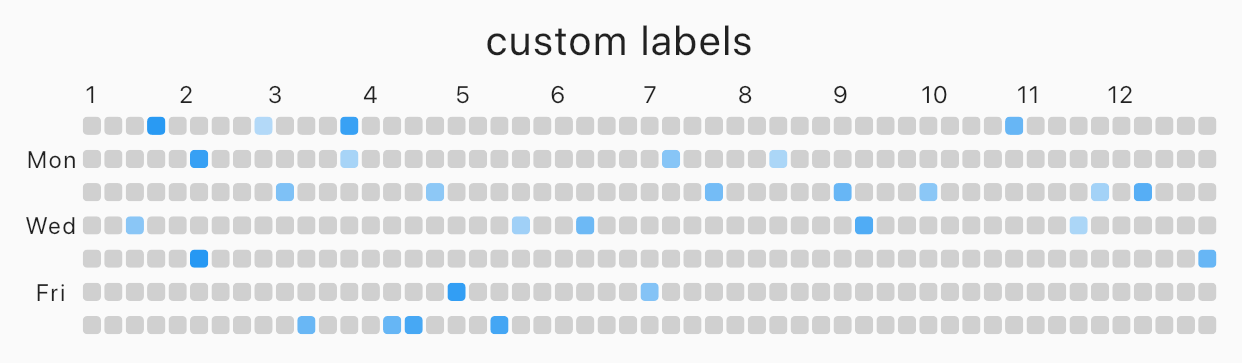
Custom label

Image
custom labels
AnnualTaskView(
  taskItem, // List<AnnualTaskItem>
  weekDayLabels: ['', 'Mon', '', 'Wed', '', 'Fri', ''],
  monthLabels: ['1','2','3','4','5','6','7','8','9','10','11','12'],
)

The type of weekDayLabels and monthLabels is List<String>.

  • weekDayLabels starts from Sunday.
  • default value of `weekDayLabels' is ['S', 'M', 'T', 'W', 'T', 'F', 'S'].
  • default value of monthLabels' is ['Jan', 'Feb', 'Mar', 'Apr', 'May', 'Jun', 'Jul', 'Aug', 'Sep', 'Oct', 'Nov', 'Dec']`.
  • You can also hide the label of each items with empty String(''). But, weekDayLabels should be length of 7 and, monthLabels should be length of 12.

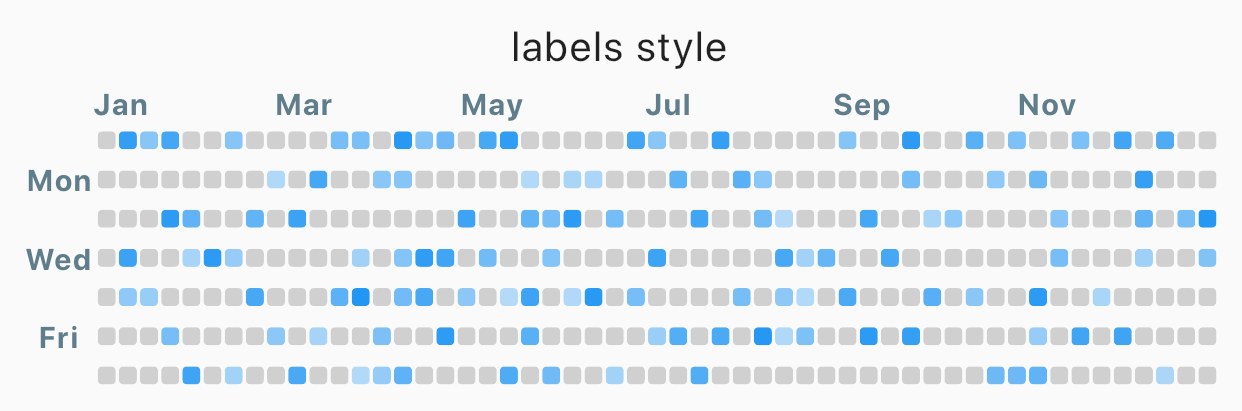
Styled label

Image
Styled label
AnnualTaskView(
  taskItem, // List<AnnualTaskItem>
  labelStyle: TextStyle(
    color: Colors.blueGrey,
    fontSize: 10,
    fontWeight: FontWeight.bold,
  ),	// default label style : TextStyle(fontSize: 8)
)

Props

props type desc
items List<AnnualTaskItem> List of AnnualTaskItem
year int default : DateTime.now().year
activateColor Color default : Theme.of(context).primaryColor
emptyColor Color Color of cell with proceeding 0.0 or the day which items doesn't contain.
default : Color(0xFFD0D0D0)
showWeekDayLabel bool Show the labels of week, if true.
default : true
cellShape AnnualTaskCellShape Shape of cell. One of AnnualTaskCellShape.ROUNDED_SQUARE, AnnualTaskCellShape.SQUARE or AnnualTaskCellShape.CIRCLE.
default: AnnualTaskCellShape.ROUNDED_SQUARE
showMonthLabel bool Show the labels of month, if true.
default : true
monthLabels List<String> Labels of month.
default: ['Jan', 'Feb', 'Mar', 'Apr', 'May', 'Jun', 'Jul', 'Aug', 'Sep', 'Oct', 'Nov', 'Dec']
weekDayLabels List<String> Labels of week.
default: ['S', 'M', 'T', 'W', 'T', 'F', 'S']
labelStyle TextStyle TextStyle of labels.
default: TextStyle(fontSize: 8)

Categories

Source repository

Projects using this package

No data available yet.