
v0.57.1
shadcn_ui
shadcn/ui ported in Flutter. Awesome UI components for Flutter, fully customizable.
962Likes 65.6K30-day downloads160Pub points
AndroidiOSWebmacOSWindowsLinux
Turns plain code snippets into visually appealing, shareable images, helping developers add a creative touch to their work and share it effortlessly across platforms.

shadcn/ui ported in Flutter. Awesome UI components for Flutter, fully customizable.
Superpowers for Dart. Collection of useful static extension methods.
 v0.7.1
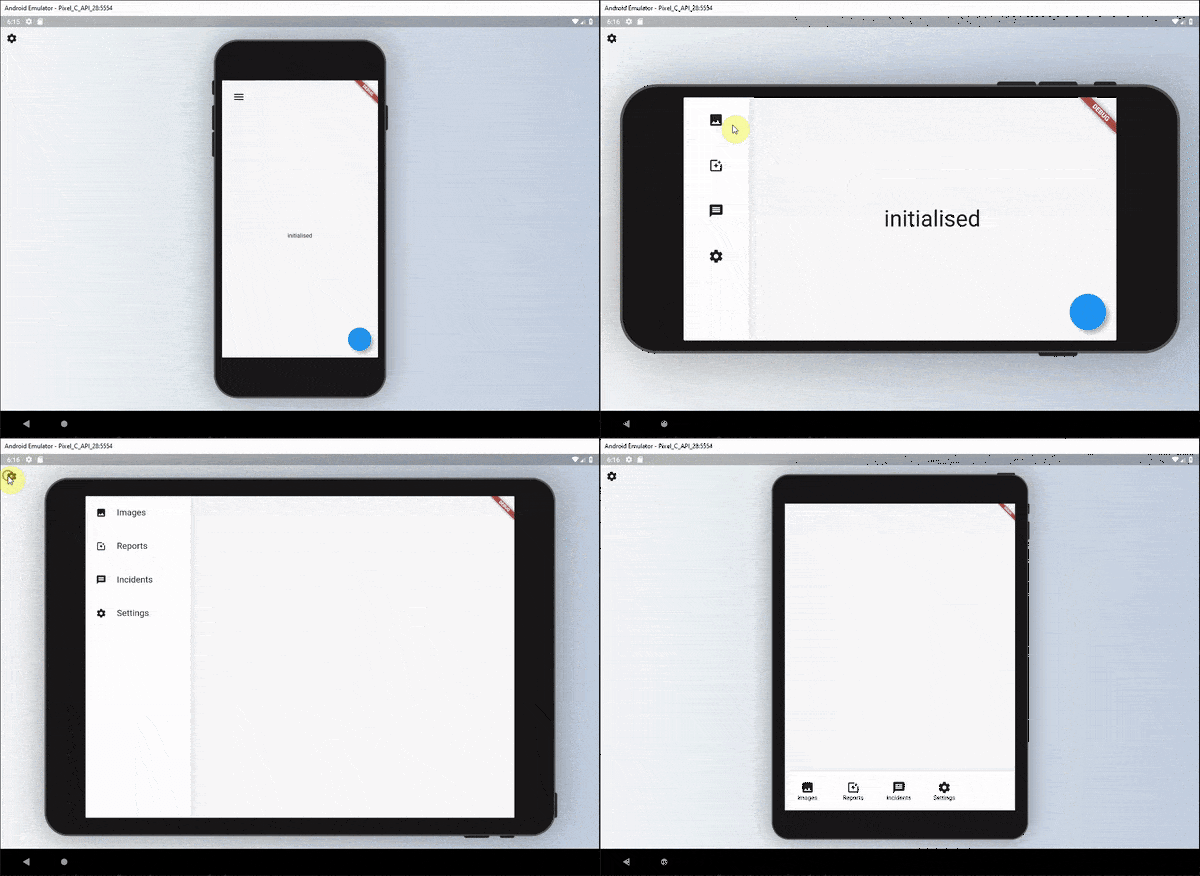
A set of widgets that can be used to define a readable responsive UI for widgets.
A plugin which allows user dragging files to your flutter desktop applications.
 v3.1.0
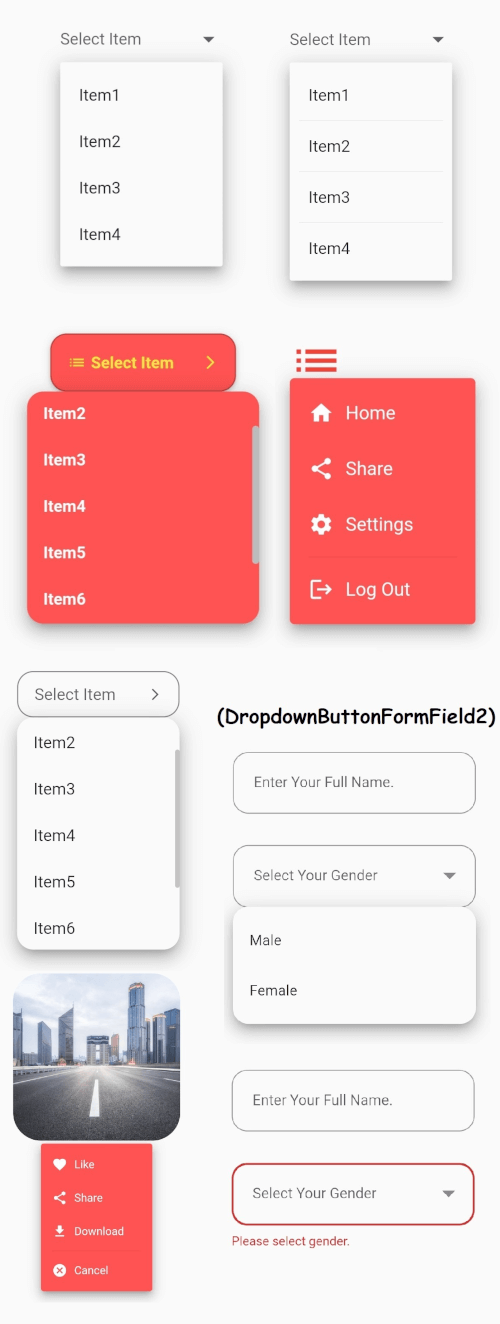
Flutter's core Dropdown Button widget with a steady dropdown menu and many other options you can customize to your needs.
Save files from bytes, paths, streams, and URLs across Android, iOS, Web, Windows, macOS, and Linux.
String replacement with operations that are Unicode/grapheme cluster aware.
A auto-completion engine for Dart/Flutter, based around an optimized Trie implementation.
 v5.0.0
Icons Plus is a package that has many icon packs that are popular and easy to use, such as Bootstrap, Font Awesome, Eva Icons, Line Awesome, Ionicons, and others.
Constants for ASCII and common non-ASCII character codes. Integer constants corresponding to the code points of individual characters.
{"sdk":"flutter"}—^0.24.0^5.0.0^1.0.8any—^0.5.0^2.3.9^8.1.3^0.2.14—^2.0.0^1.2.1^1.3.1^1.17.2^2.0.5^1.2.0^1.9.1^1.0.1^0.3.5^2.0.1^6.1.8any{"sdk":"flutter"}English project snapshot. Visit GitHub for the latest content.
SnapInk is a tool that transforms your code into beautiful, print-ready images. It allows developers to easily customize, share, and showcase their code with style. image
Whether you’re new to open source or a seasoned pro, your contributions can help bring SnapInk to the next level.
SnapInk is just getting started! Starring helps spread the word, and each contribution or feedback brings us closer to an even better tool. You can help shape SnapInk by suggesting features, fixing bugs, or refining its performance.
To run SnapInk locally using Flutter Web, follow these steps:
Clone the Repository
git clone https://github.com/ildysilva/SnapInk.git
cd SnapInk
Install Flutter Follow the instructions on the Flutter official website.
Get Dependencies
flutter pub get
Run the Project
flutter run -d chrome
git checkout -b my-feature-branch
git commit -m "Add a new feature"
git push origin my-feature-branch
Let SnapInk be part of your coding journey—don’t forget to star and share with your dev community!