

 v1.6.3
vertical_card_pager
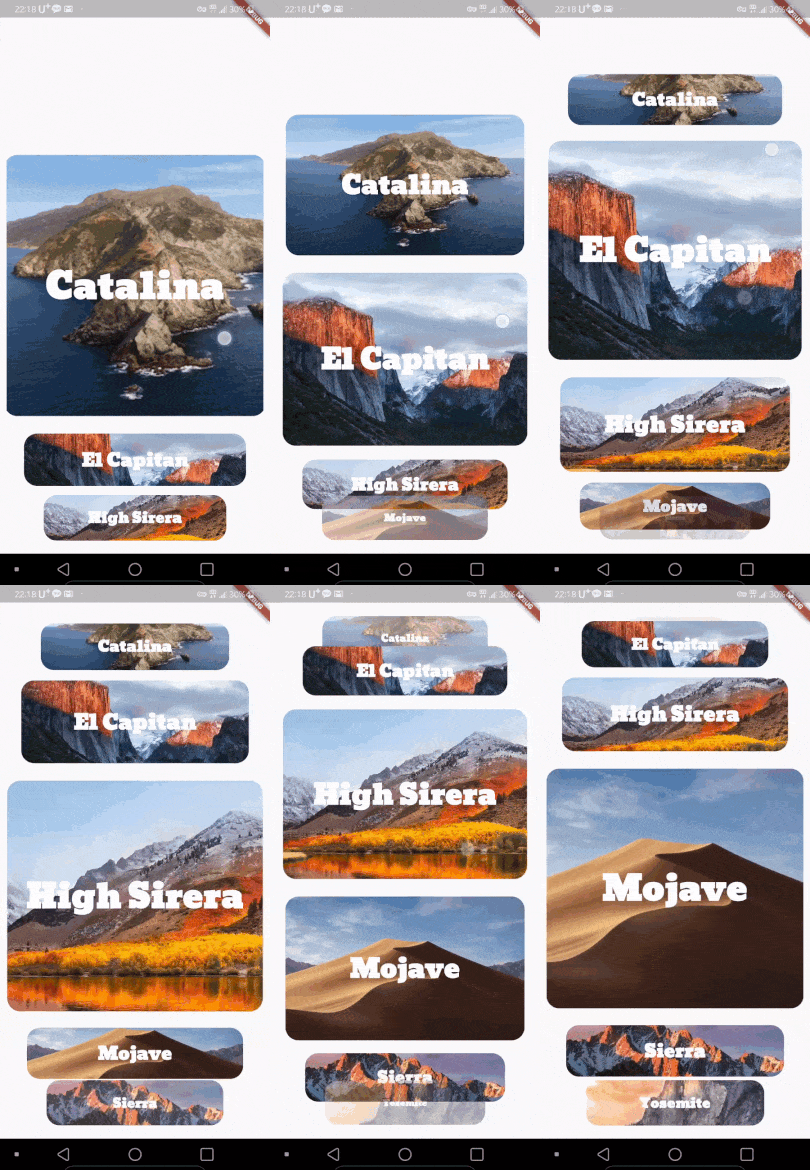
Use dynamic and beautiful card view pagers to help you create great apps.
313Likes 33930-day downloads140Pub points
AndroidiOSWeb
Use dynamic and beautiful card view pagers to help you create great apps.

English project snapshot. Visit GitHub for the latest content.


Use dynamic and beautiful card view pagers to help you create great apps.



| Left | Center(Default) | Right |
|---|---|---|
 |
 |
 |
Add dependency to pubspec.yaml
Get the latest version in the 'Installing' tab on pub.dartlang.org
dependencies:
    vertical_card_pager: ^1.6.0
import 'package:vertical_card_pager/vertical_card_pager.dart';
VerticalCardPagerWith optional parameters
  @override
  Widget build(BuildContext context) {
    final List<String> titles = ["RED", "YELLOW", "BLACK", "CYAN", "BLUE", "GREY", ];

    final List<Widget> images = [
      Container(
        color: Colors.red,
      ),
        Container(
        color: Colors.yellow,
      ),
        Container(
        color: Colors.black,
      ),
        Container(
        color: Colors.cyan,
      ),
        Container(
        color: Colors.blue,
      ),
        Container(
        color: Colors.grey,
      ),
    ];
    return Scaffold(
      body: SafeArea(
        child: Column(
          children: <Widget>[
            Expanded(
              child: Container(
                child: VerticalCardPager(
                  titles: titles,  // required
                  images: images,  // required
                  textStyle: TextStyle(color: Colors.white, fontWeight: FontWeight.bold), // optional
                  onPageChanged: (page) { // optional
                  },
                  onSelectedItem: (index) { // optional
                  },
                  initialPage: 0, // optional
                  align : ALIGN.CENTER, // optional
                  physics : ClampingScrollPhysics() // optional
                ),
              ),
            ),
          ],
        ),
      ),
    );
  }
Check out the example app in the example directory or the 'Example' tab on pub.dartlang.org for a more complete example.
https://origogi.github.io/Vertical_Card_Pager/#/
This package's animation is inspired from from this Dribbble art.
Dependency list 2 items
{"sdk":"flutter"}{"sdk":"flutter"}Start with your use case, compare repository activity, and check the original project before adopting it.
“A repository is the most basic element of GitHub.”
GitHub Docs — About repositories ↗