

v0.0.7
easy_url_launcher
A simple and very easy flutter package for launch url,email,call and sms in your App
40Likes 20330-day downloads140Pub points
AndroidiOSWebmacOSWindowsLinux
Qasim345/easy_url_launcher open-source repository details.

English project snapshot. Visit GitHub for the latest content.
A flutter package based on url_launcher package for call,sms,email and launch url in browser or app with url parameters and launch mode as platform default or platform specific mode for web
Add package to your project by running the follwing command in your terminal
flutter pub add easy_url_launcher
Import pakage
import 'pakage:easy_url_launcher/easy_url_launcher.dart';
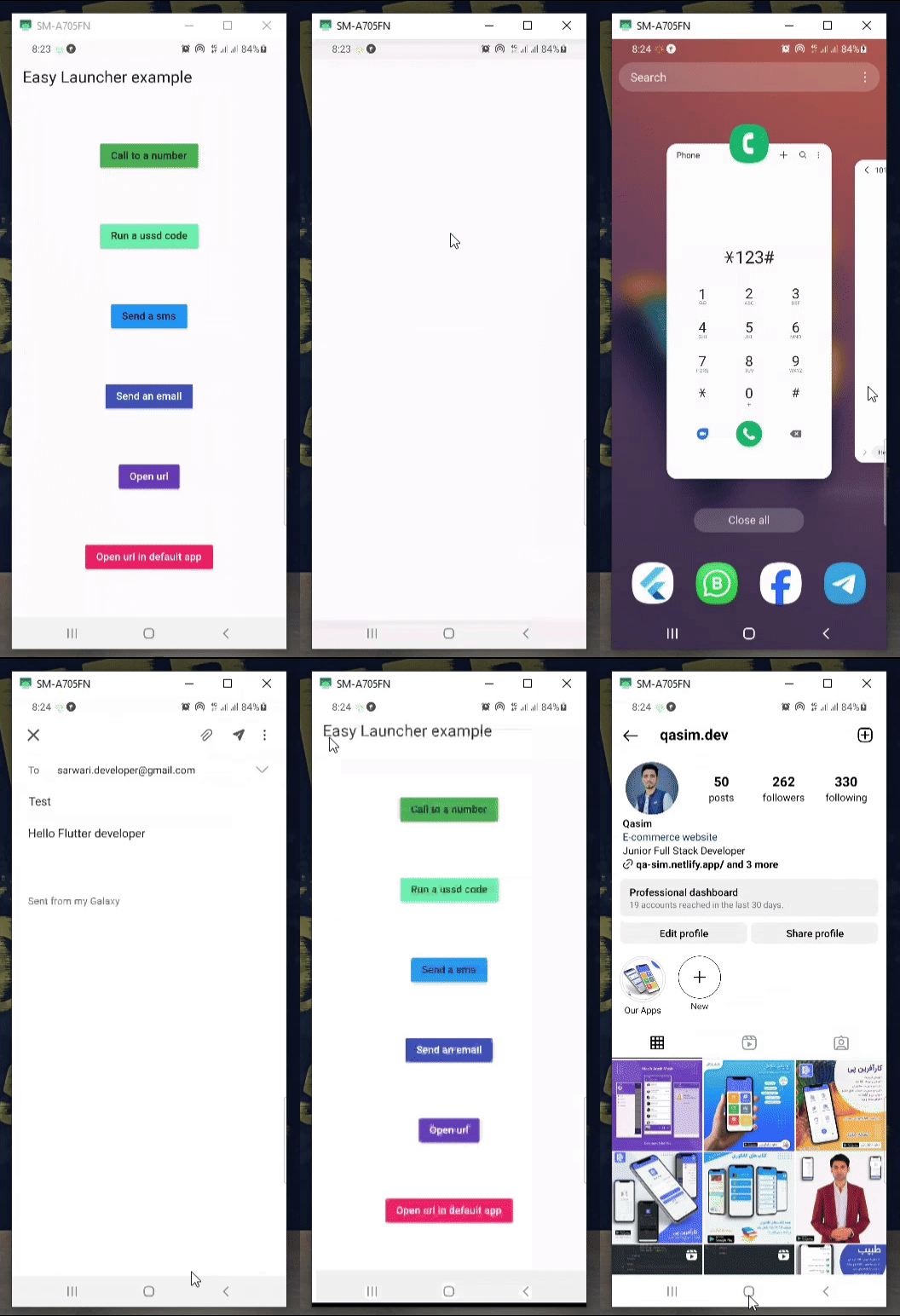
    Column(
            mainAxisAlignment: MainAxisAlignment.spaceAround,
            children: [
              MaterialButton(
                color: Colors.green,
                onPressed: () async {
                  await EasyLauncher.call(number: "767676776");
                },
                child: const Text("Call to a number"),
              ),
              MaterialButton(
                color: Colors.greenAccent,
                onPressed: () async {
                  await EasyLauncher.call(number: "*123#");
                },
                child: const Text("Run a ussd code"),
              ),
              MaterialButton(
                color: Colors.blue,
                onPressed: () async {
                  await EasyLauncher.sms(number: "1010", message: "Hello");
                },
                child: const Text("Send a sms"),
              ),
              MaterialButton(
                color: Colors.indigo,
                textColor: Colors.white,
                onPressed: () async {
                  await EasyLauncher.email(
                      email: "sarwari.developer@gmail.com",
                      subject: "Test",
                      body: "Hello Flutter developer");
                },
                child: const Text("Send an email"),
              ),
              MaterialButton(
                color: Colors.deepPurple,
                textColor: Colors.white,
                onPressed: () async {
                  await EasyLauncher.url(url: "https://pub.dev");
                },
                child: const Text("Open url"),
              ),
              MaterialButton(
                color: Colors.red,
                textColor: Colors.white,
                onPressed: () async {
                  await EasyLauncher.openMap(
                      lati: "36.7032925", long: "67.1891222");
                },
                child: const Text("Open Google map"),
              ),
              MaterialButton(
                color: Colors.pink,
                textColor: Colors.white,
                onPressed: () async {
                  await EasyLauncher.url(
                      url: "https://www.instagram.com/qasim.dev",
                      mode: Mode.platformDefault);
                },
                child: const Text("Open url in default app"),
              ),
               MaterialButton(
                color: Colors.green[700],
                textColor: Colors.white,
                onPressed: () async {
                  await EasyLauncher.sendToWhatsApp(
                      phone: "+93700000000", message: "hi");
                },
                child: const Text("Send to whatsapp"),
              ),
            ],
          ),
Dependency list 4 items
{"sdk":"flutter"}^6.2.4{"sdk":"flutter"}^2.0.0Start with your use case, compare repository activity, and check the original project before adopting it.
“A repository is the most basic element of GitHub.”
GitHub Docs — About repositories ↗