





 v2.1.1
dismissible_page
Flutter widget that allows you to dismiss page to any direction, forget the boring back button and plain transitions..
694Likes 38.3K30-day downloads160Pub points
AndroidiOSWebmacOSWindowsLinux
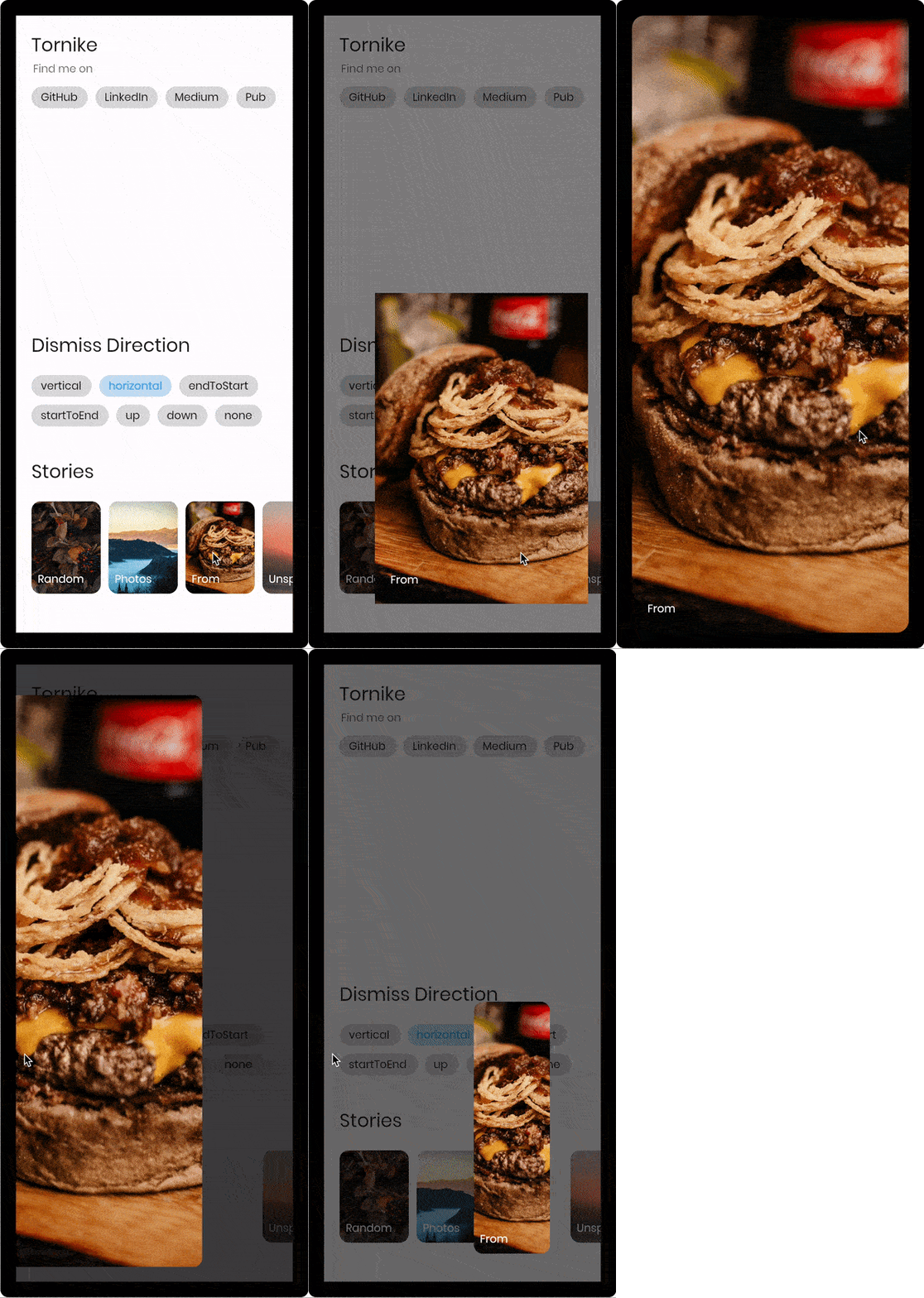
Flutter page widget that is dismissed by swipe gestures, with Hero style animations, Inspired by Facebook and Instagram stories.

English project snapshot. Visit GitHub for the latest content.
Flutter widget that allows you to dismiss page to any direction, forget the boring back button and plain transitions.
| Live Demo | Multi Direction | Vertical |
|---|---|---|
 |
 |
 |
const imageUrl =
    'https://user-images.githubusercontent.com/26390946/155666045-aa93bf48-f8e7-407c-bb19-bc247d9e12bd.png';

class FirstPage extends StatelessWidget {
  @override
  Widget build(BuildContext context) {
    return Scaffold(
      backgroundColor: Color.fromRGBO(228, 217, 236, 1),
      body: GestureDetector(
        onTap: () {
          // Use extension method to use [TransparentRoute]
          // This will push page without route background
          context.pushTransparentRoute(SecondPage());
        },
        child: Center(
          child: SizedBox(
            width: 200,
            // Hero widget is needed to animate page transition
            child: Hero(
              tag: 'Unique tag',
              child: Image.network(
                imageUrl,
                fit: BoxFit.cover,
              ),
            ),
          ),
        ),
      ),
    );
  }
}

class SecondPage extends StatelessWidget {
  @override
  Widget build(BuildContext context) {
    return DismissiblePage(
      onDismissed: () {
        Navigator.of(context).pop();
      },
      // Note that scrollable widget inside DismissiblePage might limit the functionality
      // If scroll direction matches DismissiblePage direction
      direction: DismissiblePageDismissDirection.multi,
      isFullScreen: false,
      child: Hero(
        tag: 'Unique tag',
        child: Image.network(
          imageUrl,
          fit: BoxFit.cover,
        ),
      ),
    );
  }
}
  const DismissiblePage({
    required this.child,
    required this.onDismissed,
    this.onDragStart,
    this.onDragEnd,
    this.onDragUpdate,
    this.isFullScreen = true,
    this.disabled = false,
    this.backgroundColor = Colors.black,
    this.direction = DismissiblePageDismissDirection.vertical,
    this.dismissThresholds = const <DismissiblePageDismissDirection, double>{},
    this.dragStartBehavior = DragStartBehavior.down,
    this.dragSensitivity = 0.7,
    this.minRadius = 7,
    this.minScale = .85,
    this.maxRadius = 30,
    this.maxTransformValue = .4,
    this.startingOpacity = 1,
    this.hitTestBehavior = HitTestBehavior.opaque,
    this.reverseDuration = const Duration(milliseconds: 200),
    Key? key,
  }) : super(key: key);

  /// Called when the widget has been dismissed.
  final VoidCallback onDismissed;

  /// Called when the user starts dragging the widget.
  final VoidCallback? onDragStart;

  /// Called when the user ends dragging the widget.
  final VoidCallback? onDragEnd;

  /// Called when the widget has been dragged. (0.0 - 1.0)
  final ValueChanged<DismissiblePageDragUpdateDetails>? onDragUpdate;

  /// If true widget will ignore device padding
  /// [MediaQuery.of(context).padding]
  final bool isFullScreen;

  /// The minimum amount of scale widget can have while dragging
  /// Note that scale decreases as user drags
  final double minScale;

  /// The minimum amount fo border radius widget can have
  final double minRadius;

  /// The maximum amount of border radius widget can have while dragging
  /// Note that radius increases as user drags
  final double maxRadius;

  /// The amount of distance widget is able to drag. value (0.0 - 1.0)
  final double maxTransformValue;

  /// If true the widget will ignore gestures
  final bool disabled;

  /// Widget that should be dismissed
  final Widget child;

  /// Background color of [DismissiblePage]
  final Color backgroundColor;

  /// The amount of opacity [backgroundColor] will have when start dragging the widget.
  final double startingOpacity;

  /// The direction in which the widget can be dismissed.
  final DismissiblePageDismissDirection direction;

  /// The offset threshold the item has to be dragged in order to be considered
  /// dismissed. default is [_kDismissThreshold], value (0.0 - 1.0)
  final Map<DismissiblePageDismissDirection, double> dismissThresholds;

  /// Represents how much responsive dragging the widget will be
  /// Doesn't work on [DismissiblePageDismissDirection.multi]
  final double dragSensitivity;

  /// Determines the way that drag start behavior is handled.
  final DragStartBehavior dragStartBehavior;

  /// The amount of time the widget will spend returning to initial position if widget is not dismissed after drag
  final Duration reverseDuration;

  /// How to behave during hit tests.
  ///
  /// This defaults to [HitTestBehavior.opaque].
  final HitTestBehavior hitTestBehavior;
Dependency list 3 items
{"sdk":"flutter"}{"sdk":"flutter"}^5.0.0+1Start with your use case, compare repository activity, and check the original project before adopting it.
“A repository is the most basic element of GitHub.”
GitHub Docs — About repositories ↗