

v1.0.4
akvelon_flutter_share_plugin
A Flutter plugin to share text, media and files from your Flutter app via the platform's share dialog.
28Likes 7330-day downloads35Pub points
Platforms unavailable
A Flutter plugin to share content from your Flutter app via the platform's share dialog

English project snapshot. Visit GitHub for the latest content.
A Flutter plugin for both iOS and Android that provides ability to share plain text, links and local files. Multiple file share is also supported.
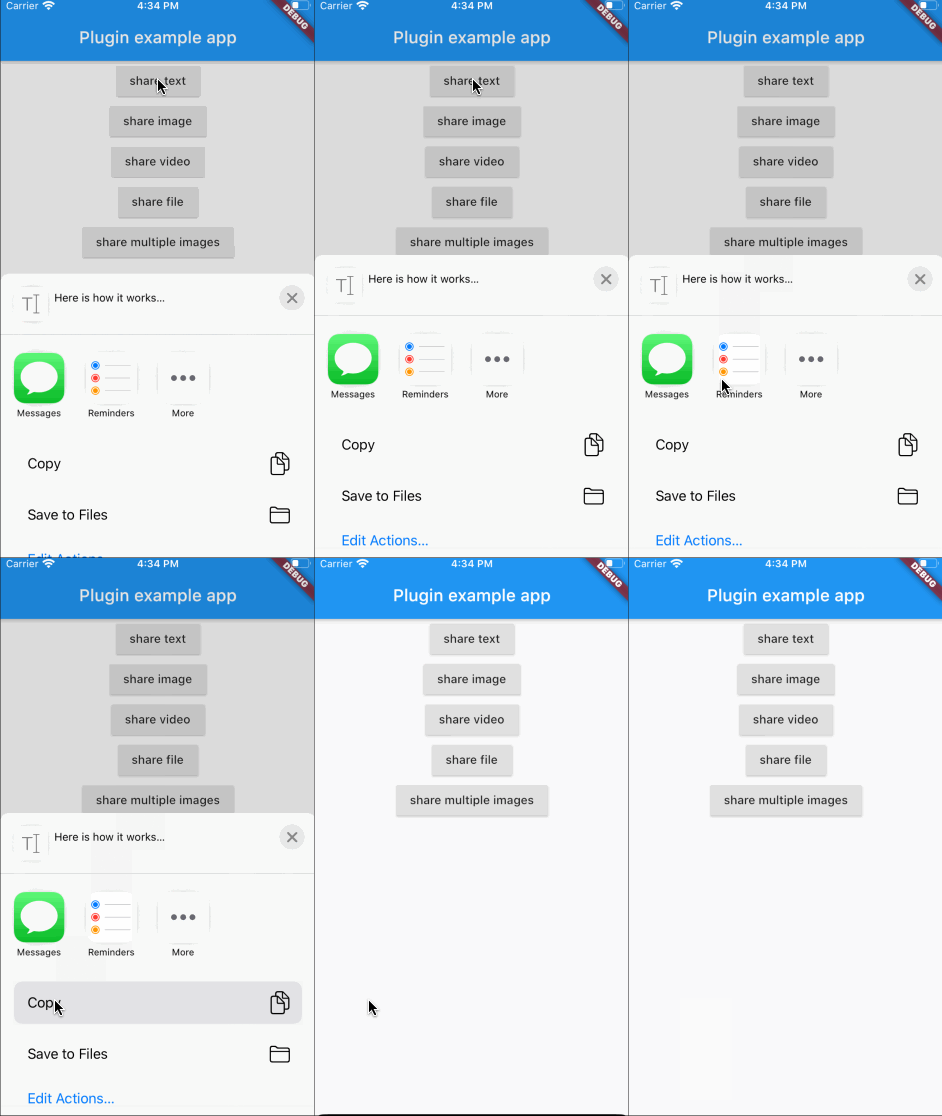
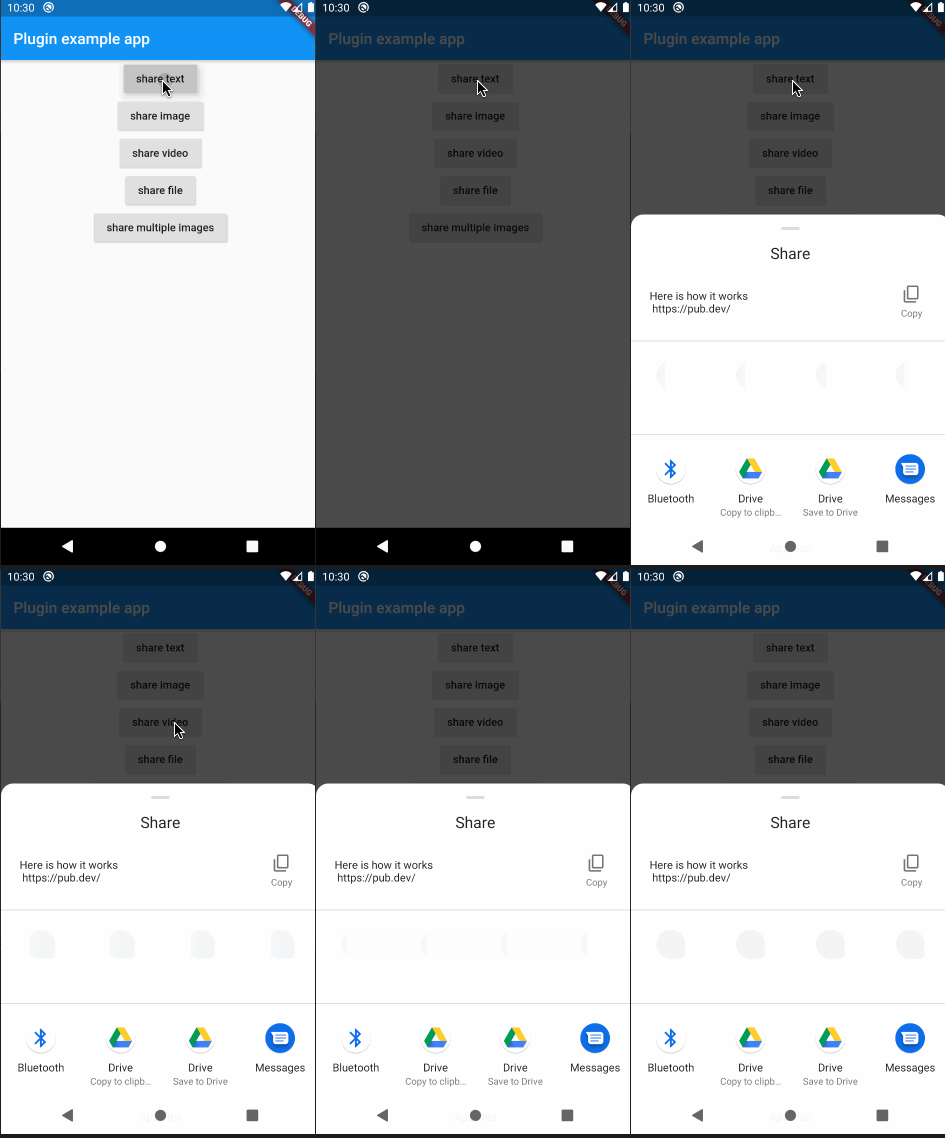
In the beginning, please add flutter_share_plugin as a dependency in your pubspec.yaml file.
Make sure that this row exists in your ios/podfile file after target runner:
...

target 'Runner' do
    use_frameworks!

...
Please note that if you want to share files, you need to setup a FileProvider which will give access to the files for sharing with other applications.
Add to AndroidManifest.xml:
<application>
...
<provider
    android:name="androidx.core.content.FileProvider"
    android:authorities="${applicationId}.provider"
    android:exported="false"
    android:grantUriPermissions="true">
    <meta-data
        android:name="android.support.FILE_PROVIDER_PATHS"
        android:resource="@xml/file_provider_paths"/>
</provider>
</application>
...
Add res/xml/file_provider_paths.xml:
<?xml version="1.0" encoding="utf-8"?>
<paths xmlns:android="http://schemas.android.com/apk/res/android">
    <cache-path name="cache" path="."/>
    <files-path name="cache" path="."/>
</paths>
For full document about FileProvider please refer to the Android documentation.
Here is an example of flutter app sharing text, images and files:
...

            RaisedButton(
                onPressed: () {
                  FlutterSharePlugin.shareText("Here is how it works",
                      title: "share text title",
                      subject: "share text subject",
                      url: "https://pub.dev/");
                },
                child: Text("share text"),
              ),
              RaisedButton(
                onPressed: () async {
                  PickedFile f =
                      await picker.getImage(source: ImageSource.gallery);
                  if (f != null) {
                    FlutterSharePlugin.shareSingle(f.path, ShareType.IMAGE,
                        title: "share image title",
                        subject: "share image subject");
                  }
                },
                child: Text("share image"),
              ),
              RaisedButton(
                onPressed: () async {
                  PickedFile f =
                      await picker.getVideo(source: ImageSource.gallery);
                  if (f != null) {
                    FlutterSharePlugin.shareSingle(
                      f.path,
                      ShareType.VIDEO,
                      title: "share video title",
                      subject: "share video subject",
                    );
                  }
                },
                child: Text("share video"),
              ),
              RaisedButton(
                onPressed: () {
                  _shareStorageFile();
                },
                child: Text("share file"),
              ),
              RaisedButton(
                onPressed: () {
                  _shareMultipleImages();
                },
                child: Text("share multiple images"),
              ),
            ],
          ),
        ),
      ),
    ),
  );
}

  ///share the storage file
  _shareStorageFile() async {
    Directory dir = Platform.isAndroid
        ? await getExternalStorageDirectory()
        : await getApplicationDocumentsDirectory();
    File testFile = File("${dir.path}/flutter/test.txt");
    if (!await testFile.exists()) {
      await testFile.create(recursive: true);
      testFile.writeAsStringSync("test for share documents file");
    }
    FlutterSharePlugin.shareSingle(
      testFile.path,
      ShareType.FILE,
      title: "share file title",
      subject: "share file subject",
    );
  }

  ///share multiple images
  _shareMultipleImages() async {
    List<Asset> assetList = await MultiImagePicker.pickImages(maxImages: 5);
    var imageList = List<String>();
    for (var asset in assetList) {
      String path =
          await _writeByteToImageFile(await asset.getByteData(quality: 30));
      imageList.add(path);
    }
    FlutterSharePlugin.shareMultiple(
      imageList,
      ShareType.IMAGE,
      title: "share multiple images title",
      subject: "share multiple images subject",
    );
  }

  Future<String> _writeByteToImageFile(ByteData byteData) async {
    Directory dir = Platform.isAndroid
        ? await getExternalStorageDirectory()
        : await getApplicationDocumentsDirectory();
    File imageFile = new File(
        "${dir.path}/flutter/${DateTime.now().millisecondsSinceEpoch}.png");
    imageFile.createSync(recursive: true);
    imageFile.writeAsBytesSync(byteData.buffer.asUint8List(0));
    return imageFile.path;
  }
}
If you have any troubles, please, create an issue
Dependency list 2 items
{"sdk":"flutter"}{"sdk":"flutter"}Start with your use case, compare repository activity, and check the original project before adopting it.
“A repository is the most basic element of GitHub.”
GitHub Docs — About repositories ↗