Search packages, repositories and app categories

Package detailsv1.0.4

akvelon_flutter_share_plugin

A Flutter plugin to share text, media and files from your Flutter app via the platform's share dialog.

30-day downloads
73
Likes
28
Pub points
35

Install package

flutter pub add akvelon_flutter_share_plugin

Package Overview

Package selection guidance compiled from public package information, community data, and project usage.

A Flutter plugin that enables sharing text, media, and files from your app using the platform's native share dialog. It provides a simple, cross-platform interface to integrate sharing functionality seamlessly into Flutter applications. The plugin leverages native sharing APIs on both Android and iOS, ensuring consistent behavior across devices. It supports sharing plain text, images, and files, making it ideal for apps that require user-driven content distribution. The source code is publicly available on GitHub for transparency and customization.

Use cases

  • Sharing text snippets within an app
  • Sending images to social media or messaging apps
  • Distributing files like PDFs or documents
  • Enabling users to share content with contacts
  • Integrating native sharing in cross-platform apps

Key features

  • Cross-platform sharing support
  • Simple API for sharing text and media
  • Support for file sharing
  • Uses native platform share dialogs
  • Open-source and publicly hosted on GitHub

Suitable for

  • Developers building cross-platform apps
  • Apps requiring content sharing features
  • Projects needing integration with native sharing
  • Teams wanting transparent, customizable code
  • Mobile apps targeting both Android and iOS

Considerations

  • Requires platform-specific permissions for file sharing
  • Limited to basic sharing functionality
  • No built-in UI components beyond the native share sheet
  • Depends on platform availability of share intents
  • May need additional handling for large files

Original README

Original README snapshot from the linked source repository. Visit the repository for the latest content.

Flutter Share Plugin

A Flutter plugin for both iOS and Android that provides ability to share plain text, links and local files. Multiple file share is also supported.

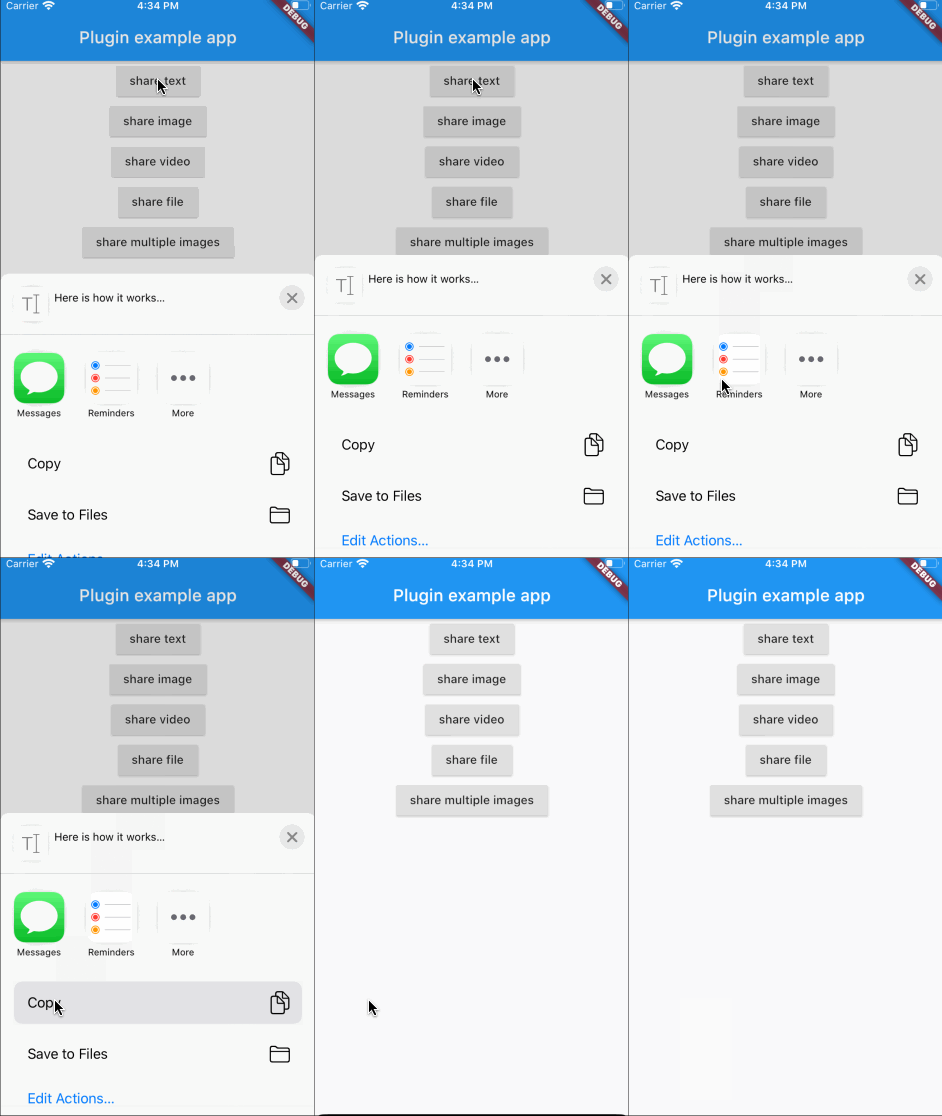
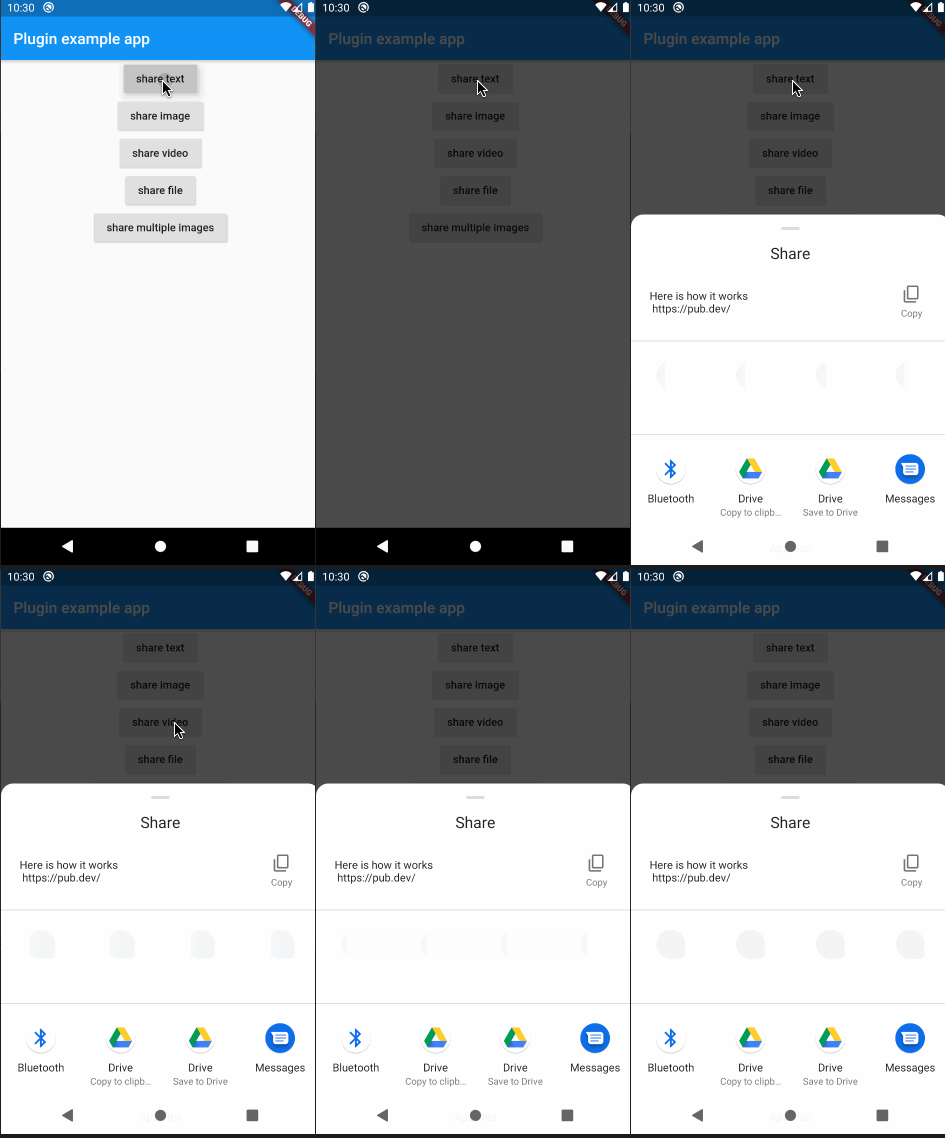
Screenshots

Click to see how it works

Installation

In the beginning, please add flutter_share_plugin as a dependency in your pubspec.yaml file.

iOS

Make sure that this row exists in your ios/podfile file after target runner:

...

target 'Runner' do
    use_frameworks!

...
Android

Please note that if you want to share files, you need to setup a FileProvider which will give access to the files for sharing with other applications.

Add to AndroidManifest.xml:

<application>
...
<provider
    android:name="androidx.core.content.FileProvider"
    android:authorities="${applicationId}.provider"
    android:exported="false"
    android:grantUriPermissions="true">
    <meta-data
        android:name="android.support.FILE_PROVIDER_PATHS"
        android:resource="@xml/file_provider_paths"/>
</provider>
</application>
...

Add res/xml/file_provider_paths.xml:

<?xml version="1.0" encoding="utf-8"?>
<paths xmlns:android="http://schemas.android.com/apk/res/android">
    <cache-path name="cache" path="."/>
    <files-path name="cache" path="."/>
</paths>

For full document about FileProvider please refer to the Android documentation.

Usage

Here is an example of flutter app sharing text, images and files:

...

            RaisedButton(
                onPressed: () {
                  FlutterSharePlugin.shareText("Here is how it works",
                      title: "share text title",
                      subject: "share text subject",
                      url: "https://pub.dev/");
                },
                child: Text("share text"),
              ),
              RaisedButton(
                onPressed: () async {
                  PickedFile f =
                      await picker.getImage(source: ImageSource.gallery);
                  if (f != null) {
                    FlutterSharePlugin.shareSingle(f.path, ShareType.IMAGE,
                        title: "share image title",
                        subject: "share image subject");
                  }
                },
                child: Text("share image"),
              ),
              RaisedButton(
                onPressed: () async {
                  PickedFile f =
                      await picker.getVideo(source: ImageSource.gallery);
                  if (f != null) {
                    FlutterSharePlugin.shareSingle(
                      f.path,
                      ShareType.VIDEO,
                      title: "share video title",
                      subject: "share video subject",
                    );
                  }
                },
                child: Text("share video"),
              ),
              RaisedButton(
                onPressed: () {
                  _shareStorageFile();
                },
                child: Text("share file"),
              ),
              RaisedButton(
                onPressed: () {
                  _shareMultipleImages();
                },
                child: Text("share multiple images"),
              ),
            ],
          ),
        ),
      ),
    ),
  );
}

  ///share the storage file
  _shareStorageFile() async {
    Directory dir = Platform.isAndroid
        ? await getExternalStorageDirectory()
        : await getApplicationDocumentsDirectory();
    File testFile = File("${dir.path}/flutter/test.txt");
    if (!await testFile.exists()) {
      await testFile.create(recursive: true);
      testFile.writeAsStringSync("test for share documents file");
    }
    FlutterSharePlugin.shareSingle(
      testFile.path,
      ShareType.FILE,
      title: "share file title",
      subject: "share file subject",
    );
  }

  ///share multiple images
  _shareMultipleImages() async {
    List<Asset> assetList = await MultiImagePicker.pickImages(maxImages: 5);
    var imageList = List<String>();
    for (var asset in assetList) {
      String path =
          await _writeByteToImageFile(await asset.getByteData(quality: 30));
      imageList.add(path);
    }
    FlutterSharePlugin.shareMultiple(
      imageList,
      ShareType.IMAGE,
      title: "share multiple images title",
      subject: "share multiple images subject",
    );
  }

  Future<String> _writeByteToImageFile(ByteData byteData) async {
    Directory dir = Platform.isAndroid
        ? await getExternalStorageDirectory()
        : await getApplicationDocumentsDirectory();
    File imageFile = new File(
        "${dir.path}/flutter/${DateTime.now().millisecondsSinceEpoch}.png");
    imageFile.createSync(recursive: true);
    imageFile.writeAsBytesSync(byteData.buffer.asUint8List(0));
    return imageFile.path;
  }
}

If you have any troubles, please, create an issue

Categories

Source repository

Projects using this package

No data available yet.