Search packages, repositories and app categories

GitHub repositoryal-mohad/fulde-keyboard

fulde-keyboard

al-mohad/fulde-keyboard open-source repository details.

fulde-keyboard project cover
Stars
0
Forks
0
Last push (UTC)
Jul 10, 2025
Project status
Active

Original README

English project snapshot. Visit GitHub for the latest content.

fulde_keyboard

About

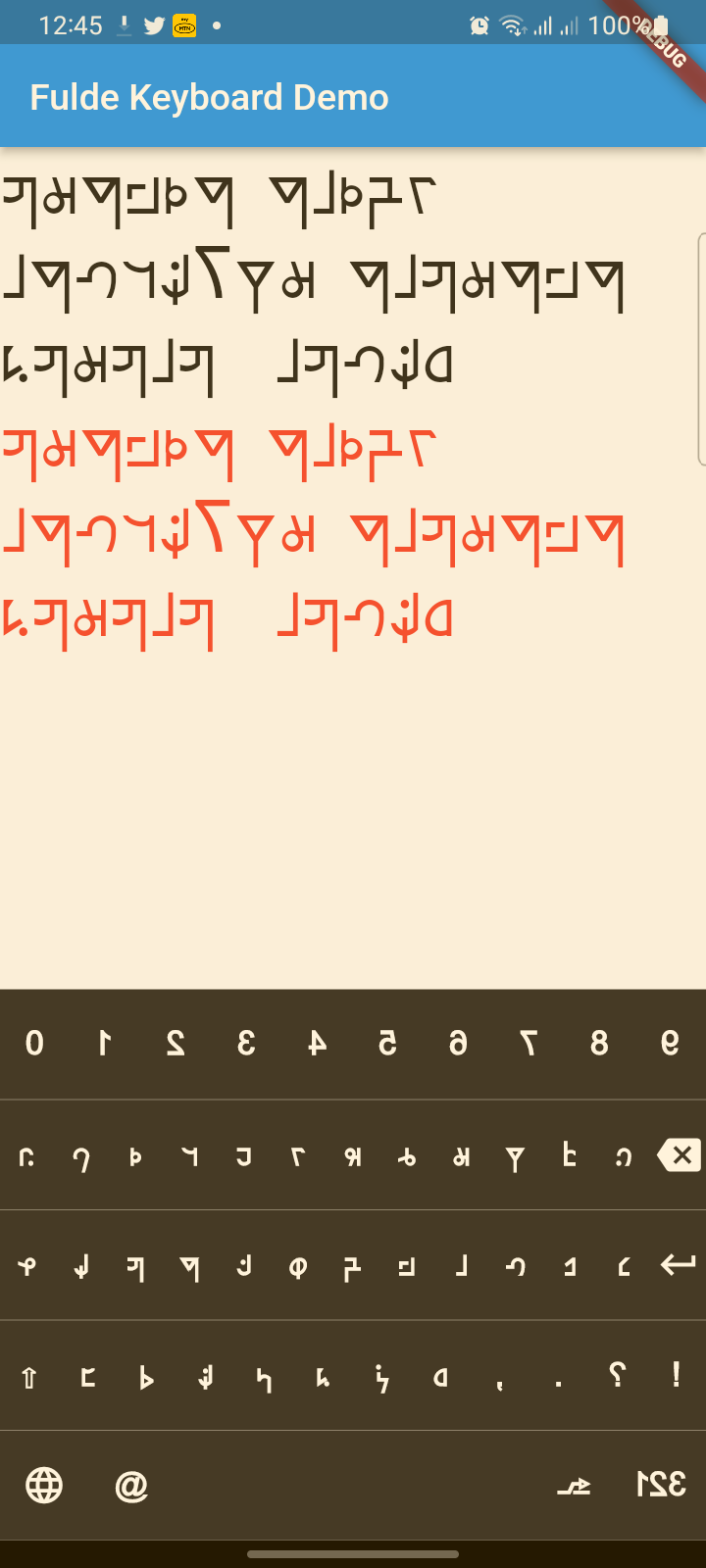
A modern, beautiful virtual keyboard package for Fulde language with multi-language support (Fulde, Latin, English). Features modern UI design, haptic feedback, accessibility support, and smooth animations. Perfect for kiosks, ATMs, and mobile applications.

This project has evolved from a simple virtual keyboard to a comprehensive, production-ready keyboard solution with modern design principles and accessibility features.

✨ Features

🎨 Modern Design

  • Beautiful UI: Modern gradients, shadows, and rounded corners
  • Smooth Animations: Key press animations and smooth transitions
  • Material 3 Design: Latest Material Design principles
  • Dark/Light Theme: Automatic theme switching support

🌍 Multi-Language Support

  • Fulde Language: Native Fulde keyboard layout
  • Latin Script: Latin character support
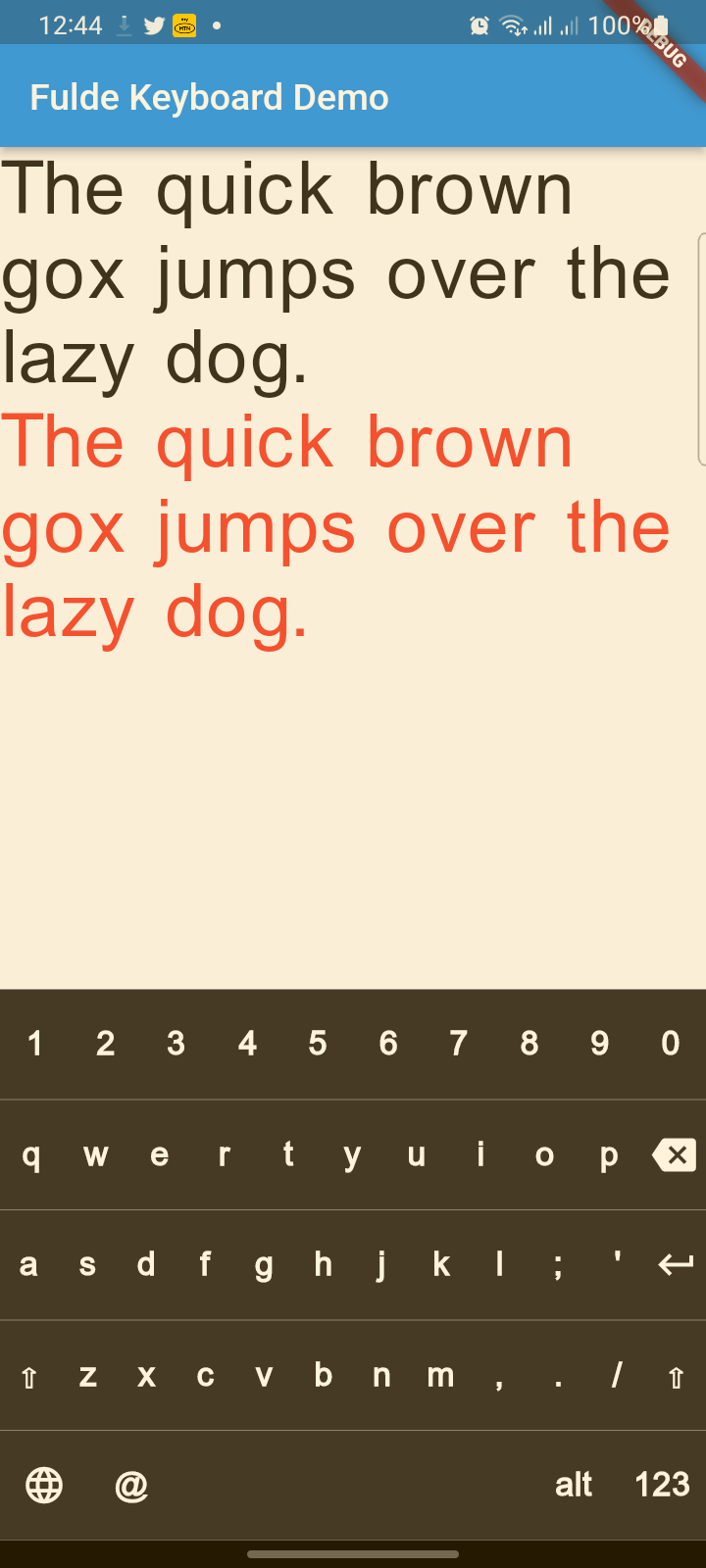
  • English: Full English QWERTY layout
  • Easy Language Switching: Animated language selector with visual indicators

♿ Accessibility & UX

  • Haptic Feedback: Tactile feedback on key presses
  • Screen Reader Support: Semantic labels for accessibility
  • Responsive Design: Works on all screen sizes
  • Touch Optimized: Proper touch targets and visual feedback

🔧 Technical Features

  • No Native Dependencies: Pure Dart implementation
  • Customizable Layouts: Easy to modify and extend
  • Performance Optimized: Smooth rendering and minimal overhead
  • Flutter 3.x Compatible: Latest Flutter support

📋 TODO List

  • (ToDo) Adding Arabic and Hausa keyboards (Rabi'at font)
  • (ToDo) Adding input result viewer and event handling
  • (ToDo) Adding spell checker
  • (ToDo) Voice input integration

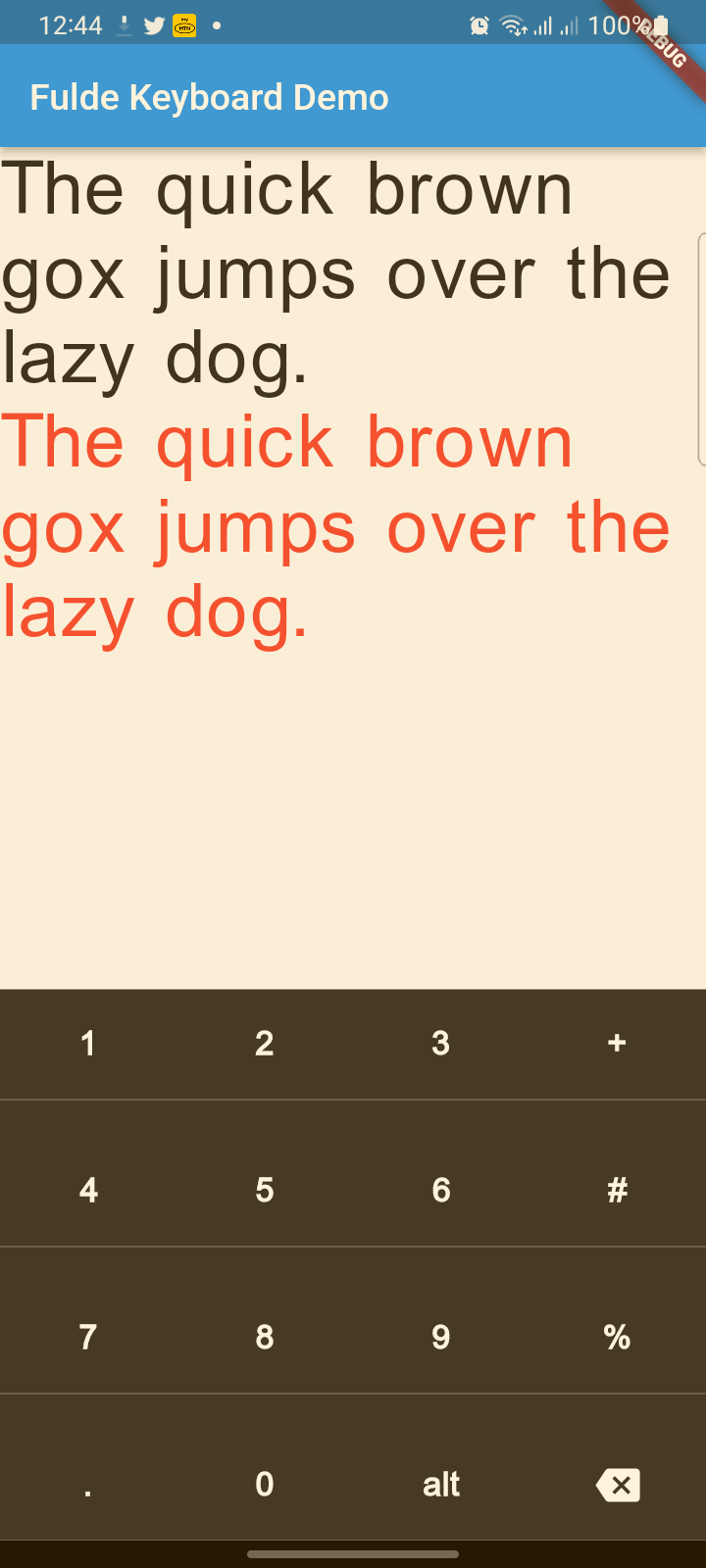
screenshot


screenshot


screenshot


Reference

FuldeKeyboard

Flutter widget to show virtual keyboards.

// Keyboard Type: Can be Numeric or Alphanumeric.
FuldeKeyboardType type
// Callback for Key press event. Called with pressed `Key` object.
Function onKeyPress;
// Virtual keyboard height. Default is 300.
double height;
/// Virtual keyboard height. Default is full screen width
  double width;
// Color for key texts and icons.
Color textColor;
// Font size for keyboard keys.
double fontSize;;
// Only Caps letters enabled.
bool alwaysCaps;;
/// the custom layout for multi or single language
FuldeKeyboardLayoutKeys customLayoutKeys;
/// used for multi-languages with default layouts, the default is English only
/// will be ignored if customLayoutKeys is not null
List<FuldeKeyboardDefaultLayouts> defaultLayouts;
/// inverse the layout to fix the issues with right to left languages, default is false.
bool reverseLayout;
FuldeKeyboardType

enum of Available Virtual Keyboard Types.

// Numeric only.
FuldeKeyboardType.Numeric
// Alphanumeric: letters`[A-Z]` + numbers`[0-9]` + `@` + `.`.
FuldeKeyboardType.Alphanumeric
FuldeKeyboardKey

Virtual Keyboard key.

// The text of the key.
String text
// The capitalized text of the key.
String capsText;
// Action or String
FuldeKeyboardKeyType keyType;
// Action of the key.
FuldeKeyboardKeyAction action;
FuldeKeyboardKeyType

Type for virtual keyboard key.

// Can be an action key - Return, Backspace, etc.
FuldeKeyboardKeyType.Action
// Keys that have text values - letters, numbers, comma ...
FuldeKeyboardKeyType.String
FuldeKeyboardKeyAction
/// Virtual keyboard actions.
enum FuldeKeyboardKeyAction { Backspace, Return, Shift, Space }

Usage

Show Alphanumeric keyboard with default view
// Wrap the keyboard with Container to set background color.
Container(
            // Keyboard is transparent
            color: Colors.deepPurple,
            child: FuldeKeyboard(
                // Default height is 300
                height: 350,
                // Default height is will screen width
                width: 600,
                // Default is black
                textColor: Colors.white,
                // Default 14
                fontSize: 20,
                // the layouts supported
                defaultLayouts = [FuldeKeyboardDefaultLayouts.English],
                // [A-Z, 0-9]
                type: FuldeKeyboardType.Alphanumeric,
                // Callback for key press event
                onKeyPress: _onKeyPress),
          )
Show Numeric keyboard with default view
Container(
            // Keyboard is transparent
            color: Colors.red,
            child: FuldeKeyboard(
                // [0-9] + .
                type: FuldeKeyboardType.Numeric,
                // Callback for key press event
                onKeyPress: (key) => print(key.text)),
          )
Show Alphanumeric keyboard with customized keys
 Container(
            color: Colors.deepPurple,
            child: FuldeKeyboard(
                height: keyboardHeight,
                textColor: Colors.white,
                fontSize: 20,
                builder: _builder,
                type: FuldeKeyboardType.Numeric,
                onKeyPress: _onKeyPress),
          )

  /// Builder for keyboard keys.
  Widget _builder(BuildContext context, FuldeKeyboardKey key) {
    Widget keyWidget;

    switch (key.keyType) {
      case FuldeKeyboardKeyType.String:
        // Draw String key.
        keyWidget = _keyboardDefaultKey(key);
        break;
      case FuldeKeyboardKeyType.Action:
        // Draw action key.
        keyWidget = _keyboardDefaultActionKey(key);
        break;
    }

    return keyWidget;
  }
onKeyPressed event basic ussage example
// Just local variable. Use Text widget or similar to show in UI.
String text;

  /// Fired when the virtual keyboard key is pressed.
_onKeyPress(FuldeKeyboardKey key) {
if (key.keyType == FuldeKeyboardKeyType.String) {
    text = text + (shiftEnabled ? key.capsText : key.text);
} else if (key.keyType == FuldeKeyboardKeyType.Action) {
    switch (key.action) {
    case FuldeKeyboardKeyAction.Backspace:
        if (text.length == 0) return;
        text = text.substring(0, text.length - 1);
        break;
    case FuldeKeyboardKeyAction.Return:
        text = text + '\n';
        break;
    case FuldeKeyboardKeyAction.Space:
        text = text + key.text;
        break;
    case FuldeKeyboardKeyAction.Shift:
        shiftEnabled = !shiftEnabled;
        break;
    default:
    }
}
// Update the screen
setState(() {});
}
Muhammad Buhari GitHub avatar
GitHub author

Muhammad Buhari ↗

Sr. Software Engineer

IntelPeak Technologies127.0.0.1Official website ↗
LanguagesDartC++CMakeHTMLCSwiftKotlinObjective-C

Packages published by this repository

Dependencies used

Dependency list 3 items

  • flutter{"sdk":"flutter"}
  • flutter_testDevelopment{"sdk":"flutter"}
  • flutter_lintsDevelopment^2.0.0

How do I choose a repository?

Start with your use case, compare repository activity, and check the original project before adopting it.

  1. Search by repository name, owner or description, then narrow the results by topic.
  2. Compare stars, forks and recent pushes. Stars show community interest, not a guarantee of quality.
  3. Read the README, license and issues on GitHub before using a project.

Sources and maintenance

“A repository is the most basic element of GitHub.”

GitHub Docs — About repositories ↗