


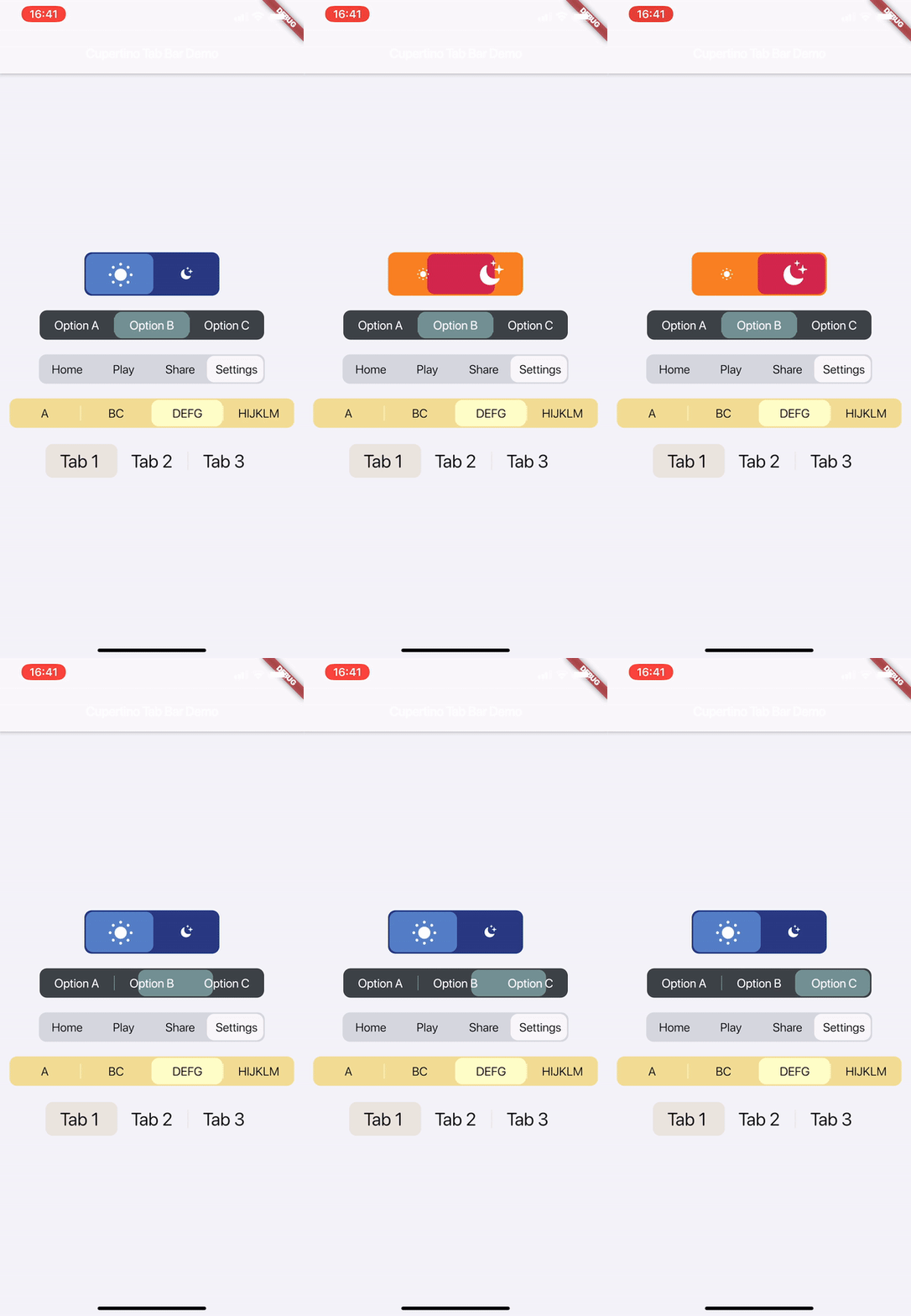
 v2.0.0
cupertino_tabbar
A highly customisable and simple widget for having iOS 13 style tab bars.
72Likes 2.5K30-day downloads140Pub points
AndroidiOSWebmacOSWindowsLinux
aliyigitbireroglu/flutter-cupertino-tabbar open-source repository details.

English project snapshot. Visit GitHub for the latest content.


A highly customisable and simple widget for having iOS 13 style tab bars.
It is highly recommended to read the documentation and run the example project on a real device to fully understand and inspect the full range of capabilities.
Media | Description | Installation | How-to-Use
[useShadow] is added. If set to true, a shadow will be displayed under the indicator that is much more similar to the actual iOS version. See Media for examples.
[allowScrollable], [fittedWhenScrollable], [animateWhenScrollable], [animateUntilScrolled], [outerHorizontalPadding] and [outerVerticalPadding] are added. These all work towards making an easy-to-use scrollable tab bar. Please refer to the documentation and the examples for instructions and see Media for examples.
Watch on Youtube:

This is a highly customisable and simple widget for having iOS 13 style tab bars.
Simply create a CupertinoTabBar as shown in the example:
CupertinoTabBar(
  Colors.black                  //_backgroundColor
  Colors.white                  //_foregroundColor
  [...],                        //_widgets
  cupertinoTabBarValueGetter,   //_valueGetter
  (int index) {                 //_onTap
    setState(() {
      cupertinoTabBarValue = index;
    });
  },
  {Key key,
  useSeparators             : false,
  innerHorizontalPadding    : 10.0,
  innerVerticalPadding      : 10.0,
  borderRadius              : const BorderRadius.all(const Radius.circular(10.0)),
  curve                     : Curves.linearToEaseOut,
  duration                  : const Duration(milliseconds: 350),
  allowExpand               : false,
  allowScrollable           : false,
  fittedWhenScrollable      : false,
  animateWhenScrollable     : false,
  animateUntilScrolled      : false,
  outerHorizontalPadding    : 10.0,,
  outerVerticalPadding      : 0})
)

int cupertinoTabBarValue = 0;
int cupertinoTabBarValueGetter() => cupertinoTabBarValue;
Further Explanations:
For a complete set of descriptions for all parameters and methods, see the documentation.
Any help, suggestion or criticism is appreciated!
Cheers.

Start with your use case, compare repository activity, and check the original project before adopting it.
“A repository is the most basic element of GitHub.”
GitHub Docs — About repositories ↗