

 v5.0.1
material_segmented_control
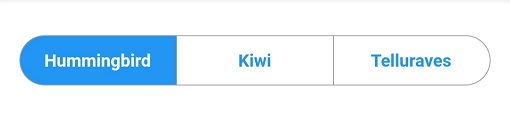
A segmented control widget like the one for iOS, but in Material design.
103Likes 11.2K30-day downloads150Pub points
AndroidiOSWebmacOSWindowsLinux
A Material styled segmented control with full control over behavior and design.

English project snapshot. Visit GitHub for the latest content.
A material segmented control like the one for iOS, in Material style.

We all know well the Cupertino segmented widget in Flutter. But there is no similar in Material, so I thought, why not to create one.
You can check it out on pub.dev: (see package on pub.dev)
In your pubspec.yaml, add
dependencies:
    material_segmented_control: ^5.0.1
Wherever you want to use this widget, import
import 'package:material_segmented_control/material_segmented_control.dart';
int _currentSelection = 0;

MaterialSegmentedControl(
    children: _children,
    selectionIndex: _currentSelection,
    borderColor: Colors.grey,
    selectedColor: Colors.redAccent,
    unselectedColor: Colors.white,
    selectedTextStyle: TextStyle(color: Colors.white),
    unselectedTextStyle: TextStyle(color: Colors.redAccent),
    borderWidth: 0.7,
    borderRadius: 32.0,
    disabledChildren: [3],
    onSegmentTapped: (index) {
      setState(() {
        _currentSelection = index;
      });
    },
);

Map<int, Widget> _children = {
  0: Text('Hummingbird'),
  1: Text('Kiwi'),
  2: Text('Rio'),
  3: Text('Telluraves')
};
selectionIndex to null. It un-selects all options.onPressed to null on a button) by setting disabledChildren. Give it a list with all indices that should be disabled. Give it either null or an empty list to not use the disabled feature.You might want to check out the example project.
Dependency list 3 items
{"sdk":"flutter"}{"sdk":"flutter"}^2.0.1Start with your use case, compare repository activity, and check the original project before adopting it.
“A repository is the most basic element of GitHub.”
GitHub Docs — About repositories ↗