Search packages, repositories and app categories

GitHub repositorycgustav/lite_rolling_switch

lite_rolling_switch

Full customable rolling switch widget for flutter apps based on Pedro Massango's 'crazy-switch' widget https://github.com/pedromassango/crazy-switch

lite_rolling_switch project cover
Stars
55
Forks
56
Last push (UTC)
Jun 25, 2024
Project status
Active

Original README

English project snapshot. Visit GitHub for the latest content.

lite_rolling_switch

Full customable rolling switch widget for flutter apps based on Pedro Massango's 'crazy-switch' widget https://github.com/pedromassango/crazy-switch

About

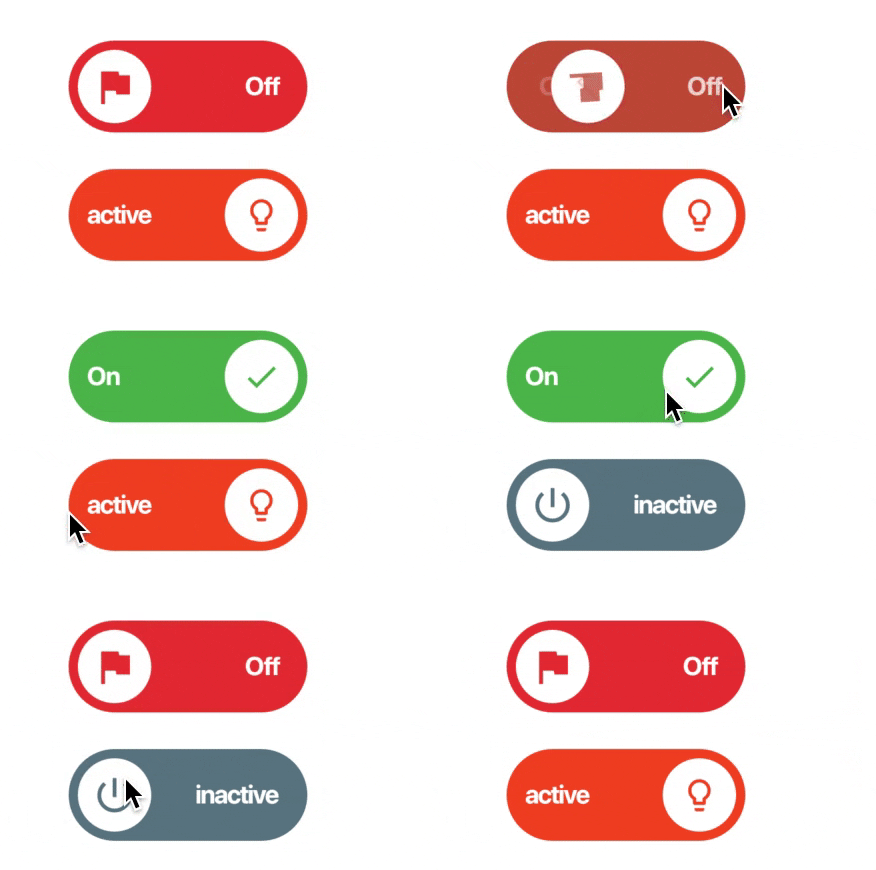
Custom Switch button with attractive animation, made to allow you to customize colors, icons and other cosmetic content. Manage the widget states in the same way you do with the classical material's switch widget.

NOTE: Currently, you cannot directly change the widget height properties. This feature will be available soon.

Previews

Image preview

Image preview 2

Basic Implementation

import 'package:lite_rolling_switch/lite_rolling_switch.dart';

LiteRollingSwitch(
    //initial value
    value: true,
    textOn: 'disponible',
    textOff: 'ocupado',
    colorOn: Colors.greenAccent[700],
    colorOff: Colors.redAccent[700],
    iconOn: Icons.done,
    iconOff: Icons.remove_circle_outline,
    textSize: 16.0,
    onChanged: (bool state) {
      //Use it to manage the different states
      print('Current State of SWITCH IS: $state');
    },
),

Tests

To executed included unit tests run flutter test. Feel free to Pull Request your own Unit Test to improve this package!

Changelog

Visit the complete changelog here.

Contributors

Other collaborators

License

This project has been published under an MIT license, you can consult the license terms in detail here.

Other

Eduardo Muñoz GitHub avatar
GitHub author

Eduardo Muñoz ↗

Software developer 🥷

Chile
LanguagesDart

Packages published by this repository

Dependencies used

Dependency list 3 items

  • flutter{"sdk":"flutter"}
  • intl^0.18.0
  • flutter_testDevelopment{"sdk":"flutter"}

How do I choose a repository?

Start with your use case, compare repository activity, and check the original project before adopting it.

  1. Search by repository name, owner or description, then narrow the results by topic.
  2. Compare stars, forks and recent pushes. Stars show community interest, not a guarantee of quality.
  3. Read the README, license and issues on GitHub before using a project.

Sources and maintenance

“A repository is the most basic element of GitHub.”

GitHub Docs — About repositories ↗