

 v1.0.4
piano
Utilities and widgets for working with piano sheet music learning.
41Likes 10830-day downloads30Pub points
AndroidiOSWebmacOSWindowsLinux
A Flutter package for working with piano keys and sheet music

English project snapshot. Visit GitHub for the latest content.
A Flutter package that provides:
In "Learn The Notes", a simple sight reading trainer you can find on the iOS App Store here and macOS App Store here.
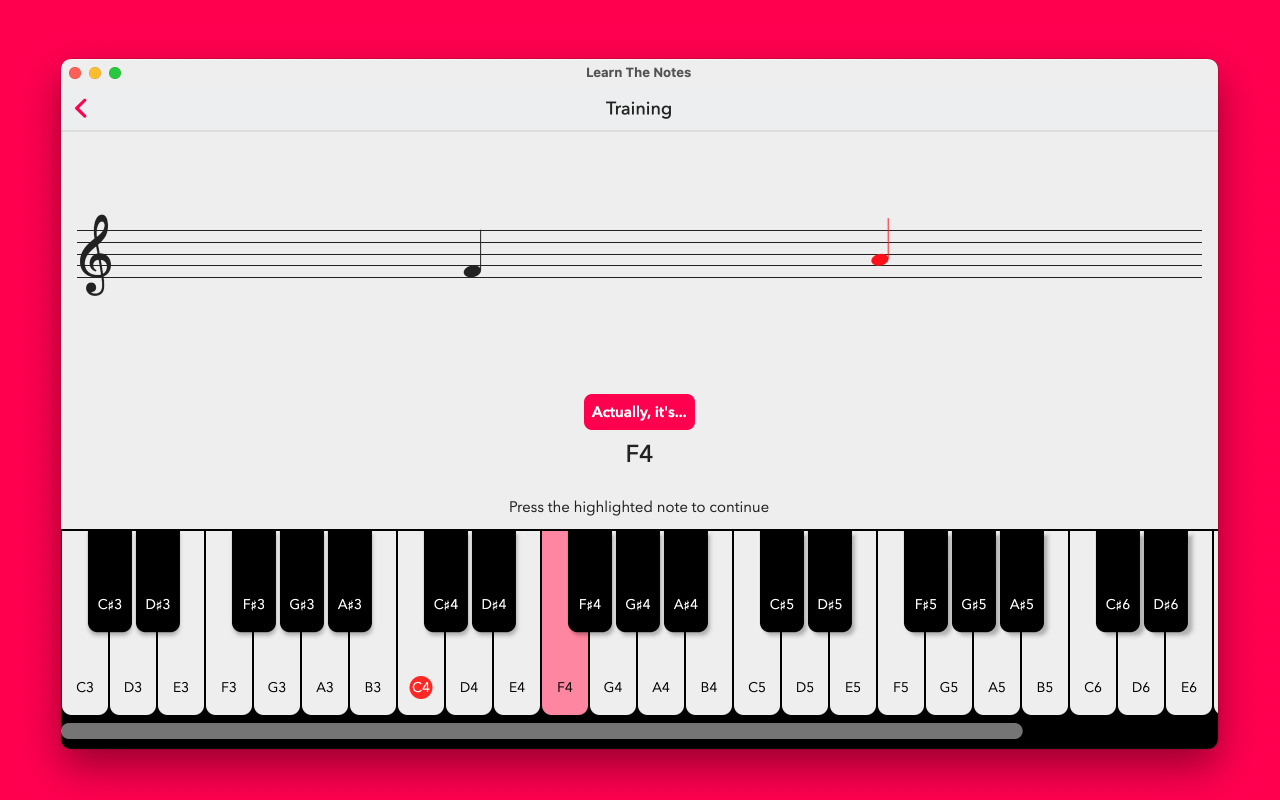
Here's an example app:
import 'package:flutter/cupertino.dart';
import 'package:flutter/material.dart';
import 'package:piano/piano.dart';

void main() {
  runApp(MyApp());
}

class MyApp extends StatelessWidget {
  @override
  Widget build(BuildContext context) {
    return CupertinoApp(
        title: 'Piano Demo',
        home: Center(
          child: InteractivePiano(
            highlightedNotes: [
              NotePosition(note: Note.C, octave: 3)
            ],
            naturalColor: Colors.white,
            accidentalColor: Colors.black,
            keyWidth: 60,
            noteRange: NoteRange.forClefs([
              Clef.Treble,
            ]),
            onNotePositionTapped: (position) {
              // Use an audio library like flutter_midi to play the sound
            },
          ),
        ));
  }
}
Dependency list 7 items
{"sdk":"flutter"}^2.4.1^2.0.0^1.15.0^2.4.82.4.6{"sdk":"flutter"}Start with your use case, compare repository activity, and check the original project before adopting it.
“A repository is the most basic element of GitHub.”
GitHub Docs — About repositories ↗