

v1.1.1
flutter_bugly
Flutter plugin for Tencent Bugly, Crash monitoring, Crash analysis, exception reporting, application update, data statistics, etc
71Likes 3K30-day downloads125Pub points
AndroidiOS
腾讯Bugly flutter应用更新统计及异常上报插件,支持Android、iOS、OpenHarmoy

English project snapshot. Visit GitHub for the latest content.



腾讯 Bugly 插件,支持Android/iOS/OpenHarmoy 运营统计、原生异常上报、flutter 异常上报。应用更新可以使用pgyer_updater
dependencies:
  flutter_bugly: lastVersion
dependencies:
  flutter_bugly_play: lastVersion
dependencies:
  flutter_bugly:
    git:
      url: git://github.com/crazecoder/flutter_bugly.git
      ref: dev
如果iOS报错building for iOS Simulator, but linking in object file built for iOS时,在 ios/Podfile 的 post_install 下加入:
post_install do |installer|
  installer.pods_project.targets.each do |target|
    flutter_additional_ios_build_settings(target)
    target.build_configurations.each do |config|
      config.build_settings['EXCLUDED_ARCHS[sdk=iphonesimulator*]'] = 'arm64'
    end
  end
end
在 android/app/build.gradle 的 android 下加入:
    lintOptions {
        // 如打包出现Failed to transform libs.jar to match attributes
        checkReleaseBuilds false
    }
    defaultConfig {
        ndk {
            // 设置支持的 so 库架构 'armeabi-v7a', 'arm64-v8a', 'x86', 'x86_64'
            abiFilters 'armeabi-v7a'
        }
    }
import 'package:flutter_bugly/flutter_bugly.dart';

/// 使用 flutter 异常上报
void main() {
  FlutterBugly.postCatchedException(() {
    // 如果需要 ensureInitialized,请在这里运行。
    // WidgetsFlutterBinding.ensureInitialized();
    runApp(MyApp());
    FlutterBugly.init(
      androidAppId: "your android app id",
      iOSAppId: "your iOS app id",
      ohosAppId: "your ohos app id",
      deviceId: "your ohos device id",
      appKey: "your ohos bugly app key",
    );
  });

  //如果报错 Zone mismatch.使用下面的方法
  runZonedGuarded(() async {
    WidgetsFlutterBinding.ensureInitialized();
    runApp(MyApp());
  }, (exception, stackTrace) async {
    FlutterBugly.uploadException(
      type: exception.runtimeType.toString(),
      message: exception.toString(),
      detail: stackTrace.toString(),
    );
  });
}
//bugly日志
FlutterBugly.log(tag: tag, message: message,level:LogLevel.INFO);
64-bit
flutter build apk --release --target-platform android-arm64
32-bit(目前配合armeabi-v7a可以打出32位64位通用包)
flutter build apk --release --target-platform android-arm
 String channel, //自定义渠道标识
 bool autoCheckUpgrade = true,//自动检查更新开关
 bool autoInit = true,//自动初始化
 bool customUpgrade = true, //设置是否使用flutter自定义窗口,false为bugly自带弹窗
 int initDelay = 0, //延迟初始化,单位秒

 FlutterBugly.setUserId("user id");
 FlutterBugly.putUserData(key: "key", value: "value");
 int tag = 9527;
 FlutterBugly.setUserTag(tag);
异常上报说明
1、flutter异常上报不属于崩溃,所以如需查看 flutter 的异常上报,请在「错误分析」tab页查看
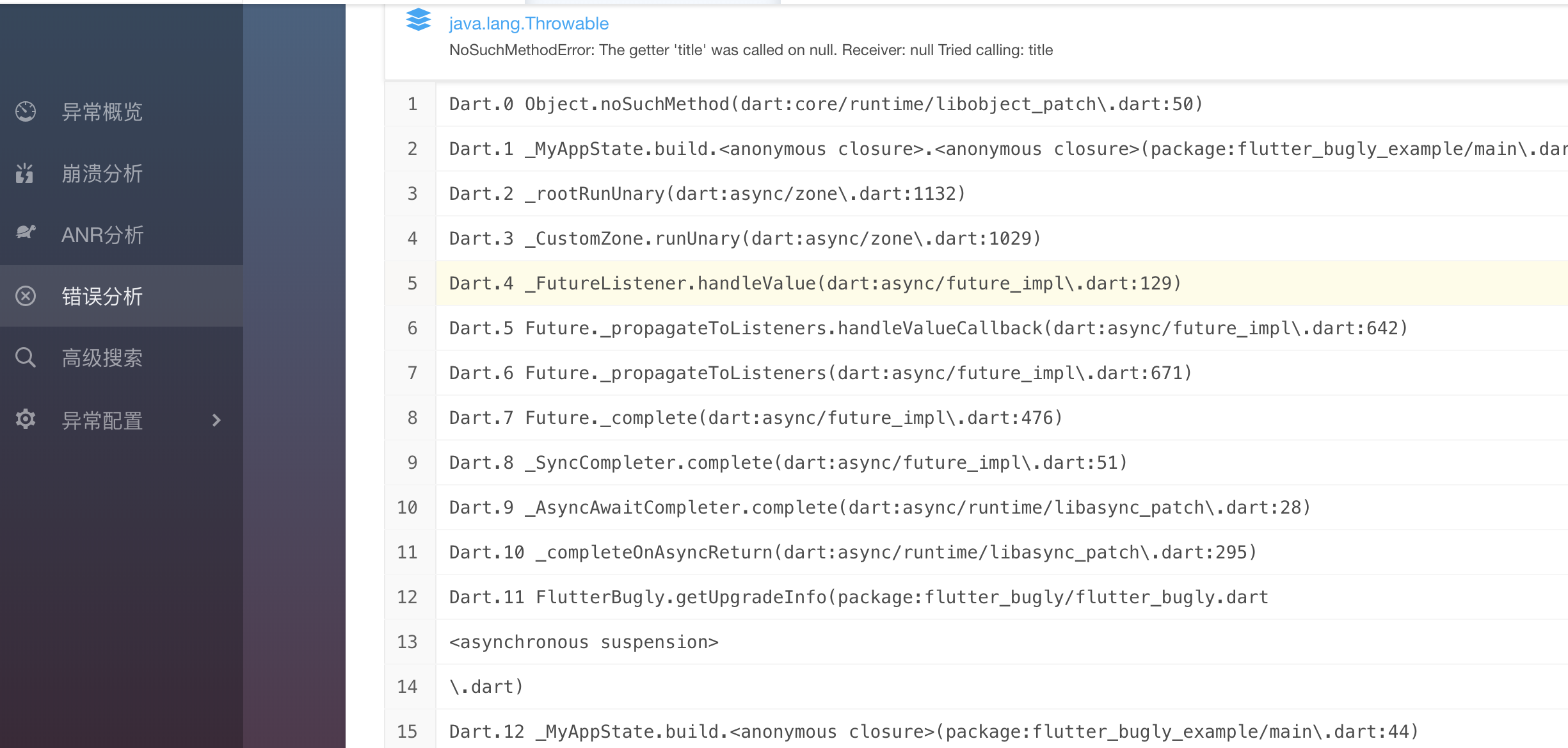
2、iOS的异常上报没有过多测试,如出现问题请 issue
Dependency list 1 items
{"sdk":"flutter"}Start with your use case, compare repository activity, and check the original project before adopting it.
“A repository is the most basic element of GitHub.”
GitHub Docs — About repositories ↗