

 v1.1.0
side_menu_animation
Animated Side Menu with customizable UI. Inspired in Yalantis library (Android/iOS).
97Likes 2530-day downloads150Pub points
AndroidiOSWebmacOSWindowsLinux
diegoveloper/flutter_side_menu_animation open-source repository details.

English project snapshot. Visit GitHub for the latest content.

Animated Side Menu with customizable UI. Inspired in Yalantis library (Android/iOS). Original Design: https://dribbble.com/shots/1689922-Side-Menu-Animation
| SIDE MENU ANIMATION | SIDE MENU ANIMATION - DRAG GESTURE |
|---|---|
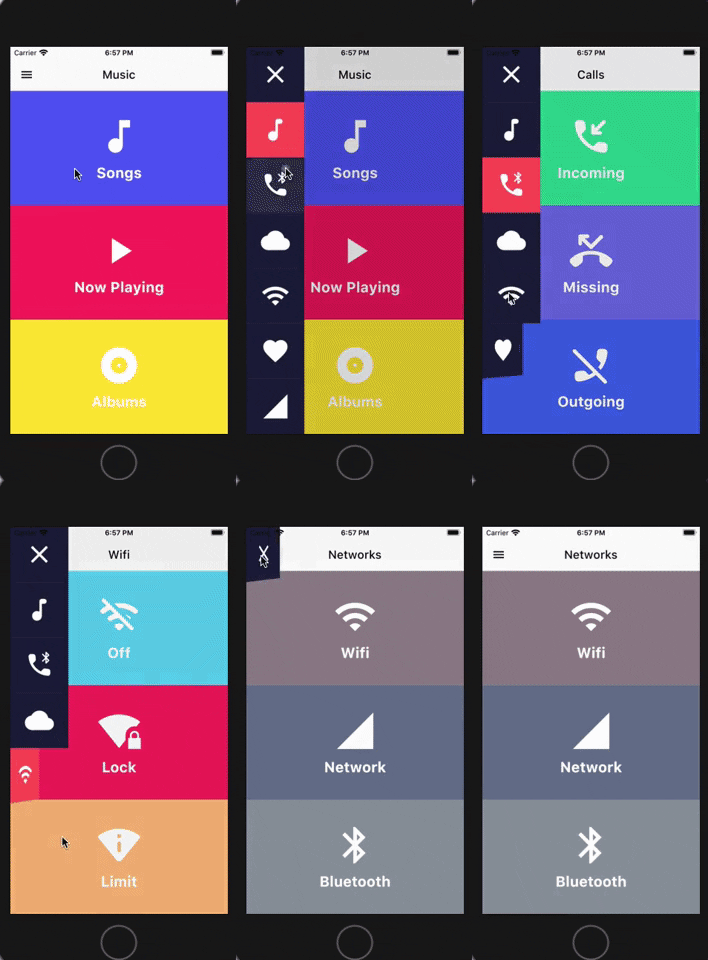 |
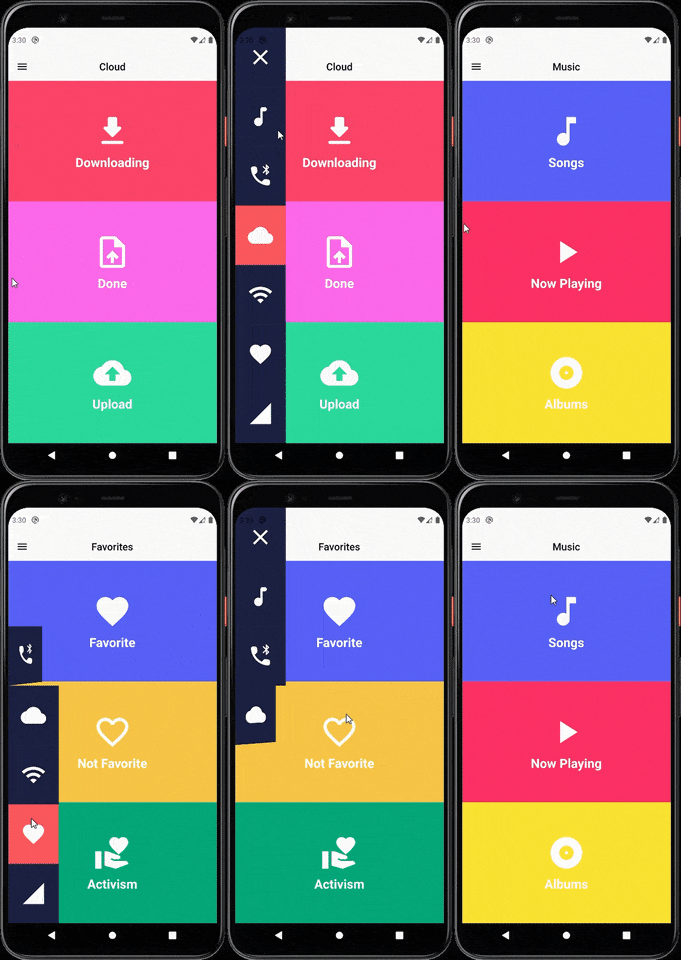 |
(Don't forget to subscribe and like)
You should ensure that you add the router as a dependency in your flutter project.
dependencies:
 side_menu_animation: "^0.0.1"
You should then run flutter packages upgrade or update your packages in IntelliJ.
There is a example project in the example folder. Check it out. Otherwise, keep reading to get up and running.
Need to include the import the package to the dart file where it will be used, use the below command,
import 'package:side_menu_animation/side_menu_animation.dart';
class SideMenuScreen extends StatelessWidget {
  final _index = ValueNotifier<int>(1);

  @override
  Widget build(BuildContext context) {
    return Scaffold(
      body: SideMenuAnimation(
        appBarBuilder: (showMenu) => AppBar(
          leading: IconButton(icon: Icon(Icons.menu, color: Colors.black), onPressed: showMenu),
          backgroundColor: Theme.of(context).scaffoldBackgroundColor,
          elevation: 0,
          brightness: Brightness.light,
          centerTitle: true,
          title: ValueListenableBuilder<int>(
            valueListenable: _index,
            builder: (_, value, __) => Text(value.toString(), style: TextStyle(color: Colors.black)),
          ),
        ),
        views: [YourCustomViews1Here(), YourCustomViews2Here()],
        items: [MyCustomItem1Here(), MyCustomItem2Here()],
        selectedColor: Color(0xFFFF595E),
        unselectedColor: Color(0xFF1F2041),
        tapOutsideToDismiss: true,
        scrimColor: Colors.black45,
        onItemSelected: (value) {
          if (value > 0 && value != _index.value) _index.value = value;
        },
      ),
    );
  }
}
class SideMenuBuilderScreen extends StatelessWidget {
  final _index = ValueNotifier<int>(1);

  @override
  Widget build(BuildContext context) {
    return Scaffold(
      body: SideMenuAnimation.builder(
        builder: (showMenu) {
          return Scaffold(
            appBar: AppBar(
              leading: IconButton(icon: Icon(Icons.menu, color: Colors.black), onPressed: showMenu),
              backgroundColor: Theme.of(context).scaffoldBackgroundColor,
              elevation: 0,
              brightness: Brightness.light,
              centerTitle: true,
              title: ValueListenableBuilder<int>(
                valueListenable: _index,
                builder: (_, value, __) => Text(_value.toString(), style: TextStyle(color: Colors.black)),
              ),
            ),
            body: ValueListenableBuilder<int>(
              valueListenable: _index,
              builder: (_, value, __) => IndexedStack(
                index: value - 1,
                children: [YourCustomViews1Here(), YourCustomViews2Here()],
              ),
            ),
          );
        },
       items: [MyCustomItem1Here(), MyCustomItem2Here()],
        selectedColor: Color(0xFFFF595E),
        unselectedColor: Color(0xFF1F2041),
        onItemSelected: (value) {
          if (value > 0 && value != _index.value) _index.value = value;
        },
      ),
    );
  }
}
For more info about the ussage, check the example project.
You can follow me on twitter @diegoveloper , Youtube channel
If you want to contribute with the project, just open a Pull request :), all contributions are welcome.
If you want to contribute with this package, follow this steps:
CONTRIBUTORS.md file.dartfmt . -w.Dependency list 3 items
{"sdk":"flutter"}{"sdk":"flutter"}^2.0.0Start with your use case, compare repository activity, and check the original project before adopting it.
“A repository is the most basic element of GitHub.”
GitHub Docs — About repositories ↗