Search packages, repositories and app categories

side_menu_animation cover
Package detailsv1.1.0

side_menu_animation

Animated Side Menu with customizable UI. Inspired in Yalantis library (Android/iOS).

AndroidiOSWebmacOSWindowsLinux
30-day downloads
25
Likes
97
Pub points
150

Install package

flutter pub add side_menu_animation

Package Overview

Package selection guidance compiled from public package information, community data, and project usage.

A Flutter package that provides an animated side menu with customizable UI, inspired by the Yalantis library for Android and iOS. It offers smooth transitions and visual effects to enhance navigation experiences across multiple platforms. The package supports full customization of appearance and behavior, making it ideal for apps requiring a modern, interactive drawer. It is compatible with Android, iOS, Web, macOS, Windows, and Linux, ensuring cross-platform consistency.

Use cases

  • Mobile app navigation
  • Web dashboard interfaces
  • Cross-platform applications
  • Customizable drawer designs
  • Interactive UI components

Key features

  • Smooth animated transitions
  • Highly customizable UI
  • Cross-platform support
  • Responsive design
  • Easy integration with existing code
  • Support for dark mode

Suitable for

  • Developers building mobile or web apps
  • Designers seeking modern navigation patterns
  • Projects requiring animated side menus
  • Apps targeting multiple platforms
  • Teams using Flutter for full-stack development

Considerations

  • May require performance tuning on older devices
  • Customization options can increase complexity
  • Limited documentation beyond basic setup
  • Potential conflicts with other navigation packages
  • Not optimized for very large menu items
  • Requires understanding of Flutter's animation system

Original README

Original README snapshot from the linked source repository. Visit the repository for the latest content.

Side Menu Animation

pub package

Animated Side Menu with customizable UI. Inspired in Yalantis library (Android/iOS). Original Design: https://dribbble.com/shots/1689922-Side-Menu-Animation

Sample

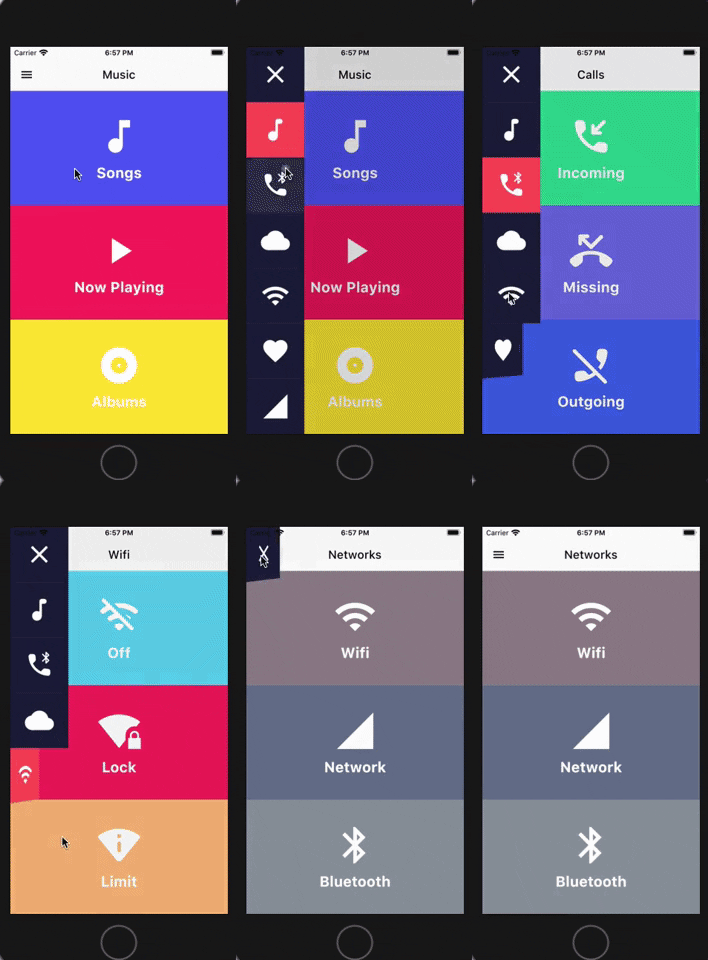
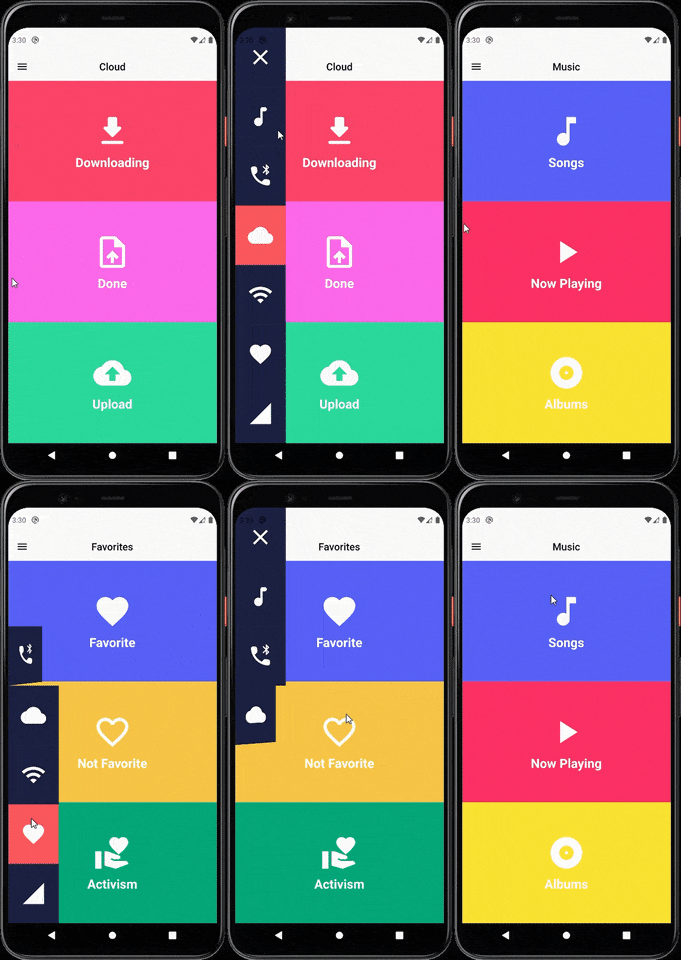
SIDE MENU ANIMATION SIDE MENU ANIMATION - DRAG GESTURE

Learn how to build this package

  • Video 1: https://www.youtube.com/watch?v=vcdETKdI15E
  • Video 2: https://www.youtube.com/watch?v=W7mxTcwX5Wg

(Don't forget to subscribe and like)

Features

  • Optional parameter to tap outside to dismiss
  • Optional parameter to change the scrimColor
  • Custom color item for the side menu selected
  • Custom color item for the side menu unselected
  • Custom width for the side menu
  • Custom duration of the animation side menu
  • Display the menu from left or right

Getting Started

You should ensure that you add the router as a dependency in your flutter project.

dependencies:
 side_menu_animation: "^0.0.1"

You should then run flutter packages upgrade or update your packages in IntelliJ.

Example Project

There is a example project in the example folder. Check it out. Otherwise, keep reading to get up and running.

Usage

Need to include the import the package to the dart file where it will be used, use the below command,

import 'package:side_menu_animation/side_menu_animation.dart';

SideMenu

class SideMenuScreen extends StatelessWidget {
  final _index = ValueNotifier<int>(1);

  @override
  Widget build(BuildContext context) {
    return Scaffold(
      body: SideMenuAnimation(
        appBarBuilder: (showMenu) => AppBar(
          leading: IconButton(icon: Icon(Icons.menu, color: Colors.black), onPressed: showMenu),
          backgroundColor: Theme.of(context).scaffoldBackgroundColor,
          elevation: 0,
          brightness: Brightness.light,
          centerTitle: true,
          title: ValueListenableBuilder<int>(
            valueListenable: _index,
            builder: (_, value, __) => Text(value.toString(), style: TextStyle(color: Colors.black)),
          ),
        ),
        views: [YourCustomViews1Here(), YourCustomViews2Here()],
        items: [MyCustomItem1Here(), MyCustomItem2Here()],
        selectedColor: Color(0xFFFF595E),
        unselectedColor: Color(0xFF1F2041),
        tapOutsideToDismiss: true,
        scrimColor: Colors.black45,
        onItemSelected: (value) {
          if (value > 0 && value != _index.value) _index.value = value;
        },
      ),
    );
  }
}

SideMenuBuilder

class SideMenuBuilderScreen extends StatelessWidget {
  final _index = ValueNotifier<int>(1);

  @override
  Widget build(BuildContext context) {
    return Scaffold(
      body: SideMenuAnimation.builder(
        builder: (showMenu) {
          return Scaffold(
            appBar: AppBar(
              leading: IconButton(icon: Icon(Icons.menu, color: Colors.black), onPressed: showMenu),
              backgroundColor: Theme.of(context).scaffoldBackgroundColor,
              elevation: 0,
              brightness: Brightness.light,
              centerTitle: true,
              title: ValueListenableBuilder<int>(
                valueListenable: _index,
                builder: (_, value, __) => Text(_value.toString(), style: TextStyle(color: Colors.black)),
              ),
            ),
            body: ValueListenableBuilder<int>(
              valueListenable: _index,
              builder: (_, value, __) => IndexedStack(
                index: value - 1,
                children: [YourCustomViews1Here(), YourCustomViews2Here()],
              ),
            ),
          );
        },
       items: [MyCustomItem1Here(), MyCustomItem2Here()],
        selectedColor: Color(0xFFFF595E),
        unselectedColor: Color(0xFF1F2041),
        onItemSelected: (value) {
          if (value > 0 && value != _index.value) _index.value = value;
        },
      ),
    );
  }
}

For more info about the ussage, check the example project.

Contact

You can follow me on twitter @diegoveloper , Youtube channel

If you want to contribute with the project, just open a Pull request :), all contributions are welcome.

Contribution

If you want to contribute with this package, follow this steps:

  • Fork this repository.
  • Do your changes! You can add your name with link into the CONTRIBUTORS.md file.
  • Before push your changes run dartfmt . -w.
  • Create a Pull request on Github from your fork/branch to my repo(main branch).

Categories

Source repository

Projects using this package

No data available yet.