

 v1.0.2
folding_cell
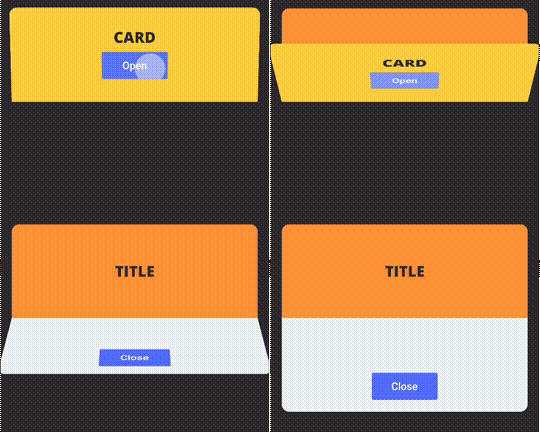
Simple folding cell widget, pass frontWidget and innerWidget to fold and unfold.
132Likes 74530-day downloads150Pub points
AndroidiOSWebmacOSWindowsLinux
Flutter FoldingCell widget

English project snapshot. Visit GitHub for the latest content.
Simple folding cell widget, pass frontWidget and innerWidget to fold and unfold.

Add dependency in pubspec.yaml:
dependencies:
  folding_cell: "^1.0.2"
Import in your project:
import 'package:folding_cell/folding_cell.dart';
class FoldingCellSimpleDemo extends StatelessWidget {
  final _foldingCellKey = GlobalKey<SimpleFoldingCellState>();

  @override
  Widget build(BuildContext context) {
    return Container(
      color: Color(0xFF2e282a),
      alignment: Alignment.topCenter,
      child: SimpleFoldingCell.create(
        key: _foldingCellKey,
        frontWidget: _buildFrontWidget(),
        innerWidget: _buildInnerWidget(),
        cellSize: Size(MediaQuery.of(context).size.width, 140),
        padding: EdgeInsets.all(15),
        animationDuration: Duration(milliseconds: 300),
        borderRadius: 10,
        onOpen: () => print('cell opened'),
        onClose: () => print('cell closed'),
      ),
    );
  }

  Widget _buildFrontWidget() {
    return Container(
      color: Color(0xFFffcd3c),
      alignment: Alignment.center,
      child: Stack(
        children: <Widget>[
          Align(
            alignment: Alignment.center,
            child: Text(
              "CARD TITLE",
              style: GoogleFonts.aldrich(
                color: Color(0xFF2e282a),
                fontSize: 20.0,
                fontWeight: FontWeight.bold,
              ),
            ),
          ),
          Positioned(
            right: 10,
            bottom: 10,
            child: TextButton(
              onPressed: () => _foldingCellKey?.currentState?.toggleFold(),
              child: Text(
                "OPEN",
              ),
              style: TextButton.styleFrom(
                backgroundColor: Colors.white,
                minimumSize: Size(80, 40),
              ),
            ),
          )
        ],
      ),
    );
  }

  Widget _buildInnerWidget() {
    return Container(
      color: Color(0xFFecf2f9),
      padding: EdgeInsets.only(top: 10),
      child: Stack(
        children: [
          Align(
            alignment: Alignment.topCenter,
            child: Text(
              "CARD TITLE",
              style: GoogleFonts.aldrich(
                color: Color(0xFF2e282a),
                fontSize: 22.0,
                fontWeight: FontWeight.bold,
              ),
            ),
          ),
          Align(
            alignment: Alignment.center,
            child: Text(
              "CARD DETAIL",
              style: GoogleFonts.aldrich(
                color: Color(0xFF2e282a),
                fontSize: 40.0,
              ),
            ),
          ),
          Positioned(
            right: 10,
            bottom: 10,
            child: TextButton(
              onPressed: () => _foldingCellKey?.currentState?.toggleFold(),
              child: Text(
                "Close",
              ),
              style: TextButton.styleFrom(
                backgroundColor: Colors.white,
                minimumSize: Size(80, 40),
              ),
            ),
          ),
        ],
      ),
    );
  }
}
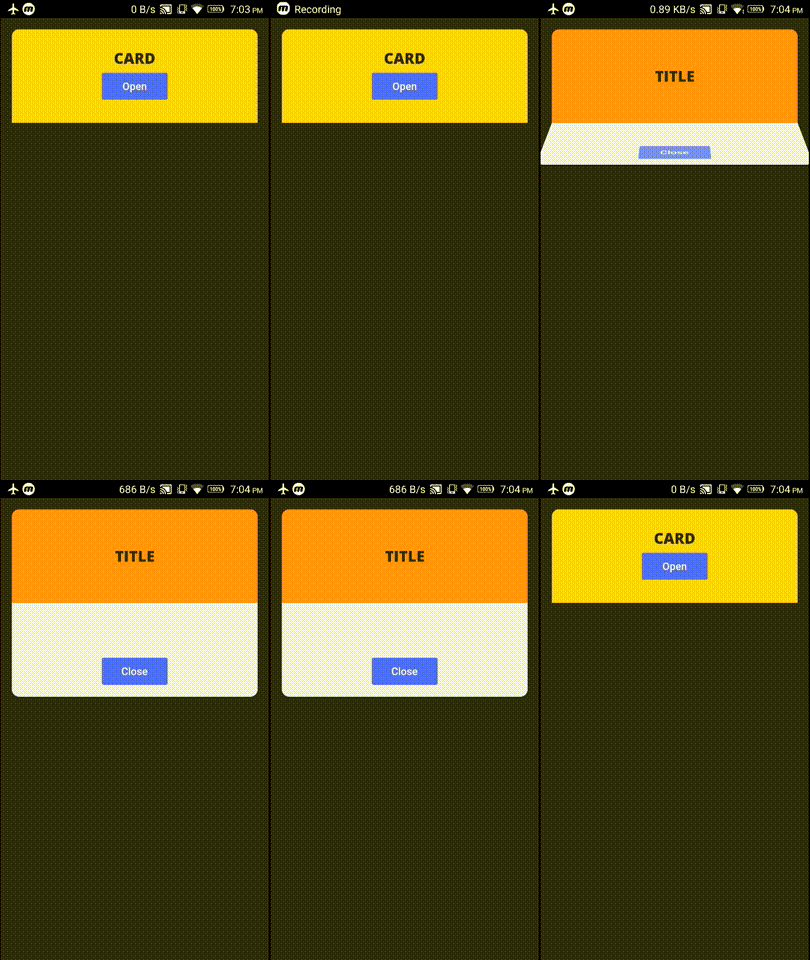
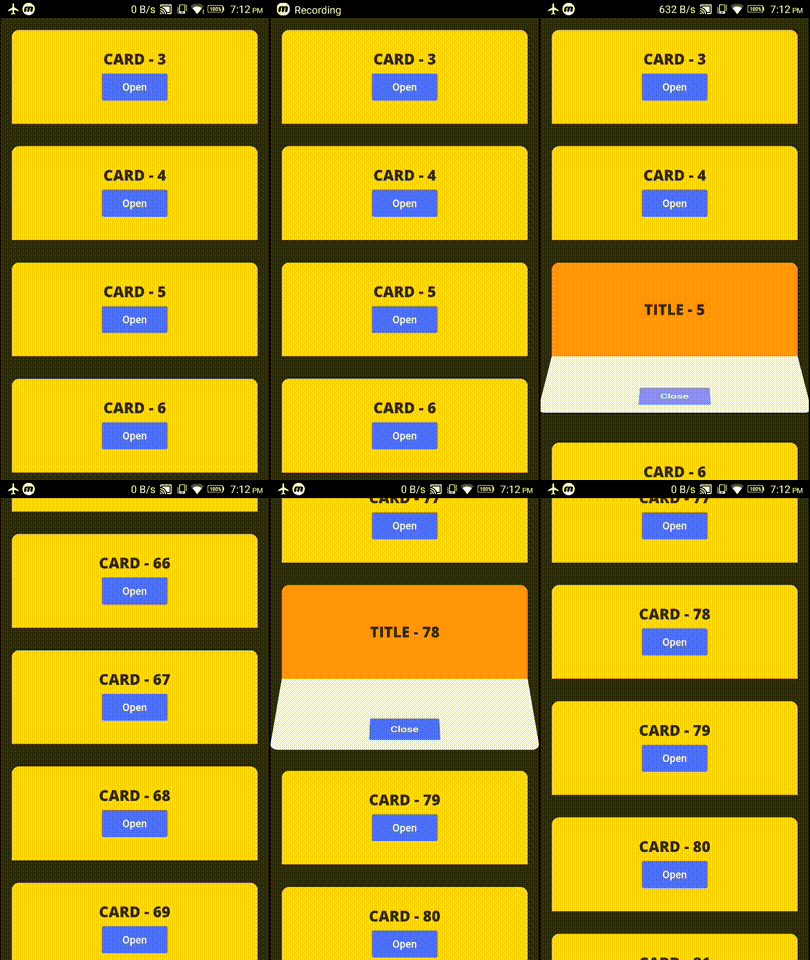
example project contains these two demos
Check Changelog for updates
Reporting issues and requests for new features are always welcome.
Dependency list 2 items
{"sdk":"flutter"}{"sdk":"flutter"}Start with your use case, compare repository activity, and check the original project before adopting it.
“A repository is the most basic element of GitHub.”
GitHub Docs — About repositories ↗