Search packages, repositories and app categories

folding_cell cover
Package detailsv1.0.2

folding_cell

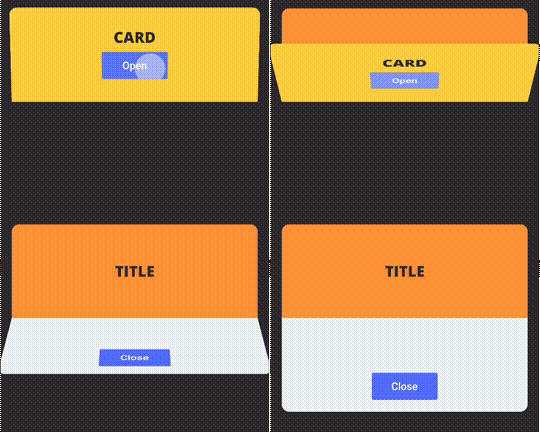
Simple folding cell widget, pass frontWidget and innerWidget to fold and unfold.

AndroidiOSWebmacOSWindowsLinux
30-day downloads
745
Likes
132
Pub points
150

Install package

flutter pub add folding_cell

Package Overview

Package selection guidance compiled from public package information, community data, and project usage.

A simple Flutter widget that enables smooth folding and unfolding animations for card-like components. By providing a frontWidget and an innerWidget, users can create interactive expandable cells ideal for collapsible content sections. The package supports multiple platforms including Android, iOS, Web, macOS, Windows, and Linux, making it versatile for cross-platform apps. It's lightweight and easy to integrate, focusing on clean UI transitions without complex setup.

Use cases

  • Creating expandable profile cards
  • Building interactive FAQ sections
  • Designing collapsible task lists
  • Implementing animated product details
  • Developing responsive navigation drawers

Key features

  • Smooth fold/unfold animations
  • Support for custom front and inner widgets
  • Cross-platform compatibility
  • Minimal configuration required
  • Lightweight and performant

Suitable for

  • Simple expandable UIs
  • Card-based interfaces
  • Mobile-first designs
  • Prototyping interactive layouts
  • Apps needing subtle animations

Considerations

  • Limited customization beyond basic folding
  • Not suitable for complex nested animations
  • May require additional styling for advanced visuals
  • Best for single-level folding only
  • Performance may vary with heavy inner widgets

Original README

Original README snapshot from the linked source repository. Visit the repository for the latest content.

Simple FoldingCell widget

Simple folding cell widget, pass frontWidget and innerWidget to fold and unfold.

pub package

Installation

Add dependency in pubspec.yaml:

dependencies:
  folding_cell: "^1.0.2"

Import in your project:

import 'package:folding_cell/folding_cell.dart';

Basic usage

class FoldingCellSimpleDemo extends StatelessWidget {
  final _foldingCellKey = GlobalKey<SimpleFoldingCellState>();

  @override
  Widget build(BuildContext context) {
    return Container(
      color: Color(0xFF2e282a),
      alignment: Alignment.topCenter,
      child: SimpleFoldingCell.create(
        key: _foldingCellKey,
        frontWidget: _buildFrontWidget(),
        innerWidget: _buildInnerWidget(),
        cellSize: Size(MediaQuery.of(context).size.width, 140),
        padding: EdgeInsets.all(15),
        animationDuration: Duration(milliseconds: 300),
        borderRadius: 10,
        onOpen: () => print('cell opened'),
        onClose: () => print('cell closed'),
      ),
    );
  }

  Widget _buildFrontWidget() {
    return Container(
      color: Color(0xFFffcd3c),
      alignment: Alignment.center,
      child: Stack(
        children: <Widget>[
          Align(
            alignment: Alignment.center,
            child: Text(
              "CARD TITLE",
              style: GoogleFonts.aldrich(
                color: Color(0xFF2e282a),
                fontSize: 20.0,
                fontWeight: FontWeight.bold,
              ),
            ),
          ),
          Positioned(
            right: 10,
            bottom: 10,
            child: TextButton(
              onPressed: () => _foldingCellKey?.currentState?.toggleFold(),
              child: Text(
                "OPEN",
              ),
              style: TextButton.styleFrom(
                backgroundColor: Colors.white,
                minimumSize: Size(80, 40),
              ),
            ),
          )
        ],
      ),
    );
  }

  Widget _buildInnerWidget() {
    return Container(
      color: Color(0xFFecf2f9),
      padding: EdgeInsets.only(top: 10),
      child: Stack(
        children: [
          Align(
            alignment: Alignment.topCenter,
            child: Text(
              "CARD TITLE",
              style: GoogleFonts.aldrich(
                color: Color(0xFF2e282a),
                fontSize: 22.0,
                fontWeight: FontWeight.bold,
              ),
            ),
          ),
          Align(
            alignment: Alignment.center,
            child: Text(
              "CARD DETAIL",
              style: GoogleFonts.aldrich(
                color: Color(0xFF2e282a),
                fontSize: 40.0,
              ),
            ),
          ),
          Positioned(
            right: 10,
            bottom: 10,
            child: TextButton(
              onPressed: () => _foldingCellKey?.currentState?.toggleFold(),
              child: Text(
                "Close",
              ),
              style: TextButton.styleFrom(
                backgroundColor: Colors.white,
                minimumSize: Size(80, 40),
              ),
            ),
          ),
        ],
      ),
    );
  }
}

Examples

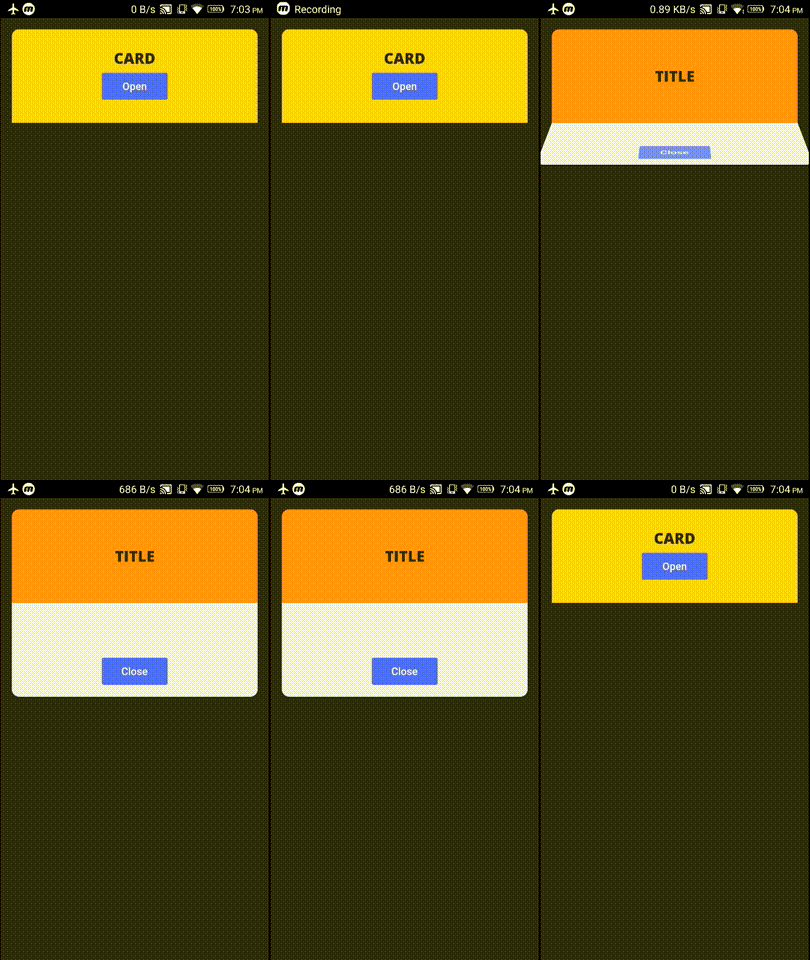
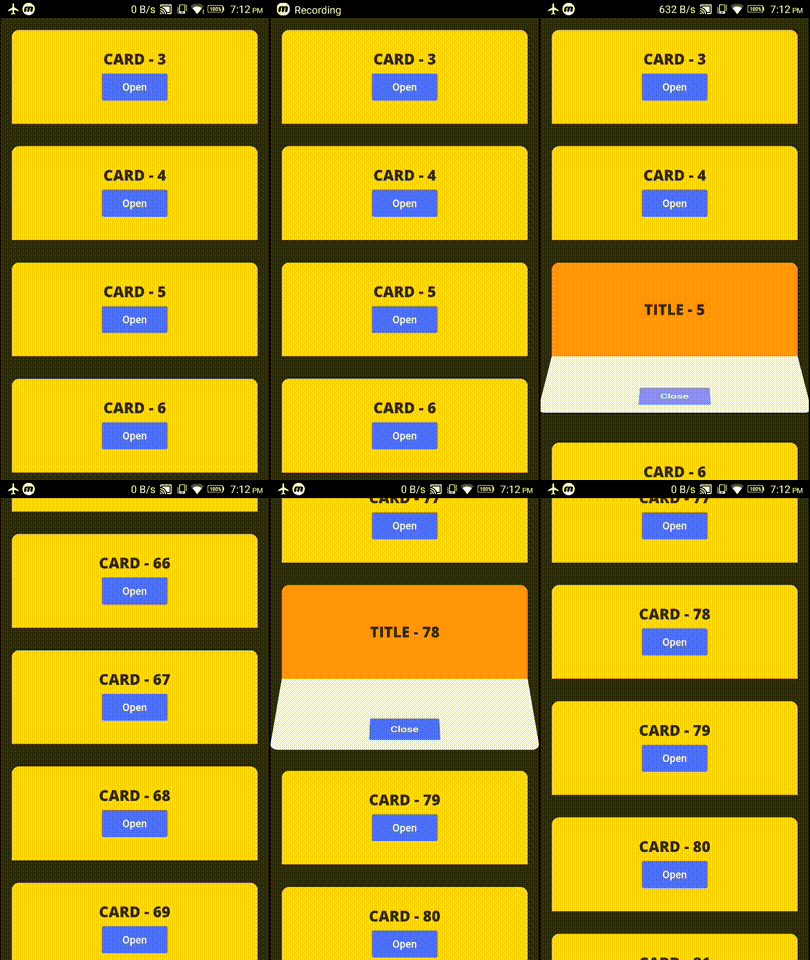
example project contains these two demos

Demo 1 - FoldingCell inside Container

alt tag

Demo 2 - FoldingCell inside ListView

alt tag

Changelog

Check Changelog for updates

Bugs/Requests

Reporting issues and requests for new features are always welcome.

Categories

Source repository

Projects using this package

No data available yet.