Search packages, repositories and app categories

GitHub repositoryfluttercommunity/flutter-draggable-scrollbar

flutter-draggable-scrollbar

Draggable Scrollbar - A scrollbar that can be dragged for quickly navigation through a vertical list. Additional option is showing label next to scrollthumb with information about current item. Maintainer: @marica27

flutter-draggable-scrollbar project cover
Stars
442
Forks
72
Last push (UTC)
May 21, 2022
Project status
Active

Original README

English project snapshot. Visit GitHub for the latest content.

Flutter Community: draggable_scrollbar

Draggable Scrollbar

Pub

A scrollbar that can be dragged for quickly navigation through a vertical list. Additionaly it can show label next to scrollthumb with information about current item, for example date of picture created

Usage

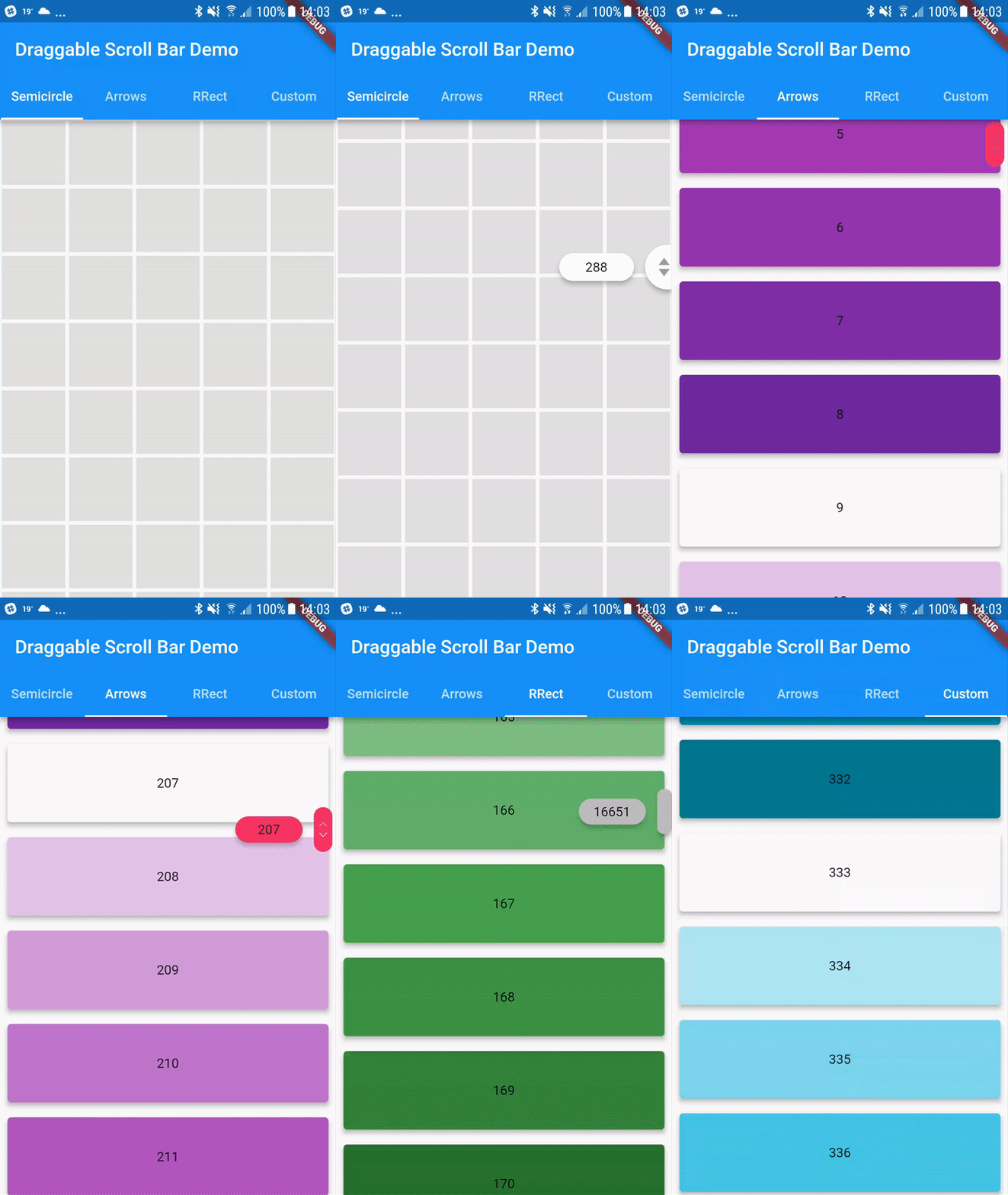
You can use one of the three built-in scroll thumbs, or you can create a custom thumb for your own app!

You can play with all of these examples by running the app found in the example folder.

Example

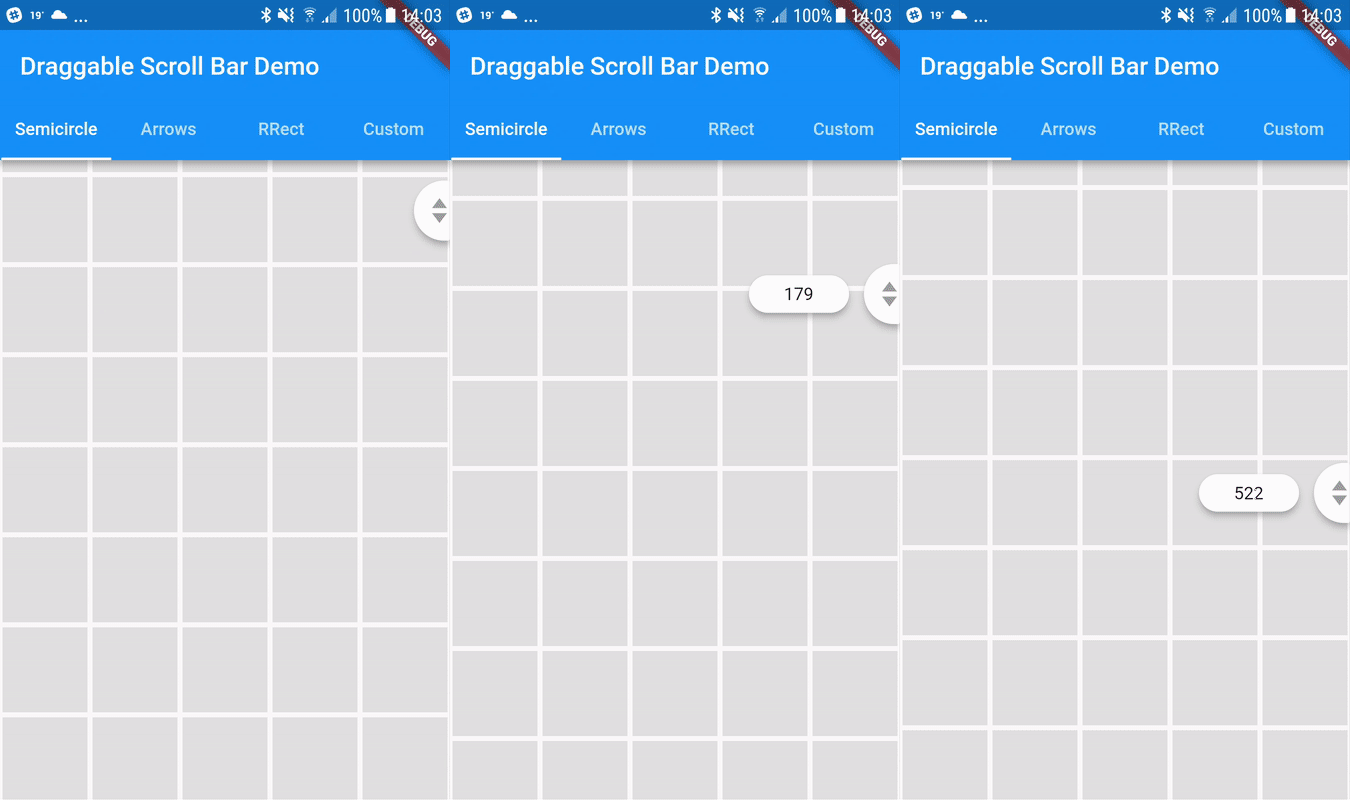
Semicircle Thumb
DraggableScrollbar.semicircle(
  controller: myScrollController,
  child: GridView.builder(
    gridDelegate: SliverGridDelegateWithFixedCrossAxisCount(
      crossAxisCount: 5,
    ),
    controller: myScrollController,
    padding: EdgeInsets.zero,
    itemCount: 1000,
    itemBuilder: (context, index) {
      return Container(
        alignment: Alignment.center,
        margin: EdgeInsets.all(2.0),
        color: Colors.grey[300],
      );
    },
  ),
);
Arrows thumb + label
DraggableScrollbar.arrows(
  labelTextBuilder: (double offset) => Text("${offset ~/ 100}"),
  controller: myScrollController,
  child: ListView.builder(
    controller: myScrollController,
    itemCount: 1000,
    itemExtent: 100.0,
    itemBuilder: (context, index) {
      return Container(
        padding: EdgeInsets.all(8.0),
        child: Material(
          elevation: 4.0,
          borderRadius: BorderRadius.circular(4.0),
          color: Colors.purple[index % 9 * 100],
          child: Center(
            child: Text(index.toString()),
          ),
        ),
      );
    },
  ),
);
Rounded Rectangle Thumb
DraggableScrollbar.rrect(
  controller: myScrollController,
  child: ListView.builder(
    controller: myScrollController,
    itemCount: 1000,
    itemExtent: 100.0,
    itemBuilder: (context, index) {
      return Container(
        padding: EdgeInsets.all(8.0),
        child: Material(
          elevation: 4.0,
          borderRadius: BorderRadius.circular(4.0),
          color: Colors.green[index % 9 * 100],
          child: Center(
            child: Text(index.toString()),
          ),
        ),
      );
    },
  ),
);
Custom
DraggableScrollbar(
  controller: myScrollController,
  child: ListView.builder(
    controller: myScrollController,
    itemCount: 1000,
    itemExtent: 100.0,
    itemBuilder: (context, index) {
      return Container(
        padding: EdgeInsets.all(8.0),
        child: Material(
          elevation: 4.0,
          borderRadius: BorderRadius.circular(4.0),
          color: Colors.cyan[index % 9 * 100],
          child: Center(
            child: Text(index.toString()),
          ),
        ),
      );
    },
  ),
  heightScrollThumb: 48.0,
  backgroundColor: Colors.blue,
  scrollThumbBuilder: (
    Color backgroundColor,
    Animation<double> thumbAnimation,
    Animation<double> labelAnimation,
    double height, {
    Text labelText,
  }) {
    return FadeTransition(
      opacity: thumbAnimation,
      child: Container(
        height: height,
        width: 20.0,
        color: backgroundColor,
      ),
    );
  },
);
Flutter Community GitHub avatar
GitHub author

Flutter Community ↗

A central place for all community made Flutter packages. To get started, see the README of the 'community' repository.

LanguagesDartObjective-CKotlin

Packages published by this repository

Dependencies used

Dependency list 2 items

  • flutter{"sdk":"flutter"}
  • flutter_testDevelopment{"sdk":"flutter"}

How do I choose a repository?

Start with your use case, compare repository activity, and check the original project before adopting it.

  1. Search by repository name, owner or description, then narrow the results by topic.
  2. Compare stars, forks and recent pushes. Stars show community interest, not a guarantee of quality.
  3. Read the README, license and issues on GitHub before using a project.

Sources and maintenance

“A repository is the most basic element of GitHub.”

GitHub Docs — About repositories ↗