Search packages, repositories and app categories

draggable_scrollbar cover
Package detailsv0.1.0

draggable_scrollbar

A scrollbar that can be dragged for quickly navigation through a vertical list. Additional option is showing label next to scrollthumb with information about current item.

AndroidiOSWebmacOSWindowsLinux
30-day downloads
8.1K
Likes
404
Pub points
140

Install package

flutter pub add draggable_scrollbar

Package Overview

Package selection guidance compiled from public package information, community data, and project usage.

The draggable_scrollbar package enhances vertical list navigation in Flutter by providing a draggable scrollbar with an optional label that displays information about the currently visible item. Users can quickly scroll through long lists by dragging the scrollbar thumb, improving usability and accessibility. The label dynamically updates to reflect the current position, offering visual feedback. Designed for smooth integration with ListView and other scrollable widgets, it supports all major platforms including Android, iOS, Web, macOS, Windows, and Linux.

Use cases

  • Quick navigation through long lists
  • Enhancing accessibility in scrollable content
  • Improving user experience in data-heavy apps
  • Providing visual feedback during scrolling
  • Customizing scroll behavior in vertical lists

Key features

  • Draggable scrollbar thumb
  • Dynamic label showing current item info
  • Cross-platform support
  • Easy integration with ListView
  • Customizable appearance
  • Smooth scrolling interaction

Suitable for

  • Apps with long vertical lists
  • Accessibility-focused applications
  • Data-intensive dashboards
  • User interfaces requiring intuitive scrolling
  • Developers seeking enhanced scroll UX

Considerations

  • May require additional styling for optimal appearance
  • Label positioning might need adjustment on small screens
  • Performance impact on very large lists
  • Limited to vertical scrolling only
  • Requires proper context for label text rendering

Original README

Original README snapshot from the linked source repository. Visit the repository for the latest content.

Flutter Community: draggable_scrollbar

Draggable Scrollbar

Pub

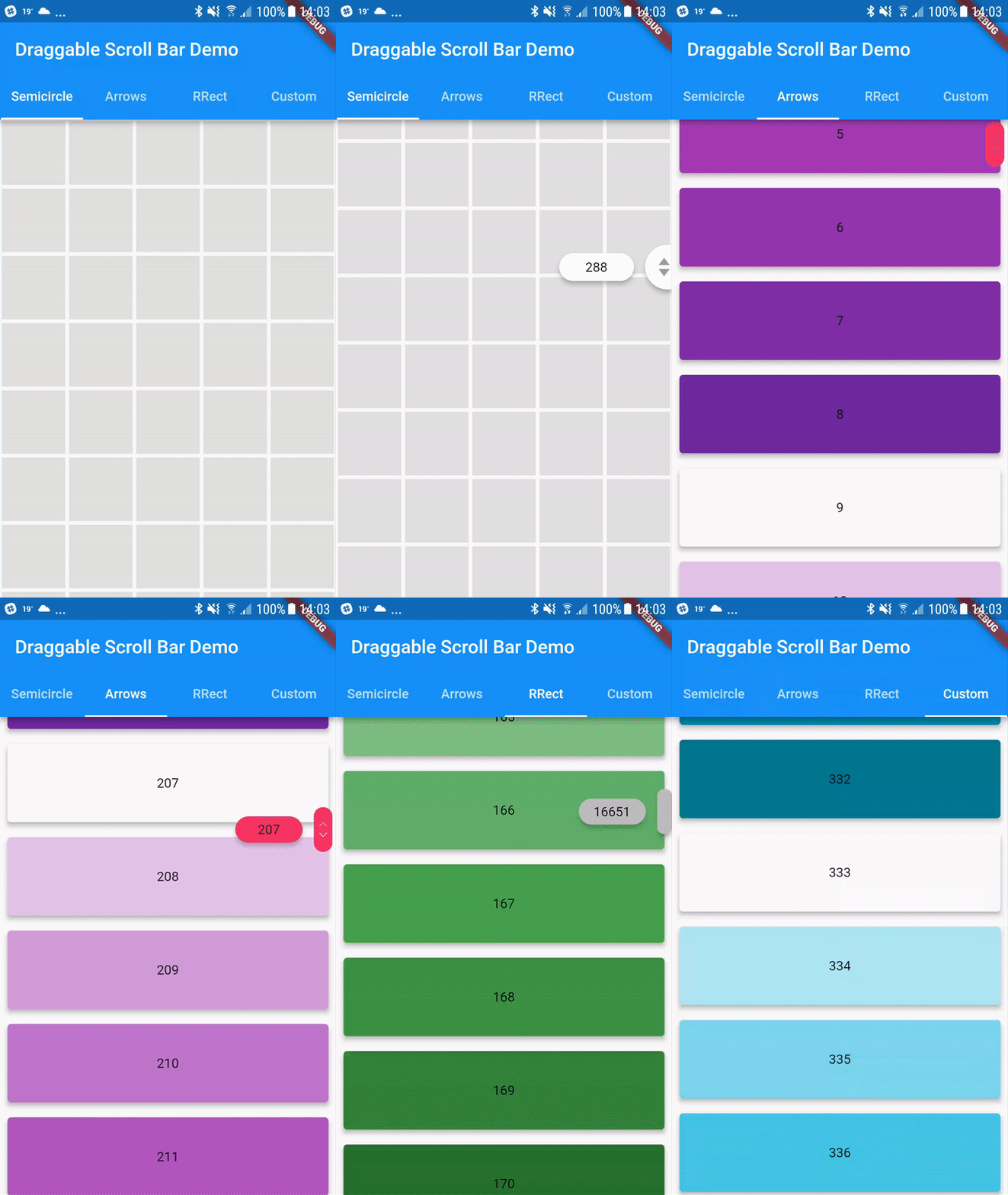
A scrollbar that can be dragged for quickly navigation through a vertical list. Additionaly it can show label next to scrollthumb with information about current item, for example date of picture created

Usage

You can use one of the three built-in scroll thumbs, or you can create a custom thumb for your own app!

You can play with all of these examples by running the app found in the example folder.

Example

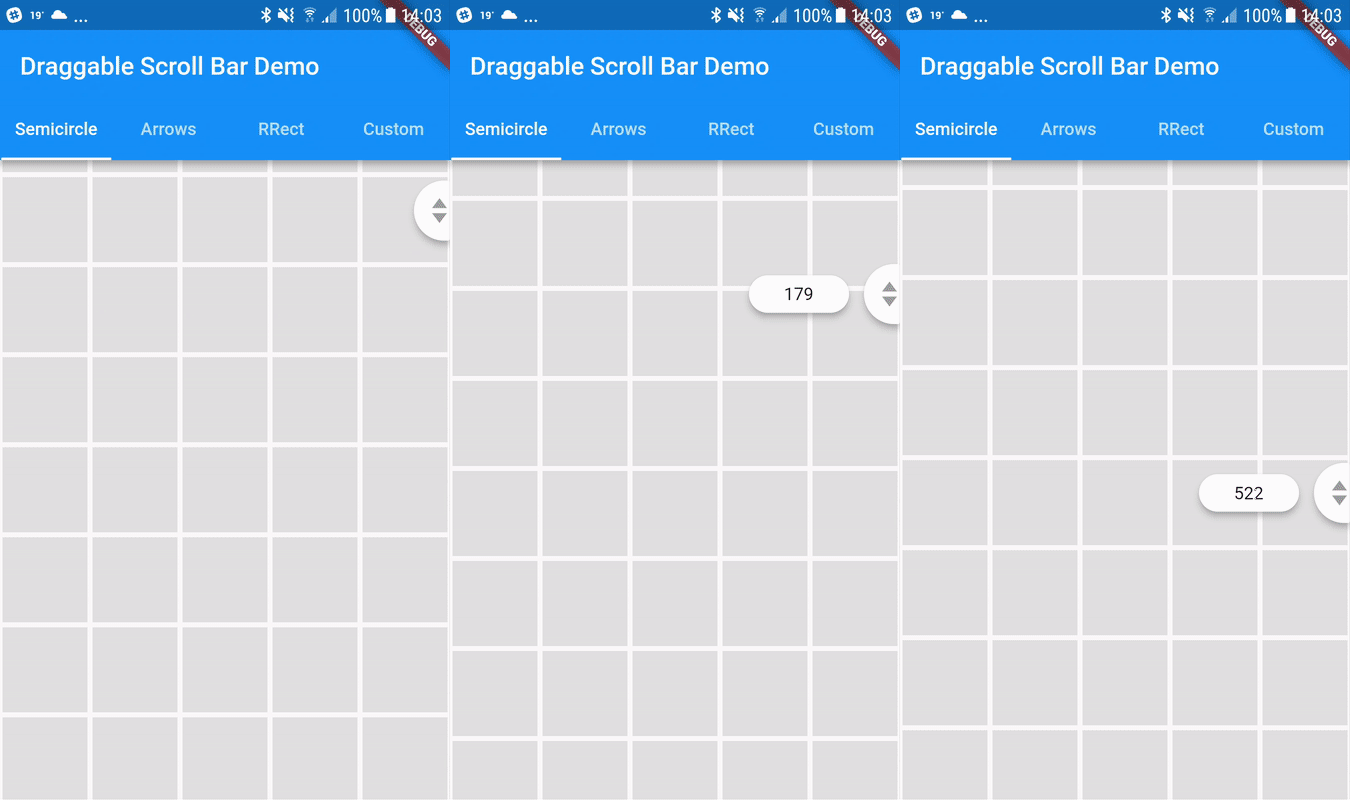
Semicircle Thumb
DraggableScrollbar.semicircle(
  controller: myScrollController,
  child: GridView.builder(
    gridDelegate: SliverGridDelegateWithFixedCrossAxisCount(
      crossAxisCount: 5,
    ),
    controller: myScrollController,
    padding: EdgeInsets.zero,
    itemCount: 1000,
    itemBuilder: (context, index) {
      return Container(
        alignment: Alignment.center,
        margin: EdgeInsets.all(2.0),
        color: Colors.grey[300],
      );
    },
  ),
);
Arrows thumb + label
DraggableScrollbar.arrows(
  labelTextBuilder: (double offset) => Text("${offset ~/ 100}"),
  controller: myScrollController,
  child: ListView.builder(
    controller: myScrollController,
    itemCount: 1000,
    itemExtent: 100.0,
    itemBuilder: (context, index) {
      return Container(
        padding: EdgeInsets.all(8.0),
        child: Material(
          elevation: 4.0,
          borderRadius: BorderRadius.circular(4.0),
          color: Colors.purple[index % 9 * 100],
          child: Center(
            child: Text(index.toString()),
          ),
        ),
      );
    },
  ),
);
Rounded Rectangle Thumb
DraggableScrollbar.rrect(
  controller: myScrollController,
  child: ListView.builder(
    controller: myScrollController,
    itemCount: 1000,
    itemExtent: 100.0,
    itemBuilder: (context, index) {
      return Container(
        padding: EdgeInsets.all(8.0),
        child: Material(
          elevation: 4.0,
          borderRadius: BorderRadius.circular(4.0),
          color: Colors.green[index % 9 * 100],
          child: Center(
            child: Text(index.toString()),
          ),
        ),
      );
    },
  ),
);
Custom
DraggableScrollbar(
  controller: myScrollController,
  child: ListView.builder(
    controller: myScrollController,
    itemCount: 1000,
    itemExtent: 100.0,
    itemBuilder: (context, index) {
      return Container(
        padding: EdgeInsets.all(8.0),
        child: Material(
          elevation: 4.0,
          borderRadius: BorderRadius.circular(4.0),
          color: Colors.cyan[index % 9 * 100],
          child: Center(
            child: Text(index.toString()),
          ),
        ),
      );
    },
  ),
  heightScrollThumb: 48.0,
  backgroundColor: Colors.blue,
  scrollThumbBuilder: (
    Color backgroundColor,
    Animation<double> thumbAnimation,
    Animation<double> labelAnimation,
    double height, {
    Text labelText,
  }) {
    return FadeTransition(
      opacity: thumbAnimation,
      child: Container(
        height: height,
        width: 20.0,
        color: backgroundColor,
      ),
    );
  },
);

Categories

Source repository

Projects using this package