

 v0.3.0+2
sticky_headers
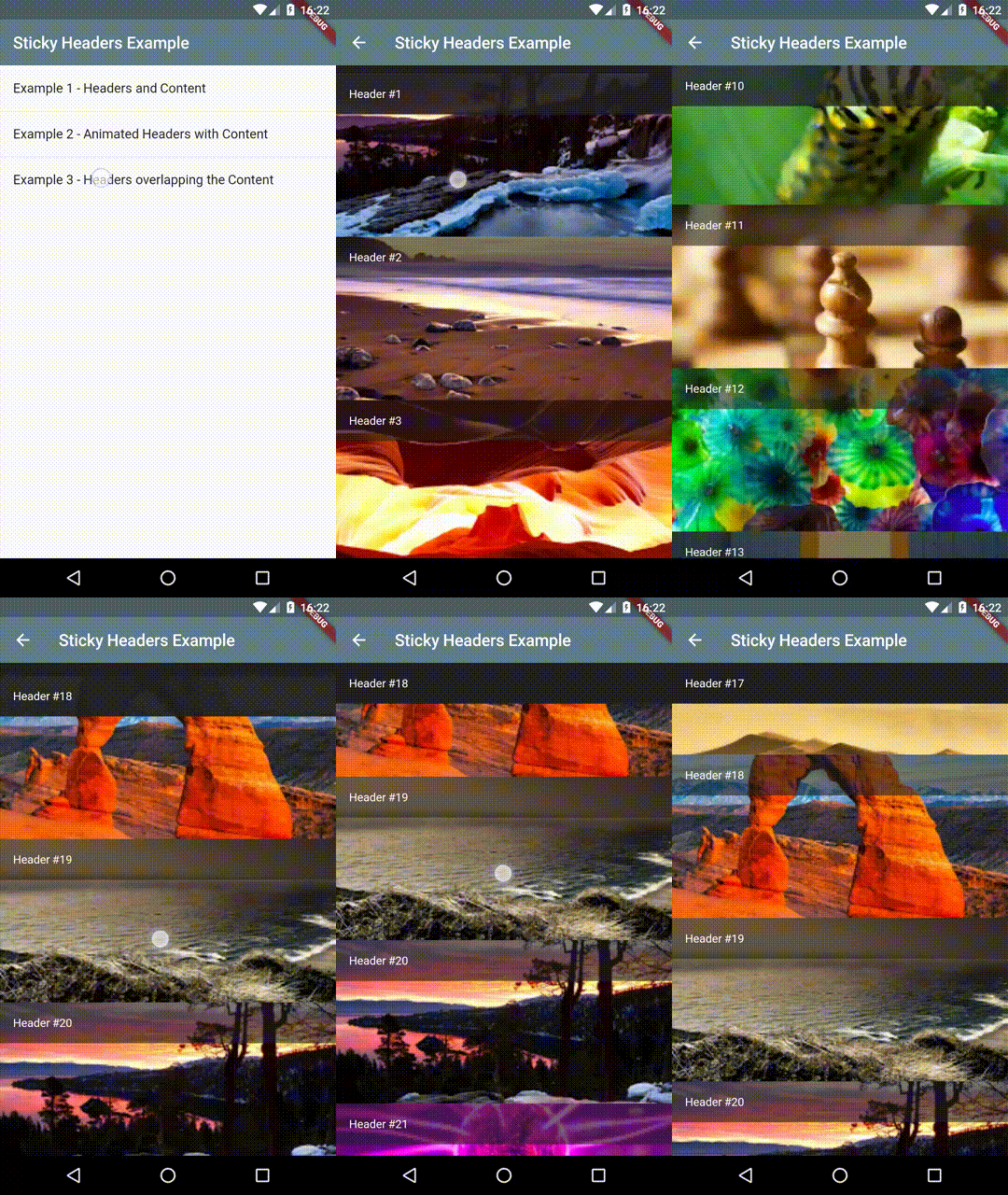
Flutter Sticky Headers - Lets you place headers on scrollable content that will stick to the top of the container whilst the content is scrolled.
903Likes 11.7K30-day downloads140Pub points
AndroidiOSWebmacOSWindowsLinux
Flutter Sticky Headers - Lets you place "sticky headers" into any scrollable content in your Flutter app. No special wrappers or magic required. Maintainer: @slightfoot

English project snapshot. Visit GitHub for the latest content.

Lets you place headers on scrollable content that will stick to the top of the container whilst the content is scrolled.
You can place a StickyHeader or StickyHeaderBuilder
inside any scrollable content, such as: ListView, GridView, CustomScrollView,
SingleChildScrollView or similar.
Depend on it:
dependencies:
  sticky_headers: "^0.3.0"
Import it:
import 'package:sticky_headers/sticky_headers.dart';
Use it:
class Example extends StatelessWidget {
  @override
  Widget build(BuildContext context) {
    return ListView.builder(itemBuilder: (context, index) {
      return StickyHeader(
        header: Container(
          height: 50.0,
          color: Colors.blueGrey[700],
          padding: EdgeInsets.symmetric(horizontal: 16.0),
          alignment: Alignment.centerLeft,
          child: Text('Header #$index',
            style: const TextStyle(color: Colors.white),
          ),
        ),
        content: Container(
          child: Image.network(
            imageForIndex(index),
            fit: BoxFit.cover,
            width: double.infinity,
            height: 200.0,
          ),
        ),
      );
    });
  }
}


If you encounter any problems feel free to open an issue. If you feel the library is missing a feature, please raise a ticket on Github and I'll look into it. Pull request are also welcome.
Dependency list 3 items
{"sdk":"flutter"}—{"sdk":"flutter"}Start with your use case, compare repository activity, and check the original project before adopting it.
“A repository is the most basic element of GitHub.”
GitHub Docs — About repositories ↗