Search packages, repositories and app categories

sticky_headers cover
Package detailsv0.3.0+2

sticky_headers

Flutter Sticky Headers - Lets you place headers on scrollable content that will stick to the top of the container whilst the content is scrolled.

AndroidiOSWebmacOSWindowsLinux
30-day downloads
11.7K
Likes
903
Pub points
140

Install package

flutter pub add sticky_headers

Package Overview

Package selection guidance compiled from public package information, community data, and project usage.

StickyHeaders is a Flutter package that enables headers to remain fixed at the top of a scrollable list as users scroll through content. It's ideal for creating grouped lists, such as contacts or calendar entries, where section headers should stay visible during scrolling. The package integrates seamlessly with ListView and other scrollable widgets, offering smooth performance and customizable header behavior. It supports all major platforms including Android, iOS, Web, macOS, Windows, and Linux.

Use cases

  • Grouped lists
  • Contact lists
  • Calendar views
  • Sectioned data displays
  • Scrollable content with persistent headers

Key features

  • Sticky headers on scroll
  • Customizable header styling
  • Smooth scrolling integration
  • Supports multiple scrollable widgets
  • Cross-platform compatibility

Suitable for

  • Developers building list-based apps
  • Apps with categorized data
  • UIs requiring persistent section headers
  • Flutter beginners learning scrollable layouts
  • Projects targeting multiple platforms

Considerations

  • May impact performance with large datasets
  • Requires careful handling of header heights
  • Limited built-in animations
  • Not optimized for highly dynamic content
  • Header positioning may need manual adjustment in complex layouts

Original README

Original README snapshot from the linked source repository. Visit the repository for the latest content.

Flutter Community: sticky_headers

Flutter Sticky Headers

pub package

Lets you place headers on scrollable content that will stick to the top of the container whilst the content is scrolled.

Usage

You can place a StickyHeader or StickyHeaderBuilder inside any scrollable content, such as: ListView, GridView, CustomScrollView, SingleChildScrollView or similar.

Depend on it:

dependencies:
  sticky_headers: "^0.3.0"

Import it:

import 'package:sticky_headers/sticky_headers.dart';

Use it:

class Example extends StatelessWidget {
  @override
  Widget build(BuildContext context) {
    return ListView.builder(itemBuilder: (context, index) {
      return StickyHeader(
        header: Container(
          height: 50.0,
          color: Colors.blueGrey[700],
          padding: EdgeInsets.symmetric(horizontal: 16.0),
          alignment: Alignment.centerLeft,
          child: Text('Header #$index',
            style: const TextStyle(color: Colors.white),
          ),
        ),
        content: Container(
          child: Image.network(
            imageForIndex(index), 
            fit: BoxFit.cover,
            width: double.infinity, 
            height: 200.0,
          ),
        ),
      );
    });
  }
}

Examples

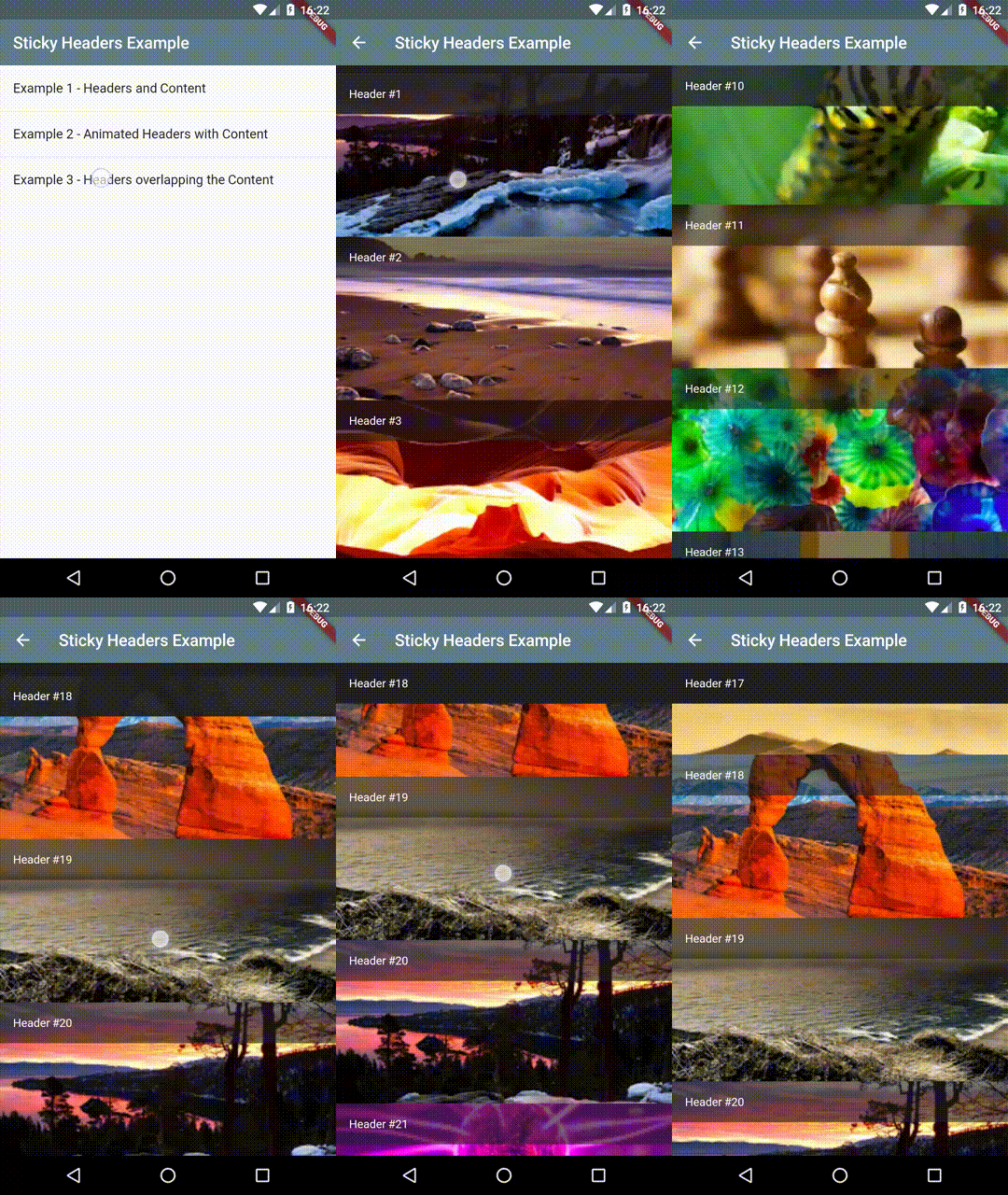
Example 1 - Headers and Content

Demo 1

Example 2 - Animated Headers with Content

Demo 2

Example 3 - Headers overlapping the Content

Demo 3

Bugs/Requests

If you encounter any problems feel free to open an issue. If you feel the library is missing a feature, please raise a ticket on Github and I'll look into it. Pull request are also welcome.

Categories

Source repository

Projects using this package