
 v0.1.14
flutter_avataaar
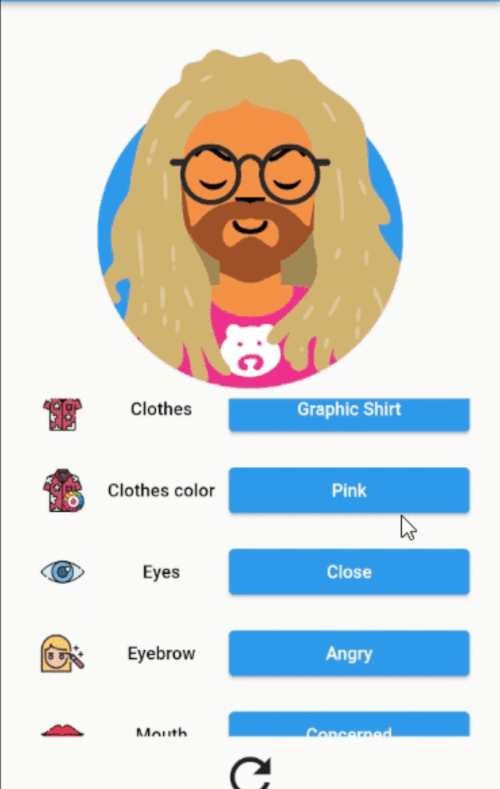
Flutter wrapper widget for Avataaars API allowing to generate and display avatar images.
28Likes 4830-day downloads60Pub points
Platforms unavailable
frananleo/flutter_avataaar open-source repository details.
English project snapshot. Visit GitHub for the latest content.
Flutter wrapper widget for Avataaars API - a free online avatar generator for anyone to make their beautiful personal avatar easily.

// Create avatar with default constructor
Avataaar(
  skin: Skin.pale,
  top: Top(
    topType: TopType.longHairCurvy,
    accessoriesType: AccessoriesType.Round,
    facialHair: FacialHair.beardMagestic(
      facialHairColor: FacialHairColor.BlondeGolden,
    ),
  ),
);

// Randomize all properties
Avataaar.random();

// Or mix both
Avataaar.random(
  skin: Skin.pale,
  top: Top(
    topType: TopType.longHairCurvy,
    accessoriesType: AccessoriesType.Round,
    facialHair: FacialHair.random,
  ),
);
AvataaarGenerator
(
  avataaar: avataaar,
  onTranslateKey: (String key) {
  return Translate.get(key);
  }
  onUpdateAvataaar:() {setState((){});},
);

// By default package will use SvgPicture to render the image. AvataaarPicture could be used to create a custom
// [builder] constructor and create widget for given image url:
 AvataaarPicture.builder(
  builder: (context, avataaar) {
    // ...
  },
)
Use Avataaar.toJson() and Avataaar.fromJson(String) methods to serialize/deserialize avatars.
Use the funtion getPngFromSvg from the class Avataaar to get the png File.

Dependency list 9 items
{"sdk":"flutter"}^3.1.0^3.1.2^1.0.0^0.13.4^3.0.4^2.0.4^2.0.9^1.0.1Start with your use case, compare repository activity, and check the original project before adopting it.
“A repository is the most basic element of GitHub.”
GitHub Docs — About repositories ↗