

v0.1.5
clean_settings
Settings UI generator with sane defaults. Removes the need for boilerplate code and provides a rich set of highly opinionated widgets.
62Likes 6830-day downloads40Pub points
Platforms unavailable
Settings UI generator with sane defaults

English project snapshot. Visit GitHub for the latest content.

Settings UI generator with sane defaults.
Creating a settings screen requires the same boiler plate code over and over. Settings also need a rich set of widgets to cover all possible cases. This library aims to provide sane defaults while creating a setting screen.
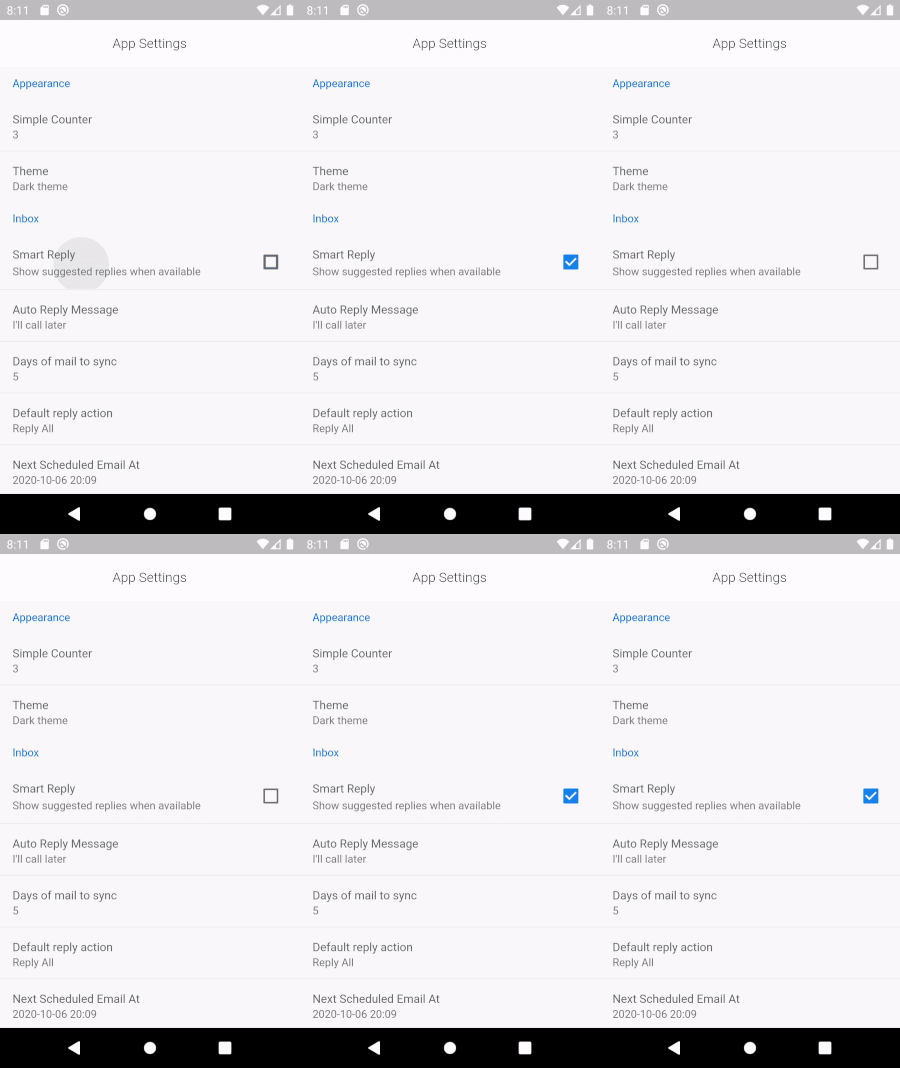
SettingCheckboxItem(
    title: 'Smart Reply',
    value: smartReply,
    onChanged: (v) => setState(() => smartReply = v),
    description: 'Show suggested replies when available'),
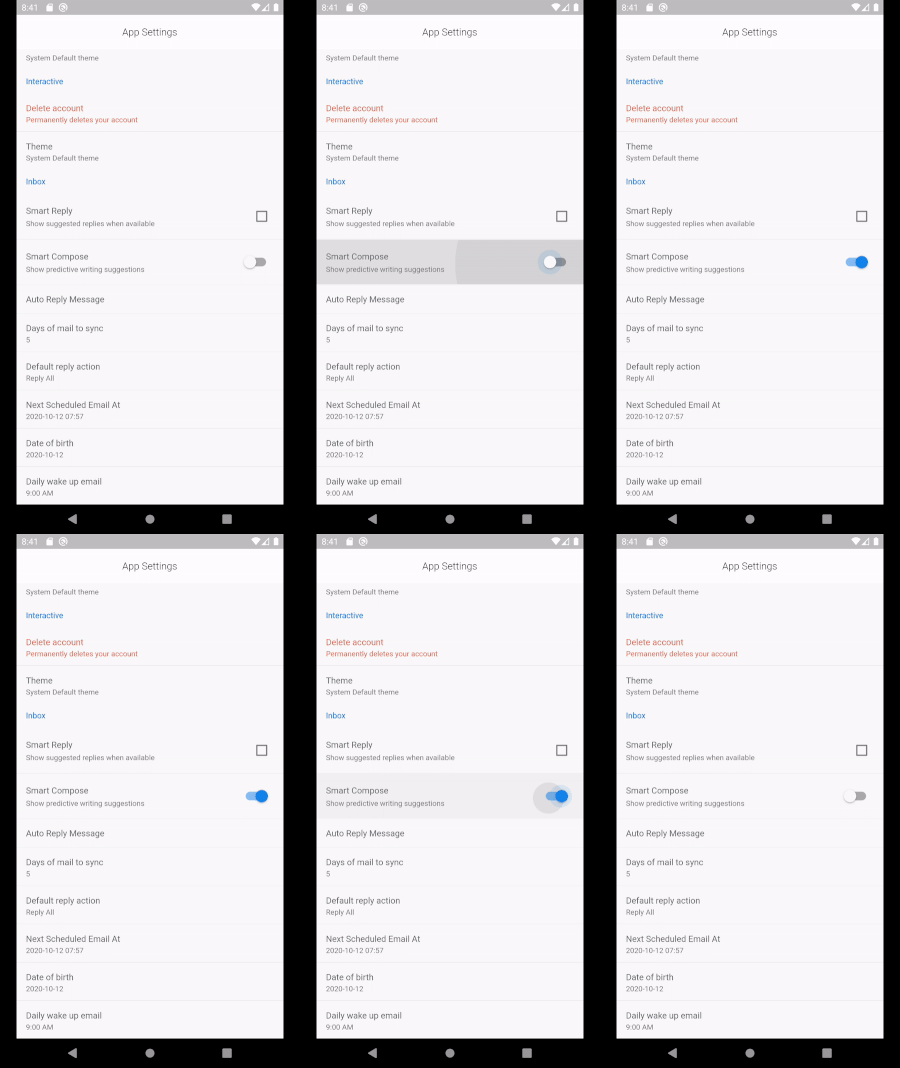
SettingSwitchItem(
  title: 'Smart Compose',
  value: smartCompose,
  onChanged: (v) => setState(() => smartCompose = v),
  description: 'Show predictive writing suggestions',
  priority: ItemPriority.high,
),
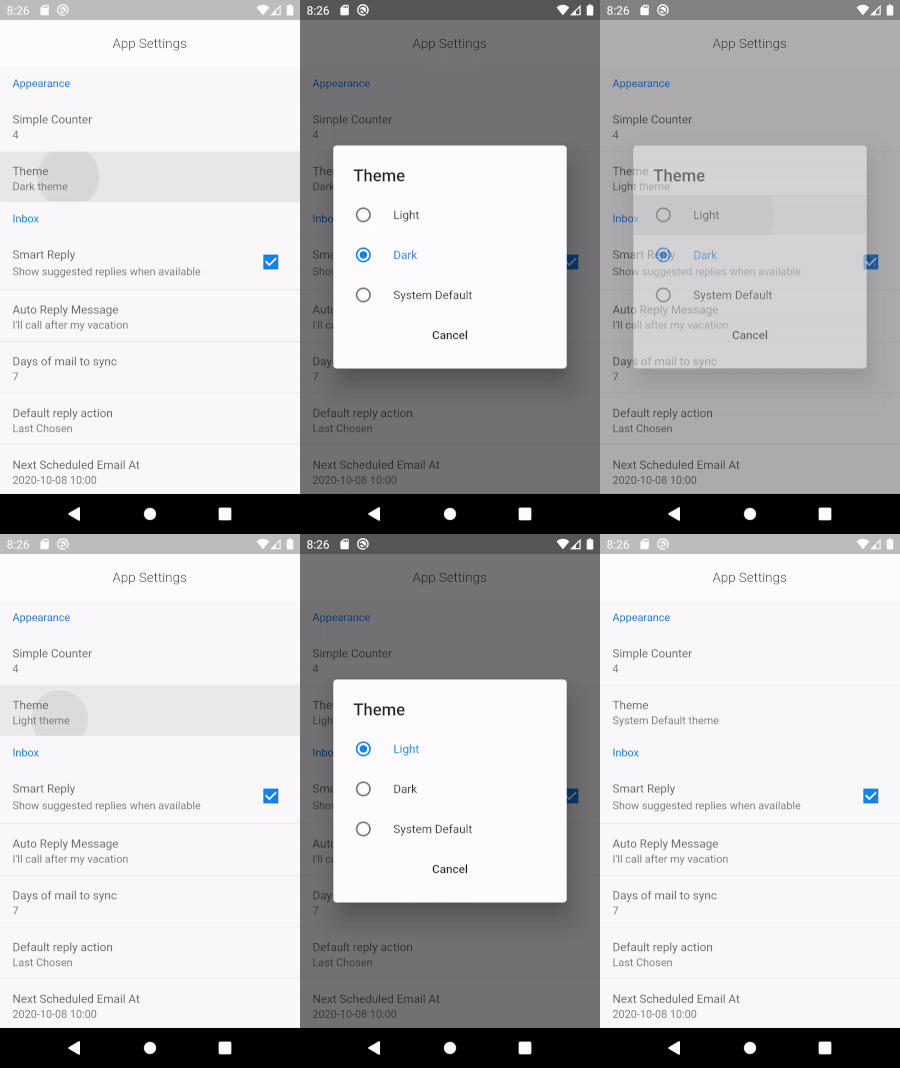
SettingRadioItem<String>(
  title: 'Theme',
  displayValue: '$theme theme',
  selectedValue: theme,
  items: [
    SettingRadioValue('Light', 'Light'),
    SettingRadioValue('Dark', 'Dark'),
    SettingRadioValue('System Default', 'System Default'),
  ],
  onChanged: (v) => setState(() => theme = v),
),
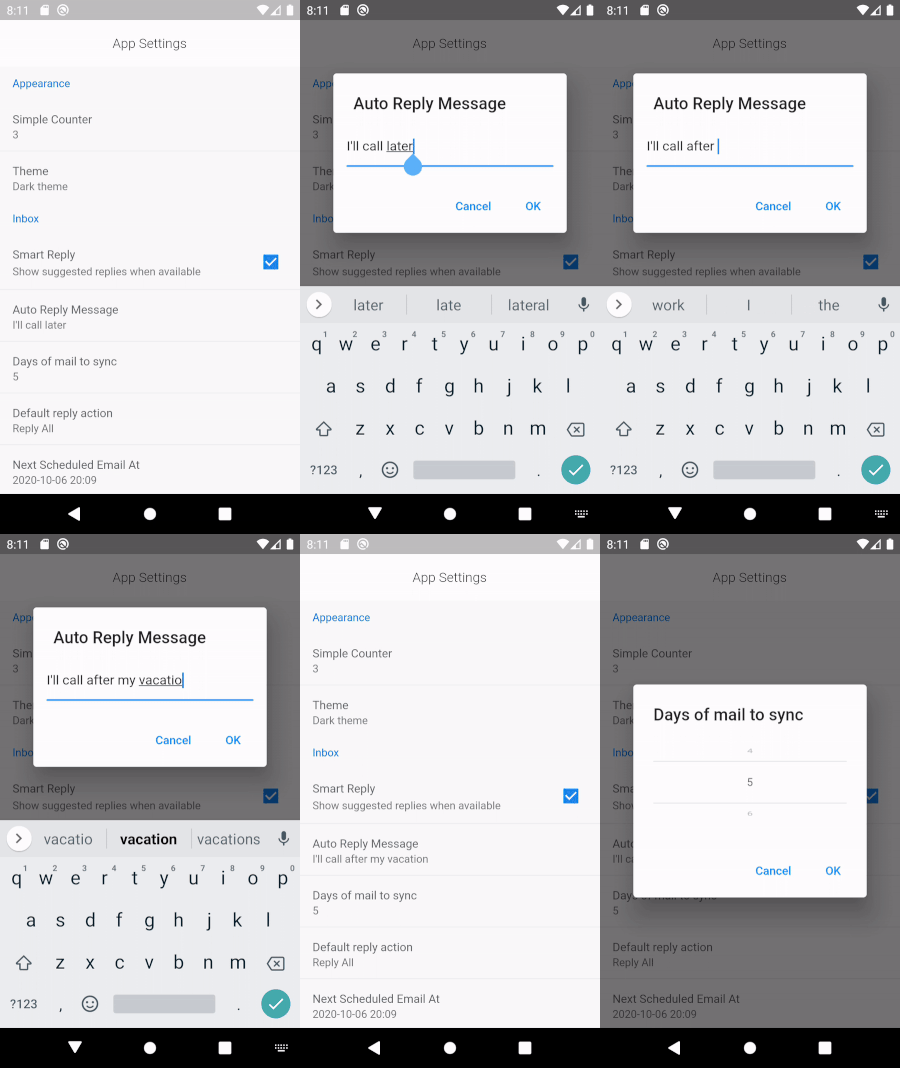
SettingTextItem(
  title: 'Auto Reply Message',
  displayValue: autoReplyMessage,
  initialValue: autoReplyMessage,
  hintText: 'Sent by system on away',
  onChanged: (v) => setState(() => autoReplyMessage = v),
),
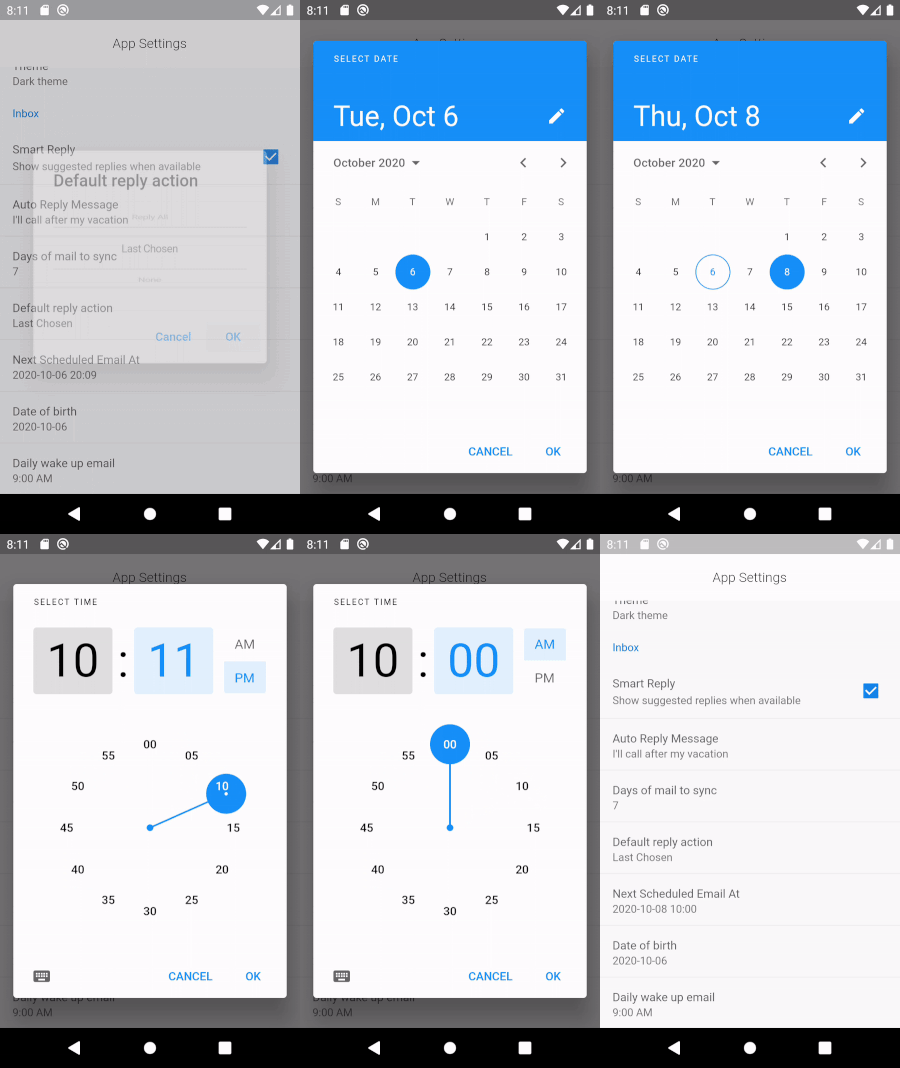
SettingDateTimeItem<DateTime>(
  title: 'Next Scheduled Email At',
  displayValue: scheduledEmailSlug,
  onChanged: (v) => setState(() => scheduledEmailDateTime = v),
),

SettingDateTimeItem<DateTime>(
  title: 'Date of birth',
  displayValue: dateOfBirthSlug,
  onChanged: (v) => setState(() => dateOfBirth = v),
  timePicker: false,
),
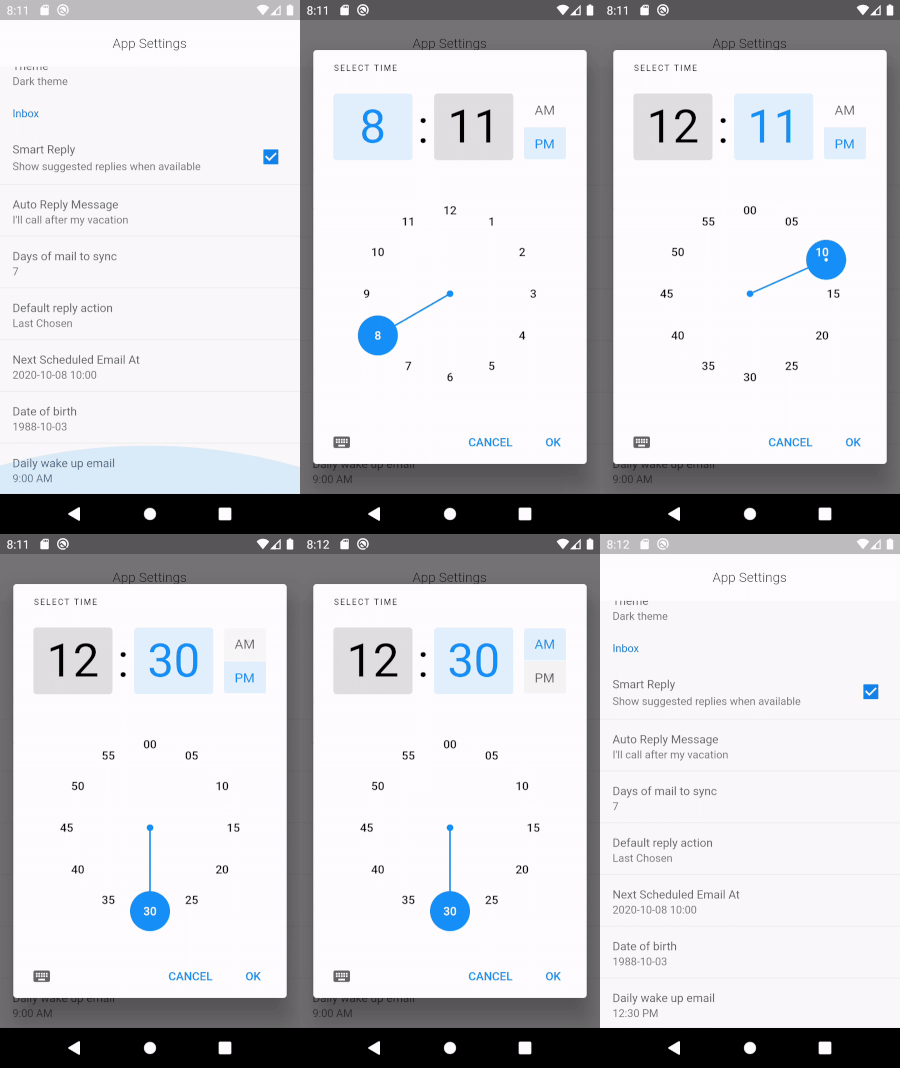
SettingDateTimeItem<TimeOfDay>(
  title: 'Daily wake up email',
  displayValue: dailyEmailAt.format(context),
  onChanged: (v) => setState(() => dailyEmailAt = v),
  datePicker: false,
),
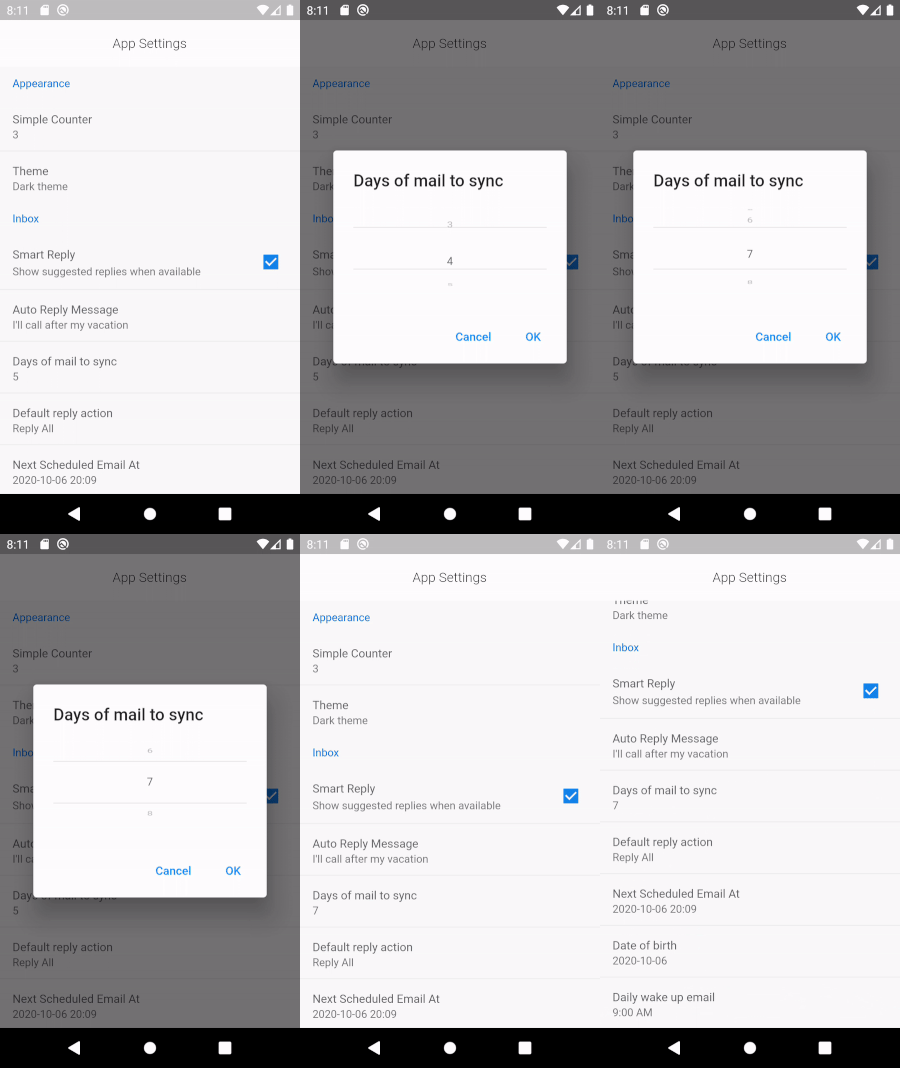
SettingWheelPickerItem(
  title: 'Days of mail to sync',
  displayValue: daysOfMailToSync.toString(),
  initialValueIndex: daysOfMailToSync,
  items: List.generate(10, (index) => index.toString()),
  onChanged: (v) => setState(() => daysOfMailToSync = v),
),
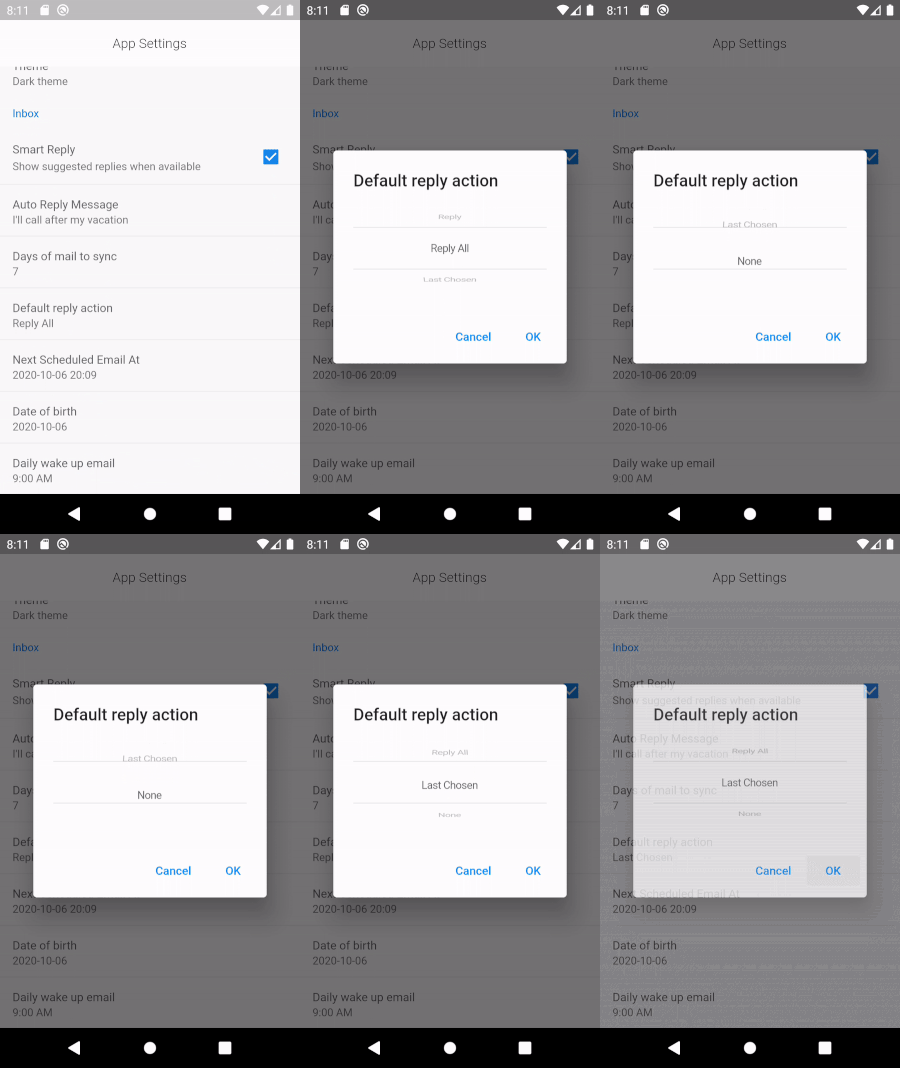
var replyOptions = ['Reply', 'Reply All', 'Last Chosen', 'None'];
SettingWheelPickerItem(
  title: 'Default reply action',
  displayValue: replyOptions[chosenReplyOptionIndex],
  initialValueIndex: chosenReplyOptionIndex,
  items: replyOptions,
  onChanged: (v) => setState(() => chosenReplyOptionIndex = v),
),
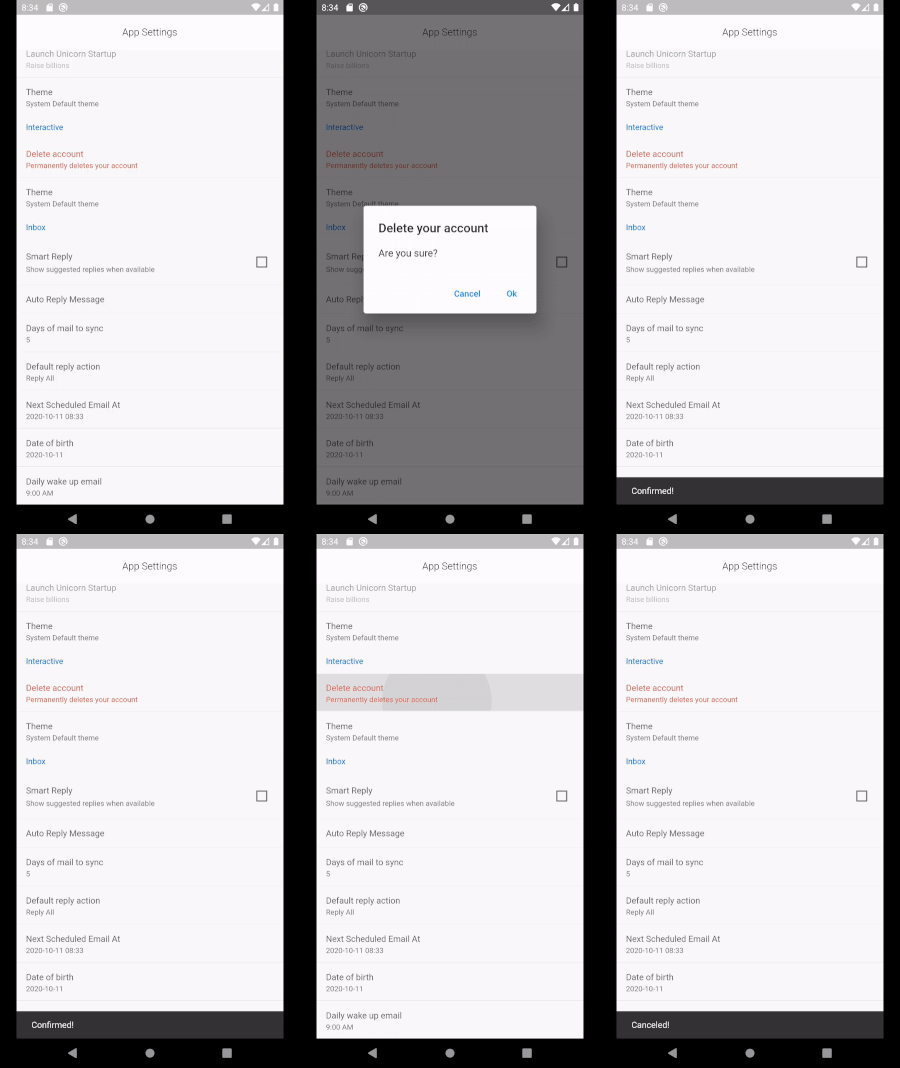
SettingConfirmItem(
  title: 'Delete account',
  displayValue: 'Permanently deletes your account',
  alertTitle: 'Delete your account',
  alertMessage: 'Are you sure?',
  priority: ItemPriority.high,
  onConfirm: () => {},
  onCancel: () => {},
),

SettingItem(
  title: 'Simple Counter',
  displayValue: counter.toString(),
  onTap: () => setState(() => counter++),
),
Root - SettingContainer
         \
          \_ SettingSection
                 \
                  \_ SettingItem (or Variants)
prioritySet the priority of the item to one of:
ItemPriority.high - Shows red colorItemPriority.normal - Default colorItemPriority.low - Shows in green colorItemPriority.disabled - Disables the itemCreates a simple Checkbox setting item
SettingContainer(
  sections: [
    SettingSection(
      title: 'Appearance',
      items: [
        SettingCheckboxItem(
            title: 'Smart Reply',
            value: smartReply,
            onChanged: (v) => setState(() => smartReply = v),
            description: 'Show suggested replies when available'),
      ],
    ),
  ],
)

Dependency list 3 items
{"sdk":"flutter"}{"sdk":"flutter"}^1.9.2Start with your use case, compare repository activity, and check the original project before adopting it.
“A repository is the most basic element of GitHub.”
GitHub Docs — About repositories ↗