

v1.0.1+1
adhara_socket_io
Websocket by socket.io for flutter by adhara, supports both iOS and Android
86Likes 20930-day downloads30Pub points
Platforms unavailable
Socket IO supprt for flutter. Looking for contributors Swift and Java.

English project snapshot. Visit GitHub for the latest content.

socket.io for flutter by adhara
supports both Android and iOS
socket.io version supported: v2 development in progress for v3 and v4
If you are using v3/v4 socket on server side, you may face connection issues, please downgrade and try in such scenario.
Usage:
See
example/lib/main.dartfor more detailed example
	final SOCKET_SERVER = 'http://192.168.1.2:7070/';	//To be modified accordingly
        SocketIO socket;
	StreamSubscription connectSubscription;
	StreamSubscription echoSubscription;

	Future<void> demonstrateSocket() async {
    	// Create a socket instance
		socket = await SocketIOManager().createInstance(
        	SocketOptions(SOCKET_SERVER),
        );

	// Listen to socket connect event
	subscription = socket.onConnect.listen((data){
	  print('connected: $data');
	  socket.emit('message', ['Hello world!']);
	});

        // Listen to an custom ("news") event
	echoSubscription = socket.on('echo', (data){
  	    print("news event recieved with data: $data");
	});

	// There are 2 ways to connect to socket server
	//  - normal: doesn't wait for connectio success
	//  - sync: ensures connection or errors out on failure

        // normal:
        //  connect to socket server - will initialize connection,
        //  but not ensure the connection yet.
        //  If this method used to connect to server, then emit events should be sent
        //  only after ensuring connection to socket server is successful by listening
        //  to onConnect events
	// await socket.connect();

	// sync:
        //  This API will ensure connection to server is successful
        //  or will throw error on connect error
        await socket.connectSync();

        // publish data - will publish to server, won't ensure the delivery
	await socket.emit('echo', ['hello']);

        // emit with acknowledgement - will publish to server
        //  and ensure delivery with ack if ack is implemented in server
        dynamic ackData = await socket.emitWithAck('echo', ['hello']);
            print('acknowledgement recieved from server: $ackData');
    	}

	Future<void> dispose() async {
	    // cancel echo and onConnect subscriptions
	    await echoSubscription.cancel();
	    await connectSubscription.cancel();

            // clear socket instance from manager
            await SocketIOManager().clearInstance(socket);
        }

	// register liteners, connect to a socket, and publish data
	demonstrateSocket();

	// will dispose listeners and socket
	dispose();
cd socket.io.server
npm i
./node_modules/.bin/pm2/ index.js
cd ../
open example/lib/main.dart and edit the URI in #7 to point to your hosted/local socket server instances as mentioned step 2
For example:
const String URI = "http://192.168.1.2:7000/";
const String URI = "http://mysite.com/";
run example
cd example
flutter run
This project uses Swift for iOS support, please enable Swift support for your project for this plugin to work
Configure android:usesCleartextTraffic="true" as a property of <application ...> tag in android/app/src/main/AndroidManifest.xml
For example:
<application
        android:name="io.flutter.app.FlutterApplication"
        android:label="adhara_socket_io_example"
        android:usesCleartextTraffic="true"
        android:icon="@mipmap/ic_launcher">
        <activity
            android:name=".MainActivity"...>...</activity>
        ...
</application>
This plugin uses flutter driver to run integration tests tests. Use below command to run integration tests on Android/iOS
sh bin/run_tests.sh
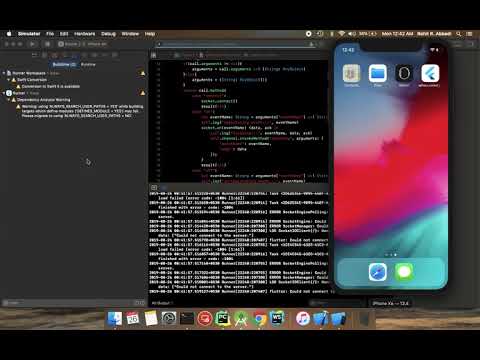
add use_frameworks! to your Podfile as in the example
https://github.com/infitio/flutter_socket_io/blob/master/example/ios/Podfile#L30
Read more about this: discussion
Feel free to checkout our Adhara package
Dependency list 2 items
{"sdk":"flutter"}^1.9.2Start with your use case, compare repository activity, and check the original project before adopting it.
“A repository is the most basic element of GitHub.”
GitHub Docs — About repositories ↗