
 v0.4.0
document_scanner_flutter
A android & ios document scanner & auto detector plugin for flutter.
158Likes 14030-day downloads130Pub points
AndroidiOS
A document scanner plugin for flutter
English project snapshot. Visit GitHub for the latest content.

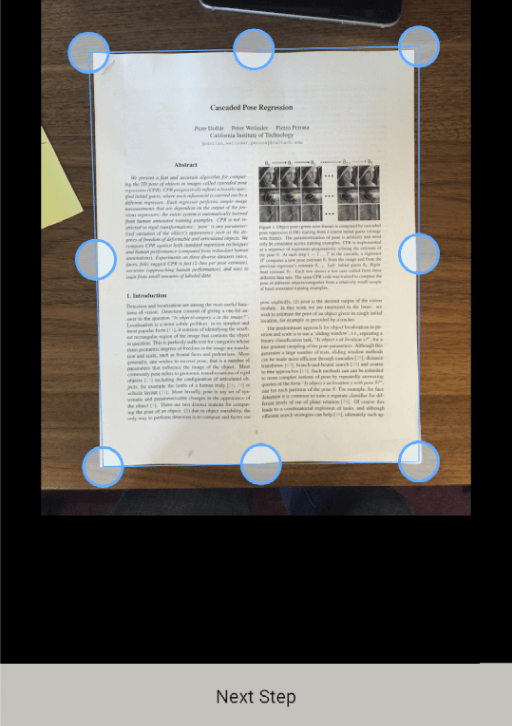
A document scanner + PDF generator plugin for Flutter. Supports Android and iOS with auto edge detection, cropping, B&W filter, and PDF generation.


| Platform | Minimum Version |
|---|---|
| Android | API 21 (Android 5.0) |
| iOS | iOS 12.0 |
| Flutter | 3.0.0 |
| Dart | 2.17.0 |
document_scanner_flutter: ^0.4.0
final File? scannedDoc = await DocumentScannerFlutter.launch(context);
// returns null if user cancels
final File? scannedDoc = await DocumentScannerFlutter.launch(
  context,
  source: ScannerFileSource.CAMERA, // or ScannerFileSource.GALLERY
);
final Uint8List imageBytes = await myFile.readAsBytes();

final File? rescanned = await DocumentScannerFlutter.launch(
  context,
  source: ScannerFileSource.CAMERA,
  initialImage: imageBytes,
  canBackToInitial: true,
);
// Call this on app startup to recover image lost due to process death
final File? recovered = await DocumentScannerFlutter.retrieveLostData();
if (recovered != null) {
  // use recovered image
}
final File? pdfFile = await DocumentScannerFlutter.launchForPdf(
  context,
  source: ScannerFileSource.CAMERA,
);
// returns a PDF File or null if cancelled
final File? scannedDoc = await DocumentScannerFlutter.launch(
  context,
  source: ScannerFileSource.CAMERA,
  labelsConfig: {
    ScannerLabelsConfig.ANDROID_NEXT_BUTTON_LABEL: 'Next',
    ScannerLabelsConfig.ANDROID_SAVE_BUTTON_LABEL: 'Save',
    ScannerLabelsConfig.ANDROID_ROTATE_LEFT_LABEL: 'Rotate Left',
    ScannerLabelsConfig.ANDROID_ROTATE_RIGHT_LABEL: 'Rotate Right',
    ScannerLabelsConfig.ANDROID_ORIGINAL_LABEL: 'Original',
    ScannerLabelsConfig.ANDROID_BMW_LABEL: 'B & W',
    ScannerLabelsConfig.PICKER_CAMERA_LABEL: 'Camera',
    ScannerLabelsConfig.PICKER_GALLERY_LABEL: 'Gallery',
    ScannerLabelsConfig.PICKER_CANCEL_LABEL: 'Cancel',
    ScannerLabelsConfig.ANDROID_INITIAL_IMAGE_LOADING_MESSAGE: 'Loading image...',
  },
);
See CHANGELOG.md for full release history.

Dependency list 5 items
{"sdk":"flutter"}^3.10.4^0.14.0^2.1.3{"sdk":"flutter"}Start with your use case, compare repository activity, and check the original project before adopting it.
“A repository is the most basic element of GitHub.”
GitHub Docs — About repositories ↗