
 v0.5.1
interactive_slider
A Cupertino-themed interactive continuous slider widget that is inspired by the slider widgets used in Apple Music.
138Likes 1.8K30-day downloads160Pub points
AndroidiOSWebmacOSWindowsLinux
A Cupertino-themed interactive continuous slider widget.

{"sdk":"flutter"}{"sdk":"flutter"}^5.0.0English project snapshot. Visit GitHub for the latest content.
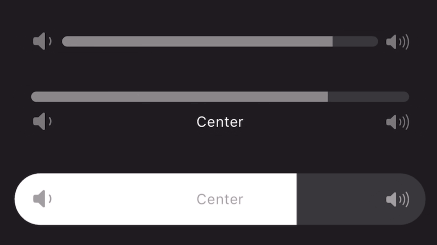
A continuous or segmented slider widget inspired by the volume slider in the Apple Music app. This widget can be used with little to no setup but is still fully customizable!
Animated gif of slider being used Animated gif of slider being used Animated gif of slider being usedUse the stock slider or customize:
Add to your dependencies:
dependencies:
  interactive_slider: ^0.5.0
Then import:
import 'package:interactive_slider/interactive_slider.dart';
InteractiveSlider(
  startIcon: const Icon(CupertinoIcons.volume_down),
  centerIcon: const Text('Center'),
  endIcon: const Icon(CupertinoIcons.volume_up),
  min: 1.0,
  max: 15.0,
  onChanged: (value) => setState(() => _value = value),
)
Please report any bugs and open any pull requests via GitHub.