Search packages, repositories and app categories

GitHub repositoryjulvo/flutter_page_slider

flutter_page_slider

A flutter widget that slides through pages horizontally

flutter_page_slider project cover
Stars
18
Forks
12
Last push (UTC)
Jun 5, 2019
Project status
Active

Original README

English project snapshot. Visit GitHub for the latest content.

flutter_page_slider

Pub

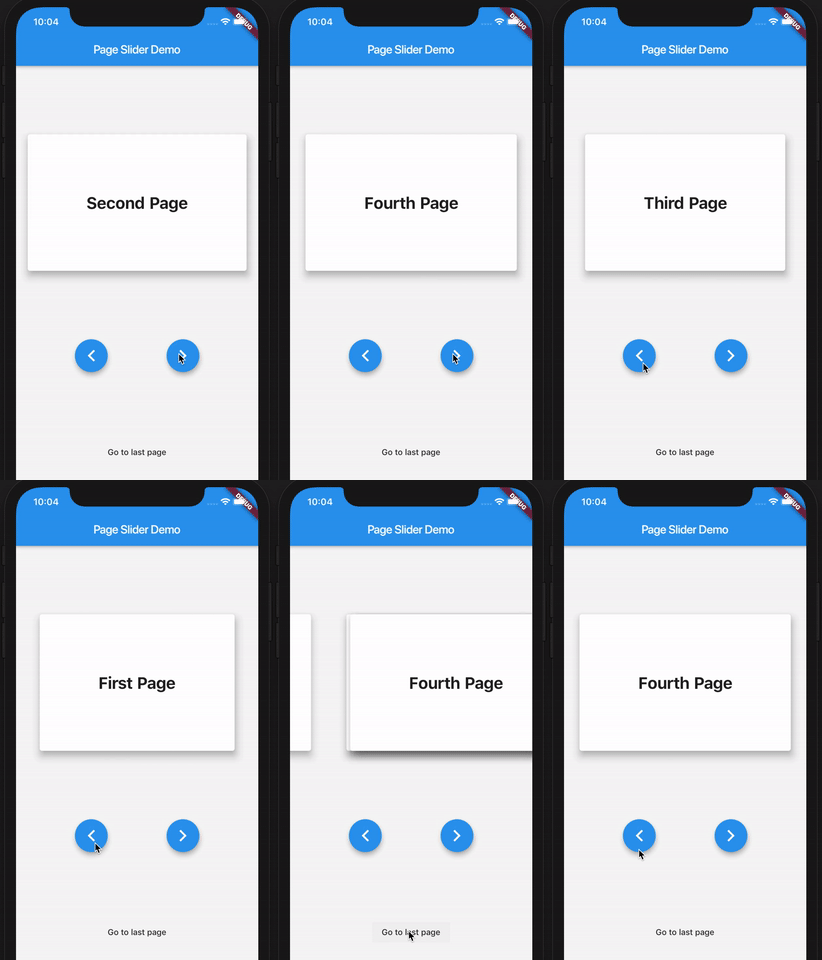
A simple Flutter widget that slides through pages horizontally. Use-cases could be wizards or onboarding flows similar to the Material Stepper widget, but without a particular UI - any widget can be a page to slide through.

Here's a demo of the example app:

PageSlider demo app

How to use

First, create the PageSlider widget with a GlobalKey<PageSliderState> and the child widgets which you want to slide through. Then, control the active page using the global key to address the page slider state like so:

class Demo extends StatefulWidget {
  Demo({Key key}) : super(key: key);
  _DemoState createState() => _DemoState();
}

class _DemoState extends State<Demo> {
  GlobalKey<PageSliderState> _sliderKey = GlobalKey();

  @override
  Widget build(BuildContext context) {
    return Column(
      children: [
        PageSlider(
          key: _sliderKey,
          pages: [
            Text('Page 0'),
            Text('Page 1'),
            Text('Page 2'),
          ]
        ),
        RaisedButton(
          onPressed: _sliderKey.currentState.next,
          child: Text('Next')
        ),
        RaisedButton(
          onPressed: _sliderKey.currentState.previous,
          child: Text('Previous')
        ),
      ]
    );
  }
}
Julian Vossen GitHub avatar
LanguagesDart

Packages published by this repository

Dependencies used

Dependency list 2 items

  • flutter{"sdk":"flutter"}
  • flutter_testDevelopment{"sdk":"flutter"}

How do I choose a repository?

Start with your use case, compare repository activity, and check the original project before adopting it.

  1. Search by repository name, owner or description, then narrow the results by topic.
  2. Compare stars, forks and recent pushes. Stars show community interest, not a guarantee of quality.
  3. Read the README, license and issues on GitHub before using a project.

Sources and maintenance

“A repository is the most basic element of GitHub.”

GitHub Docs — About repositories ↗