Search packages, repositories and app categories

Package detailsv0.0.2

page_slider

A simple Flutter widget that slides through pages horizontally. For wizards or onboarding flows similar to the Material Stepper widget, but without a particular UI - any widget can be a page to slide through.

30-day downloads
22
Likes
36
Pub points
30

Install package

flutter pub add page_slider

Package Overview

Package selection guidance compiled from public package information, community data, and project usage.

PageSlider is a lightweight Flutter widget designed to enable horizontal page navigation, ideal for onboarding flows or wizard-like interfaces. It allows any custom widget to serve as a slideable page, offering flexibility without enforcing a specific UI style. Inspired by the Material Stepper but more generic, it supports smooth transitions and intuitive swiping gestures. Perfect for creating guided user experiences with minimal setup.

Use cases

  • Onboarding tutorials
  • Wizard-style forms
  • Product walkthroughs
  • Interactive guides
  • Custom carousel displays

Key features

  • Horizontal swipe navigation
  • Supports any widget as a page
  • Minimal styling constraints
  • Smooth transition animations
  • Simple integration with existing widgets

Suitable for

  • Simple onboarding flows
  • Flexible UI wizards
  • Custom interactive content
  • Lightweight carousel needs
  • Prototyping rapid UI sequences

Considerations

  • No built-in indicators or pagination
  • Limited customization for scroll physics
  • Not optimized for large numbers of pages
  • Requires manual handling of state management
  • Best suited for small to medium content sets

Original README

Original README snapshot from the linked source repository. Visit the repository for the latest content.

flutter_page_slider

Pub

A simple Flutter widget that slides through pages horizontally. Use-cases could be wizards or onboarding flows similar to the Material Stepper widget, but without a particular UI - any widget can be a page to slide through.

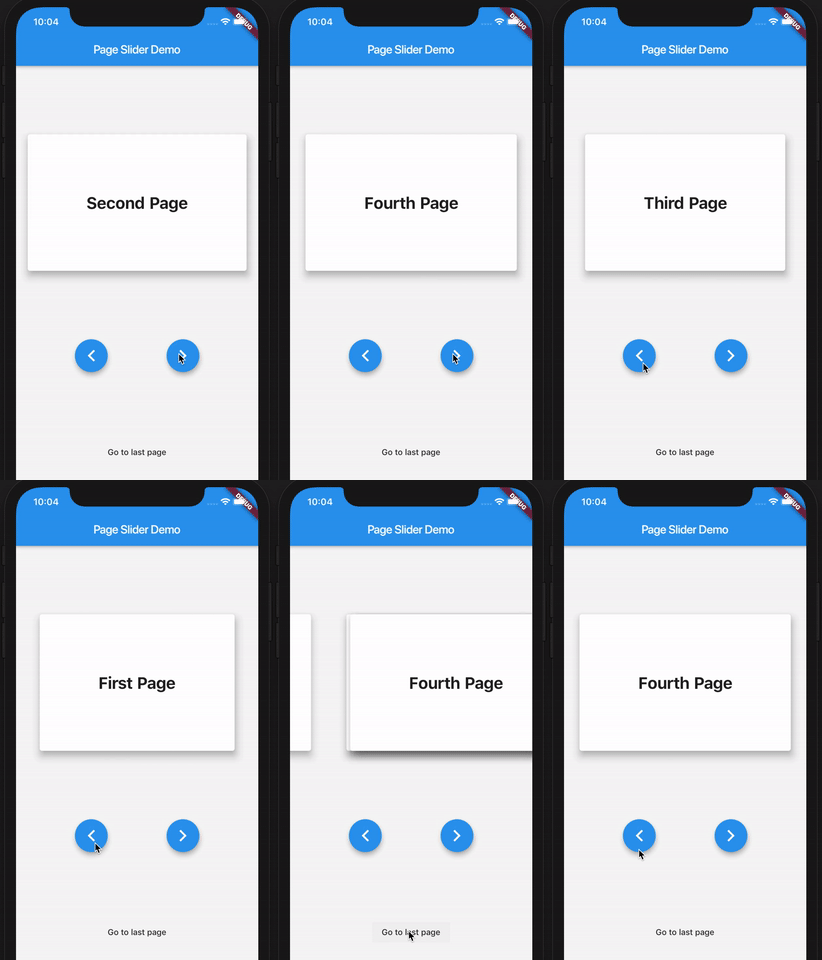
Here's a demo of the example app:

PageSlider demo app

How to use

First, create the PageSlider widget with a GlobalKey<PageSliderState> and the child widgets which you want to slide through. Then, control the active page using the global key to address the page slider state like so:

class Demo extends StatefulWidget {
  Demo({Key key}) : super(key: key);
  _DemoState createState() => _DemoState();
}

class _DemoState extends State<Demo> {
  GlobalKey<PageSliderState> _sliderKey = GlobalKey();

  @override
  Widget build(BuildContext context) {
    return Column(
      children: [
        PageSlider(
          key: _sliderKey,
          pages: [
            Text('Page 0'),
            Text('Page 1'),
            Text('Page 2'),
          ]
        ),
        RaisedButton(
          onPressed: _sliderKey.currentState.next,
          child: Text('Next')
        ),
        RaisedButton(
          onPressed: _sliderKey.currentState.previous,
          child: Text('Previous')
        ),
      ]
    );
  }
}

Categories

Source repository

Projects using this package

No data available yet.