Tesseract OCR for Flutter
Fork note (onestudi0/tesseract_ocr): This fork exists solely to fix android/build.gradle,
which still declares the defunct jcenter() repository — current Gradle rejects the jcenter()
DSL method outright, so upstream fails to build at all as of this writing. This fork replaces it
with mavenCentral(). No other changes. If upstream (khjde1207/tesseract_ocr) ever merges an
equivalent fix, switch back to the pub.dev release and drop the dependency_overrides pointing
here.
Tesseract OCR 4.0 for flutter
This plugin is based on Tesseract OCR 4
This plugin uses Tesseract4Android and SwiftyTesseract.
pub.dev link
https://pub.dev/packages/google_ml_kit
Tesseract is slower than ml_kit.
Consider whether you should use Tesseract
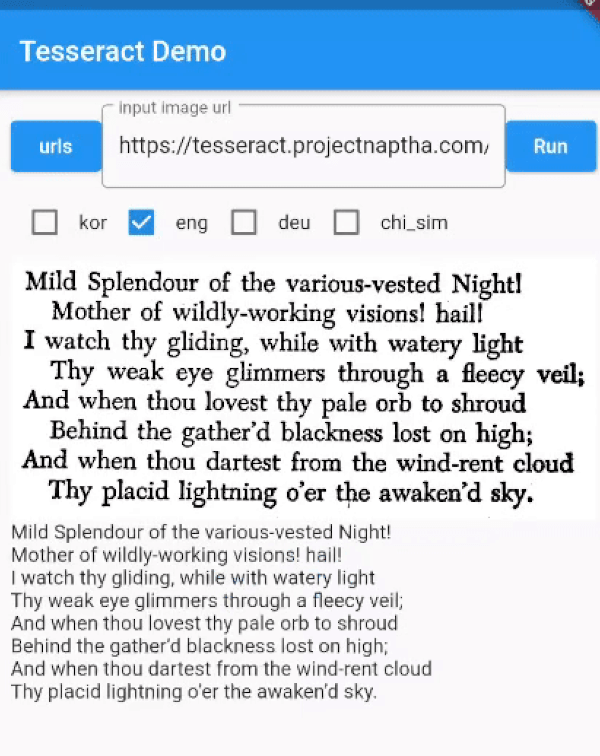
example
https://raw.github.com/khjde1207/tesseract_ocr/master/example.gif
install
dev_dependencies:
  ...
  flutter_tesseract_ocr:
web
./web/index.html
use https://www.npmjs.com/package/tesseract.js/v/v4.0.2
<body>
  <script src='https://unpkg.com/tesseract.js@v4.0.2/dist/tesseract.min.js'></script>
  <script>
    async function _extractText(imagePath , mapData){
      var worker = await Tesseract.createWorker();
      await worker.load();
      await worker.loadLanguage(mapData.language)
      await worker.initialize(mapData.language)
      await worker.setParameters(mapData.args)
      var rtn = await worker.recognize(imagePath, {}, worker.id);
      await worker.terminate();
      if(mapData.args["tessjs_create_hocr"]){
        return rtn.data.hocr;
      }
      return rtn.data.text;
    }
  </script>
  ...
  ..
  .
</body>
Getting Started (Android / Ios)
You must add trained data and trained data config file to your assets directory.
You can find additional language trained data files here Trained language files
add tessdata folder under assets folder, add tessdata_config.json file under assets folder:
{
  "files": [
    "eng.traineddata",
    "<other_language>.traineddata"
  ]
}
Plugin assumes you have tessdata folder in your assets directory and defined in your pubspec.yaml
Check the contents of example/assets folder and example/pubspec.yaml
IOS issues
Initialization of SwiftyTesseract has failed
Just drag tessdata folder from asset to place under Runner folder in xcode add as a reference then it will work.
Reference
Usage
Using is very simple:
//args support android / Web , i don't have a mac
String text = await FlutterTesseractOcr.extractText('/path/to/image', language: 'kor+eng',
        args: {
          "psm": "4",
          "preserve_interword_spaces": "1",
        });
You can leave language empty, it will default to `'eng'.
//---- dynamic add Tessdata (Android)---- ▼
// https://github.com/tesseract-ocr/tessdata/raw/main/dan_frak.traineddata

HttpClient httpClient = new HttpClient();

HttpClientRequest request = await httpClient.getUrl(Uri.parse(
        'https://github.com/tesseract-ocr/tessdata/raw/main/${langName}.traineddata'));

HttpClientResponse response = await request.close();
Uint8List bytes =await consolidateHttpClientResponseBytes(response);
String dir = await FlutterTesseractOcr.getTessdataPath();

print('$dir/${langName}.traineddata');
File file = new File('$dir/${langName}.traineddata');
await file.writeAsBytes(bytes);
//---- dynamic add Tessdata ---- ▲


 v0.4.31