
 v2.1.0
icon_picker
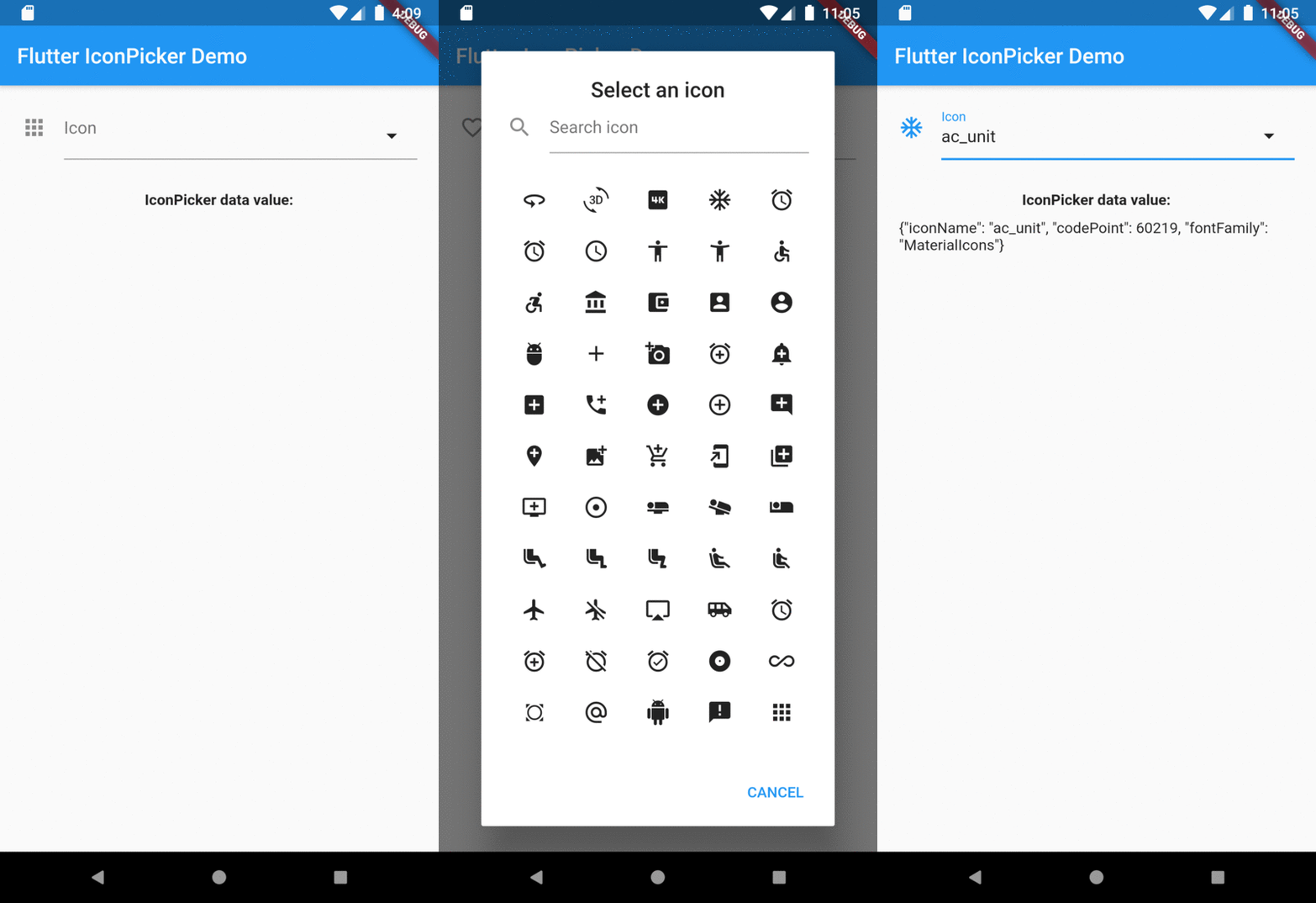
A Flutter widget to display a dialog containing an icon collection to pick one returning a jason iconData.
18Likes 3030-day downloads60Pub points
Platforms unavailable
A Flutter widget to show an icon collection to pick. This widget extend TextField and has a similar behavior as TextFormField

{"sdk":"flutter"}{"sdk":"flutter"}^1.0.0English project snapshot. Visit GitHub for the latest content.
A Flutter widget to show an icon collection to pick.
This widget extend TextField and has a similar behavior as TextFormField
In the pubspec.yaml of your flutter project, add the following dependency:
dependencies:
  ...
  icon_picker: "^2.1.0"
In your library add the following import:
import 'package:icon_picker/icon_picker.dart';
For help getting started with Flutter, view the online documentation.
IconPicker use an internal MaterialIcon collection by default, but you can set your own icon collection.
You just need to pass in iconCollection param a Map<String, IconData>.
final Map<String, IconData> myIconCollection = {
  'favorite': Icons.favorite,
  'home': Icons.home,
  'android': Icons.android,
  'album': Icons.album,
  'ac_unit': Icons.ac_unit,
  ...
}
IconPicker(
  initialValue: 'favorite',
  icon: Icon(Icons.apps),
  labelText: "Icon",
  title: "Select an icon",
  cancelBtn: "CANCEL",
  enableSearch: true,
  searchHint: 'Search icon',
  iconCollection: myIconCollection,
  onChanged: (val) => print(val),
  onSaved: (val) => print(val),
);
The result of val in onChanged, validator and onSaved will be a json String.
So, if you tap the icon ac_unit in the dialog window, the result value will be:
'{"iconName": "ac_unit", "codePoint": 60219, "fontFamily": "MaterialIcons"}'
Transforming the String result of IconPicker in an IconData:
String value = '{"iconName": "ac_unit", "codePoint": 60219, "fontFamily": "MaterialIcons"}'
var iconDataJson = jsonDecode(value);
IconData icon = IconData(iconDataJson['codePoint'], fontFamily: iconDataJson['fontFamily']);
Icon(icon);
Overview