Search packages, repositories and app categories

icon_picker cover
Package detailsv2.1.0

icon_picker

A Flutter widget to display a dialog containing an icon collection to pick one returning a jason iconData.

30-day downloads
61
Likes
18
Pub points
60

Install package

flutter pub add icon_picker

Package Overview

Package selection guidance compiled from public package information, community data, and project usage.

Icon Picker is a Flutter package that provides a dialog widget to display a collection of icons for easy selection. It allows users to pick an icon, returning the selected icon's data in JSON format. Designed for simplicity and integration, it supports custom icon sets and is ideal for apps needing icon selection in forms or settings. The package is lightweight and focused on usability, making it straightforward to implement in UI workflows.

Use cases

  • Selecting icons in app settings
  • Adding icons to user-generated content
  • Customizing UI elements with icons
  • Configuring theme options
  • Building form builders with icon inputs
  • Integrating icon selection into dashboards

Key features

  • Displays a scrollable icon collection
  • Returns selected icon as JSON data
  • Simple dialog-based interface
  • Supports custom icon sets
  • Lightweight and easy to integrate
  • Minimal setup required

Suitable for

  • Developers building UI-heavy apps
  • Apps requiring icon customization
  • Form builders with visual elements
  • Designers integrating icon selection
  • Projects with minimal dependencies
  • Prototyping icon selection features

Considerations

  • Requires manual handling of icon data parsing
  • Limited to predefined icon collections unless customized
  • No built-in search or filtering
  • Not optimized for very large icon sets
  • Depends on external icon set definitions
  • May need additional styling for consistent appearance

Original README

Original README snapshot from the linked source repository. Visit the repository for the latest content.

icon_picker

pub package

Buy Me A Beer

A Flutter widget to show an icon collection to pick.
This widget extend TextField and has a similar behavior as TextFormField

Usage

In the pubspec.yaml of your flutter project, add the following dependency:

dependencies:
  ...
  icon_picker: "^2.1.0"

In your library add the following import:

import 'package:icon_picker/icon_picker.dart';

For help getting started with Flutter, view the online documentation.

Example

IconPicker use an internal MaterialIcon collection by default, but you can set your own icon collection.
You just need to pass in iconCollection param a Map<String, IconData>.

final Map<String, IconData> myIconCollection = {
  'favorite': Icons.favorite,
  'home': Icons.home,
  'android': Icons.android,
  'album': Icons.album,
  'ac_unit': Icons.ac_unit,
  ...
}
IconPicker(
  initialValue: 'favorite',
  icon: Icon(Icons.apps),
  labelText: "Icon",
  title: "Select an icon",
  cancelBtn: "CANCEL",
  enableSearch: true,
  searchHint: 'Search icon',
  iconCollection: myIconCollection,
  onChanged: (val) => print(val),
  onSaved: (val) => print(val),
);

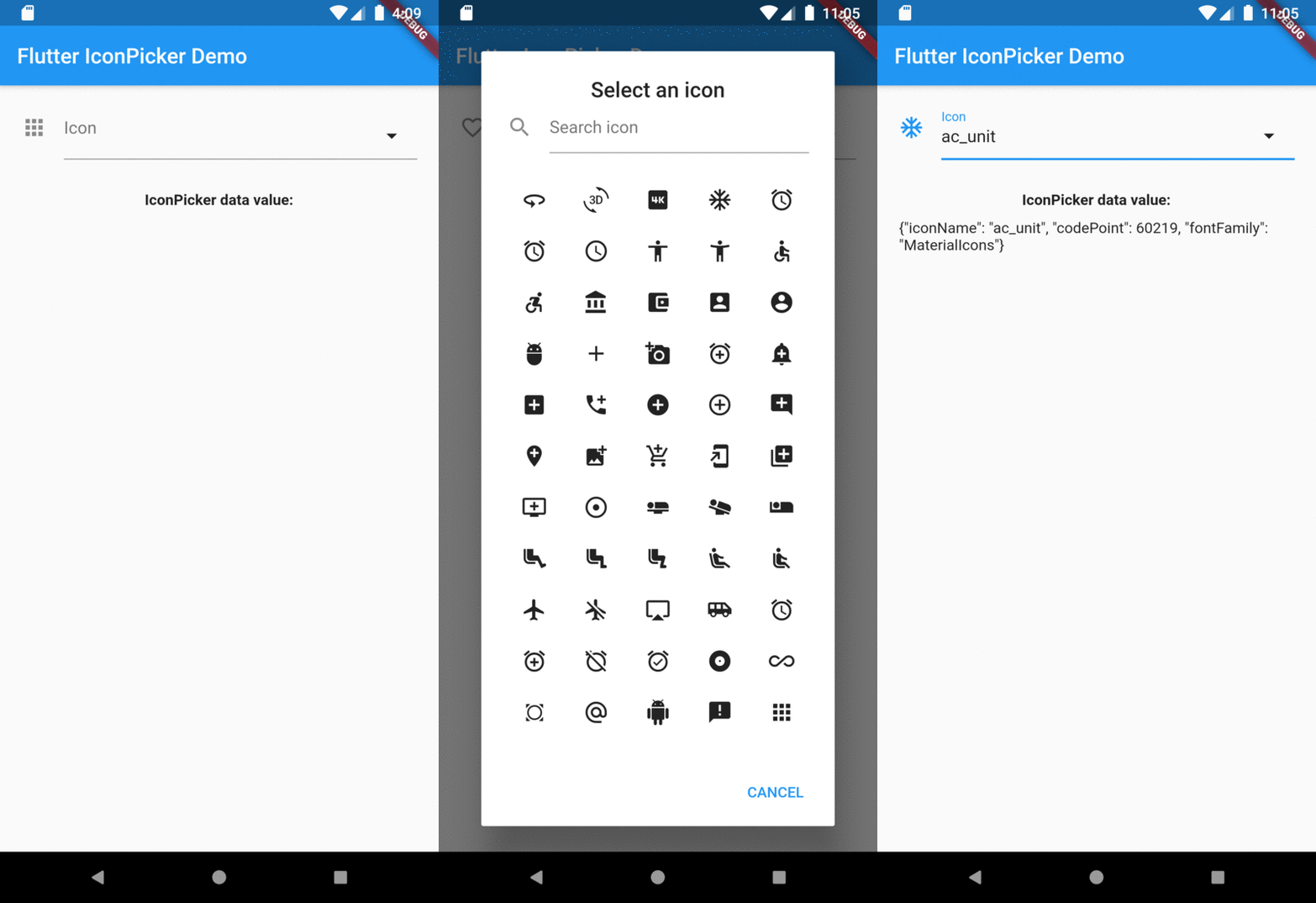
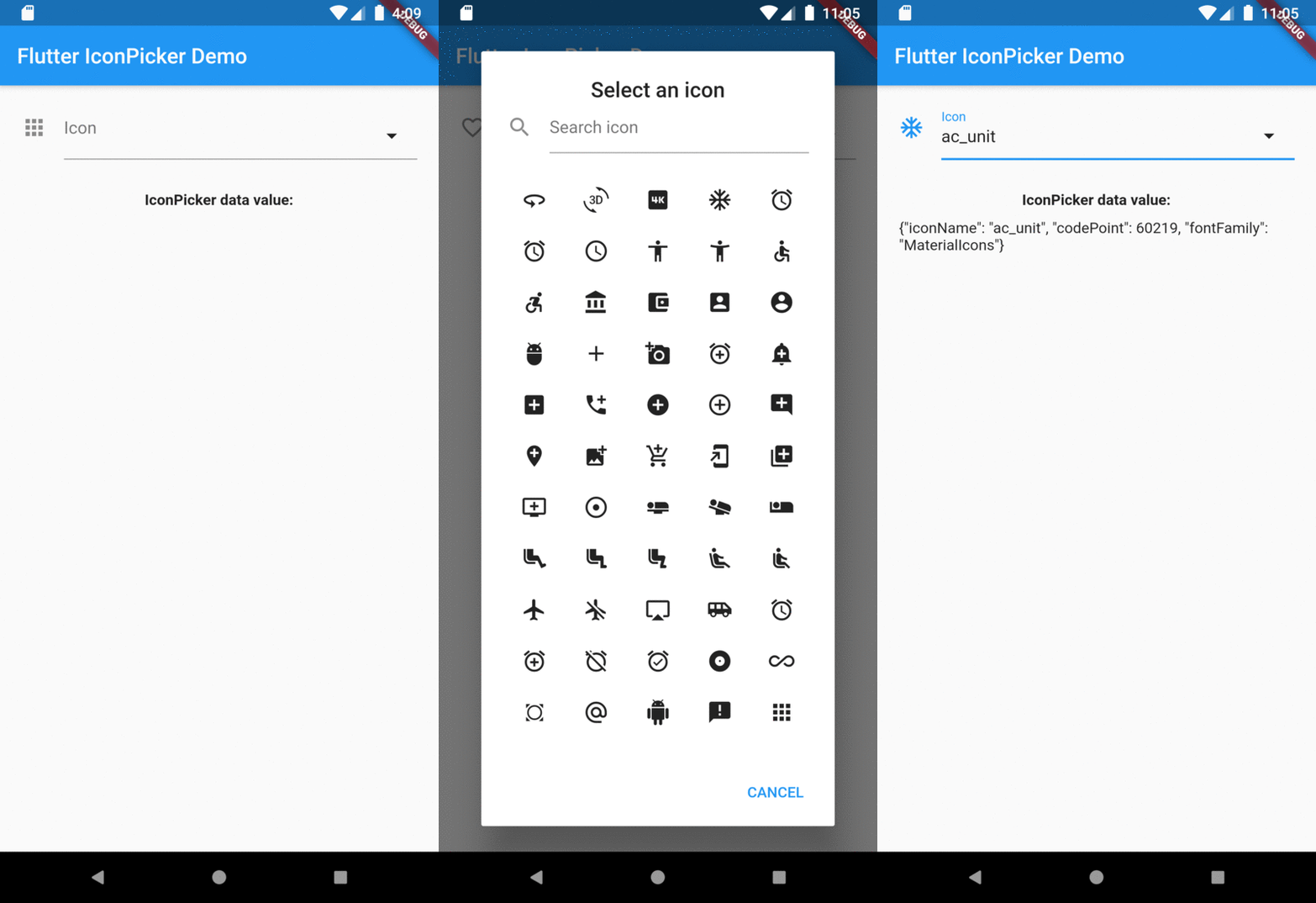
The result of val in onChanged, validator and onSaved will be a json String.
So, if you tap the icon ac_unit in the dialog window, the result value will be:

'{"iconName": "ac_unit", "codePoint": 60219, "fontFamily": "MaterialIcons"}'

Transforming the String result of IconPicker in an IconData:

String value = '{"iconName": "ac_unit", "codePoint": 60219, "fontFamily": "MaterialIcons"}'
var iconDataJson = jsonDecode(value);
IconData icon = IconData(iconDataJson['codePoint'], fontFamily: iconDataJson['fontFamily']);
Icon(icon);

Preview

Overview

Categories

Source repository

Projects using this package

No data available yet.