

 v1.1.2
wheel_chooser
WheelChooser is a widget allowing user to choose numbers/strings/widgets by scrolling spinners with wheel look.
89Likes 12.7K30-day downloads130Pub points
AndroidiOSWebmacOSWindowsLinux
mafanwei/WheelChooser open-source repository details.
English project snapshot. Visit GitHub for the latest content.
WheelChooser is a widget allowing user to choose numbers/strings/widgets by scrolling spinners with wheel look.
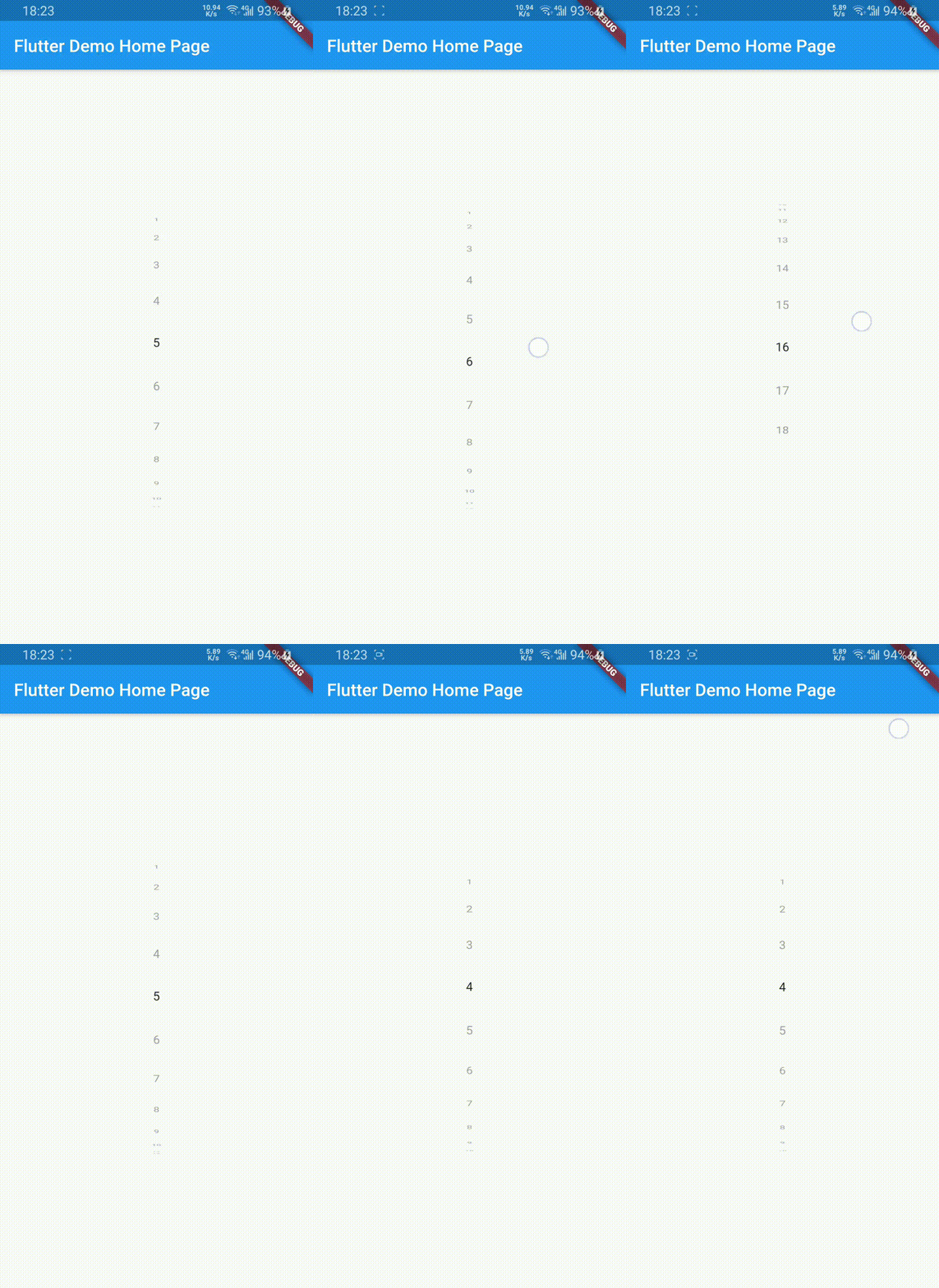
dependencies:
  wheel_chooser: ^1.1.2
use it to show Strings
WheelChooser(
    onValueChanged: (s) => print(s),
    datas: ["a", "b", "c"],
  );
use it to show Integers
WheelChooser.integer(
    onValueChanged: (i) => print(i),
    maxValue: 10,
    minValue: 1,
    step: 2,
  );
use it to show display titles and return a value associated with the selected value
List<WheelChoice> aChoices = [
  WheelChoice(value: DateTime(2000,1,1,9,0), title: '9AM'),
  WheelChoice(value: DateTime(2000,1,1,9,30), title: '9:30AM'),
  WheelChoice(value: DateTime(2000,1,1,10,0), title: '10AM'),
  WheelChoice(value: DateTime(2000,1,1,10,30), title: '10:30AM'),
];

WheelChooser.choices(
    choices = aChoices,
    onChoiceChanged: (value) {
      // returns DateTime of selected title
      print('selected time is ${value.hour} hours and ${value.minutes} minutes')
    }
  );
use it to show CustomWidgets
 WheelChooser.custom(
    onValueChanged: (a) => print(a),
    children: <Widget>[
      Text("data1"),
      Text("data2"),
      Text("data3"),
    ],
  );
WheelChooser.integer(
        onValueChanged: (s) => print(s.toString()),
        maxValue: 18,
        minValue: 1,
        initValue: 5,
        unSelectTextStyle: TextStyle(color: Colors.grey),
      )
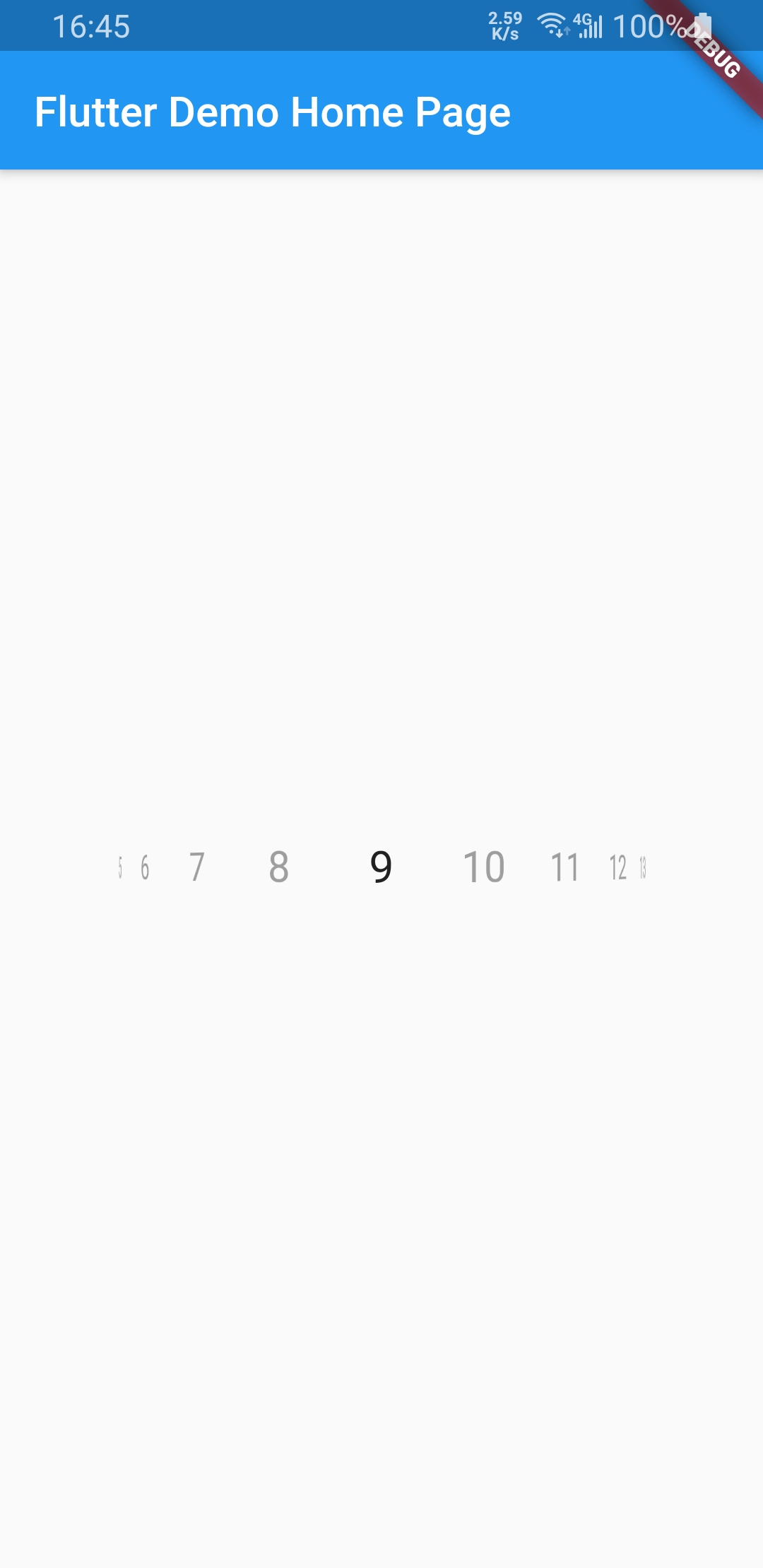
WheelChooser.integer(
        onValueChanged: (s) => print(s.toString()),
        maxValue: 20,
        minValue: 1,
        initValue: 9,
        horizontal: true,
        unSelectTextStyle: TextStyle(color: Colors.grey),
      )
From v0.1.1 support Infinite. From v1.0.0 support null safe.

Dependency list 2 items
{"sdk":"flutter"}{"sdk":"flutter"}Start with your use case, compare repository activity, and check the original project before adopting it.
“A repository is the most basic element of GitHub.”
GitHub Docs — About repositories ↗