

v1.0.0
configurable_expansion_tile
A Configurable Expansion Tile edited from the flutter material implementation that allows for customization
65Likes 11530-day downloads40Pub points
Platforms unavailable
A Configurable Expansion Tile altered from the flutter material implementation that allows for customization of the internal components.

English project snapshot. Visit GitHub for the latest content.
A Configurable Expansion Tile edited from the flutter material implementation that allows for customization of the internal components. Includes providing colours, replacement widgets on expansion, and custom animations.
Tile animations still takes place (which are also configurable), and a widget can be set to precede and/or follow the provided header, which will rotate on expand/collapse of the tile.
Configure any or all parameters or leave default behaviour - header works out of the box.
In the dependencies: section of your pubspec.yaml, add the following line:
configurable_expansion_tile: <latest_version>
import 'package:configurable_expansion_tile/configurable_expansion_tile.dart';

class MyWidget extends StatelessWidget {
  Widget build(BuildContext context) {
    return ConfigurableExpansionTile(
      headerExpanded: Flexible(child: Center(child: Text("A Header Changed"))),
      header: Container(child: Center(child: Text("A Header"))),
      children: [
        Row(
          children: <Widget>[Text("CHILD 1")],
        ),
        // + more params, see example !!
      ],
    );
  }
}
View the Flutter app in the example directory.
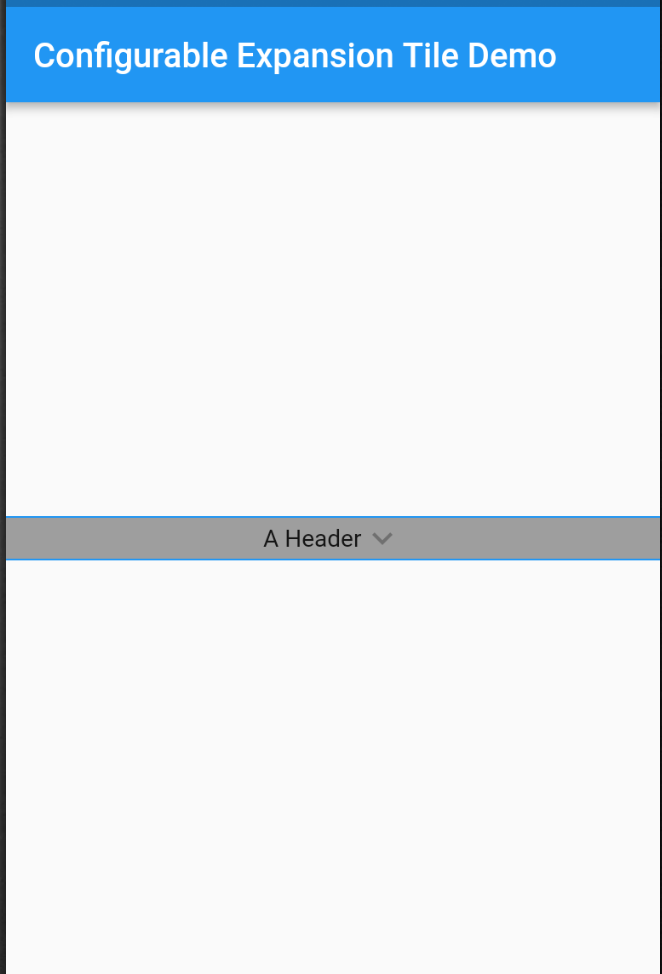
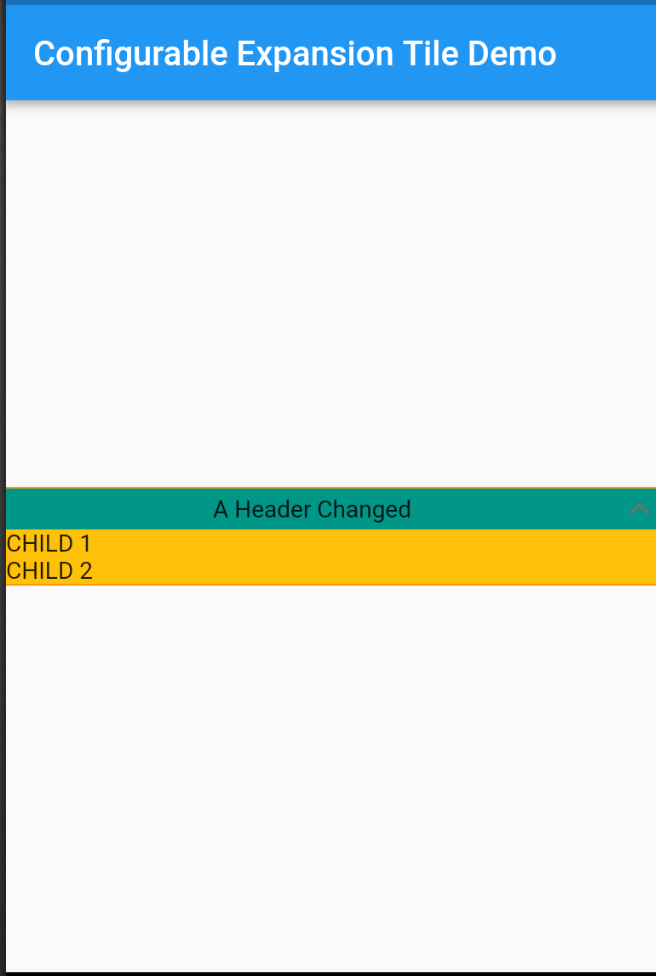
Dependency list 2 items
{"sdk":"flutter"}{"sdk":"flutter"}Start with your use case, compare repository activity, and check the original project before adopting it.
“A repository is the most basic element of GitHub.”
GitHub Docs — About repositories ↗