
 v0.1.6+1
pdf_thumbnail
Thumbnail viewer for PDF files. Supports Android and iOS. Simply add widget and give the file path.
51Likes 1030-day downloads150Pub points
AndroidiOSWebmacOSWindows
mirkancal/pdf_thumbnail open-source repository details.

{"sdk":"flutter"}^2.6.0{"sdk":"flutter"}^0.3.0^3.1.0English project snapshot. Visit GitHub for the latest content.
style: very good analysis Powered by Mason License: MIT
Thumbnail viewer for pdfs
❗ In order to start using Pdf Thumbnail you must have the Flutter SDK installed on your machine.
Add pdf_thumbnail to your pubspec.yaml:
dependencies:
  pdf_thumbnail:
Install it:
flutter packages get
 return Stack(
              children: [
                SizedBox(
                  height: MediaQuery.of(context).size.height,
                  width: MediaQuery.of(context).size.width,
                  child: PdfViewer(
                    filePath: snapshot.data!.path,
                  ),
                ),
                if (showThumbnail)
                  Positioned(
                    bottom: 0,
                    width: MediaQuery.of(context).size.width,
                    // Here's the thumbnail widget.
                    child: PdfThumbnail.fromFile(snapshot.data!.path),
                  ),
              ],
            );
There is a detailed example app in the repo, but I've deleted iOS and Android folders.
Simple go to example folder, and run flutter create . inside the folder to add missing native files for the example app.
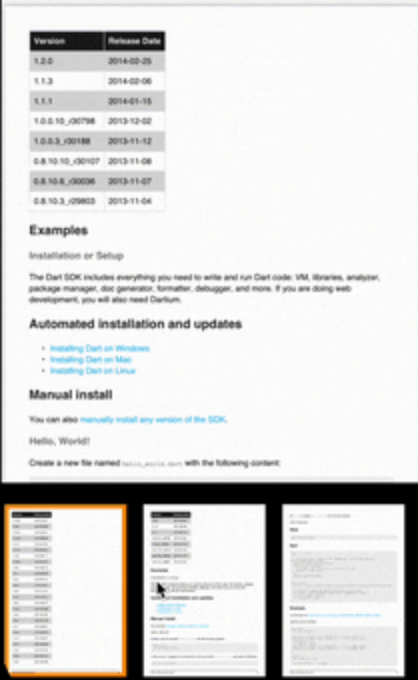
Demo
gif
I left caching part unopinionated to keep the package simple. Just create your own class from ImageThumbnailCacher and implement the read/write methods.
Holding images as Uint8List, so Map<int, Uint8List> is what's need to be written to and read from the cache. It maps page numbers to the images.
class ThumbnailCacher implements ImageThumbnailCacher {
  @override
  Future<PageToImage?> read(String id) async {
    return api.localStorage.readThumbnails(id);
  }

  @override
  Future<bool> write({required String id, required PageToImage map}) {
    return api.localStorage.writeThumbnails(id: id, map: map);
  }
}
I'm using Hive to cache.