

 v1.1.0
google_map_custom_windows
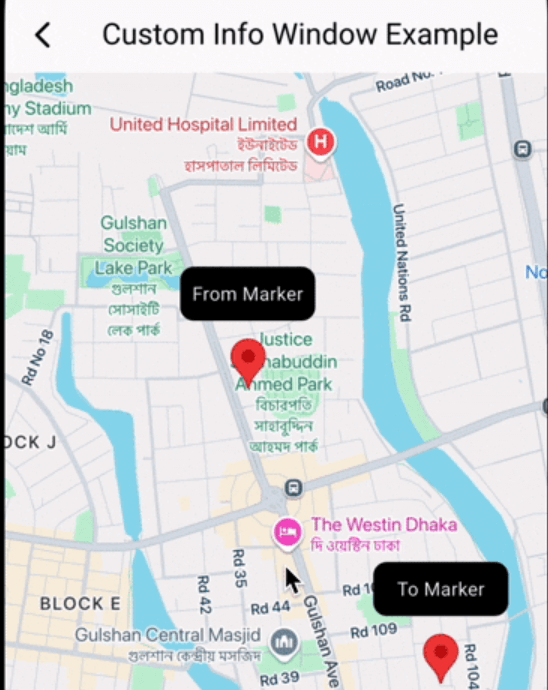
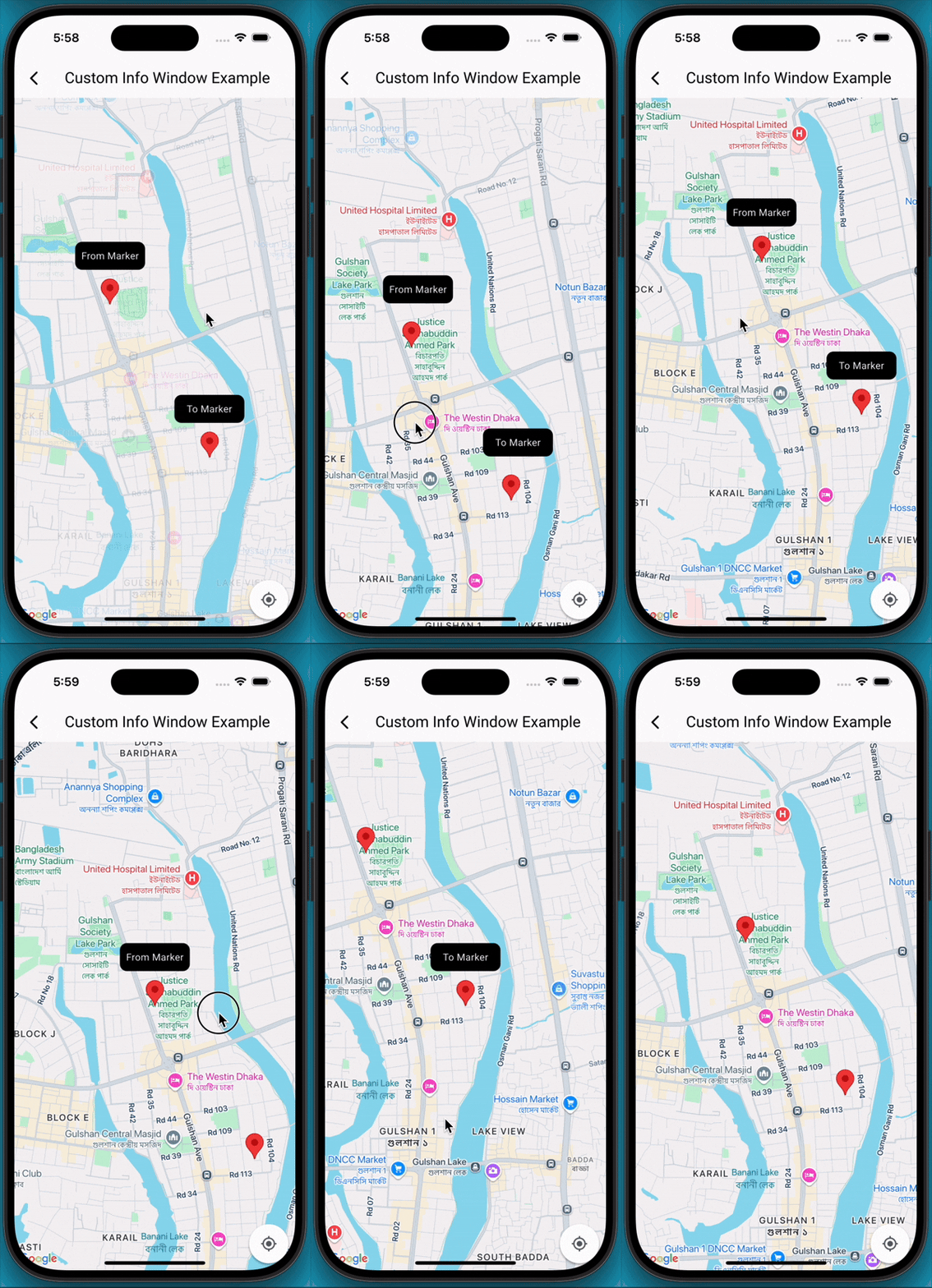
A customisable google map marker info window. Where you can show multiple info window in your google map view.
2Likes 1.5K30-day downloads160Pub points
AndroidiOS
A package for google marker's custom window. You can show multiple windows for your google map markers.

English project snapshot. Visit GitHub for the latest content.
A Flutter package that extends the capabilities of google_maps_flutter by allowing developers to display fully customizable info windows for markers, including the ability to show multiple info windows simultaneously on the map.
Add Dependencies
First, ensure you have google_maps_flutter integrated into your project. Then, add google_map_custom_windows to your pubspec.yaml:
 dependencies:
   google_map_custom_windows: ^1.0.1
Run flutter pub get to fetch the new dependencies.
Import
import 'package:google_map_custom_windows/google_map_custom_windows.dart';
Usage
To use the custom info windows, you'll primarily interact with the GoogleMapCustomWindowController and the CustomMapInfoWindow widget.
GoogleMapCustomWindowController, Create an instance of GoogleMapCustomWindowController in your StatefulWidget's initState.late GoogleMapCustomWindowController _googleMapCustomWindowController;
@override
void initState() {
super.initState();
_googleMapCustomWindowController = GoogleMapCustomWindowController();
}
info window widget for view. You can create multiple window as your requirement.class MyCustomInfoWidget extends StatelessWidget {
final String title;
const MyCustomInfoWidget({super.key, required this.title});
@override
Widget build(BuildContext context) {
return Container(
decoration: BoxDecoration(
borderRadius: BorderRadius.circular(10),
color: Colors.black,
),
alignment: Alignment.center,
child: Text(
title,
style: TextStyle(color: Colors.white, fontSize: 14),
),
);
}
}
List<Widget> infoWidgets = [
MyCustomInfoWidget(title: 'From Marker'),
MyCustomInfoWidget(title: 'To Marker'),
];

List<LatLng> infoPositions = [
LatLng(23.798054, 90.413459),
LatLng(23.789451, 90.419584),
];
@Stack(
     children: [
       GoogleMap(
         mapType: MapType.normal,
         markers: markers,
         initialCameraPosition: CameraPosition(target: initPosition, zoom: 15),
         onMapCreated: (GoogleMapController controller) {
           _setFromToMarker();
           _googleMapCustomWindowController.googleMapController = controller;
           _googleMapCustomWindowController.addInfoWindow!(infoWidgets, infoPositions);
         },
         onTap: (position) {
           _googleMapCustomWindowController.hideInfoWindow!();
         },
         onCameraMove: (CameraPosition cameraPosition) {
           _googleMapCustomWindowController.onCameraMove!();
         },
       ),

       CustomMapInfoWindow(
         controller: _googleMapCustomWindowController,
         offset: const Offset(0, 50),
         height: 40,
         width: 100,
       ),
     ],
   )
googleMapCustomWindowController@override
void dispose() {
_googleMapCustomWindowController.dispose();
super.dispose();
}
Contributions are welcome! If you find a bug or have a feature request, please open an issue on GitHub. If you'd like to contribute code, please fork the repository and submit a pull request.
Dependency list 4 items
{"sdk":"flutter"}^2.12.2{"sdk":"flutter"}^5.0.0Start with your use case, compare repository activity, and check the original project before adopting it.
“A repository is the most basic element of GitHub.”
GitHub Docs — About repositories ↗