Search packages, repositories and app categories

google_map_custom_windows cover
Package detailsv1.1.0

google_map_custom_windows

A customisable google map marker info window. Where you can show multiple info window in your google map view.

AndroidiOS
30-day downloads
1.5K
Likes
2
Pub points
160

Install package

flutter pub add google_map_custom_windows

Package Overview

Package selection guidance compiled from public package information, community data, and project usage.

A customizable Google Map marker info window package that enables displaying multiple info windows on a Google Map view. It extends the standard marker functionality by allowing developers to create and manage custom, interactive popups for each marker. Ideal for applications requiring rich, dynamic content in map markers such as detailed location data, images, or buttons. The package supports Android and iOS platforms and integrates seamlessly with Flutter's Google Maps plugin.

Use cases

  • Displaying multiple custom info windows on a map
  • Showing rich content like images and buttons in markers
  • Creating interactive location details panels
  • Enhancing user experience with custom marker popups
  • Building location-based apps with detailed marker information

Key features

  • Supports multiple info windows simultaneously
  • Highly customizable UI for info windows
  • Compatible with Android and iOS
  • Easy integration with Google Maps plugin
  • Allows interactive elements within info windows

Suitable for

  • Developers building complex map interfaces
  • Apps needing rich marker content
  • Location-based services with detailed info
  • Flutter projects using Google Maps
  • Teams wanting flexible marker customization

Considerations

  • Requires proper setup with Google Maps API key
  • May impact performance with many overlapping info windows
  • Custom styling requires familiarity with Flutter widgets
  • Limited documentation beyond basic usage
  • Depends on external GitHub repository stability

Original README

Original README snapshot from the linked source repository. Visit the repository for the latest content.

google map custom info window

A Flutter package that extends the capabilities of google_maps_flutter by allowing developers to display fully customizable info windows for markers, including the ability to show multiple info windows simultaneously on the map.

✨Features

  • Customizable Info Windows: Design your info window using any Flutter widget.
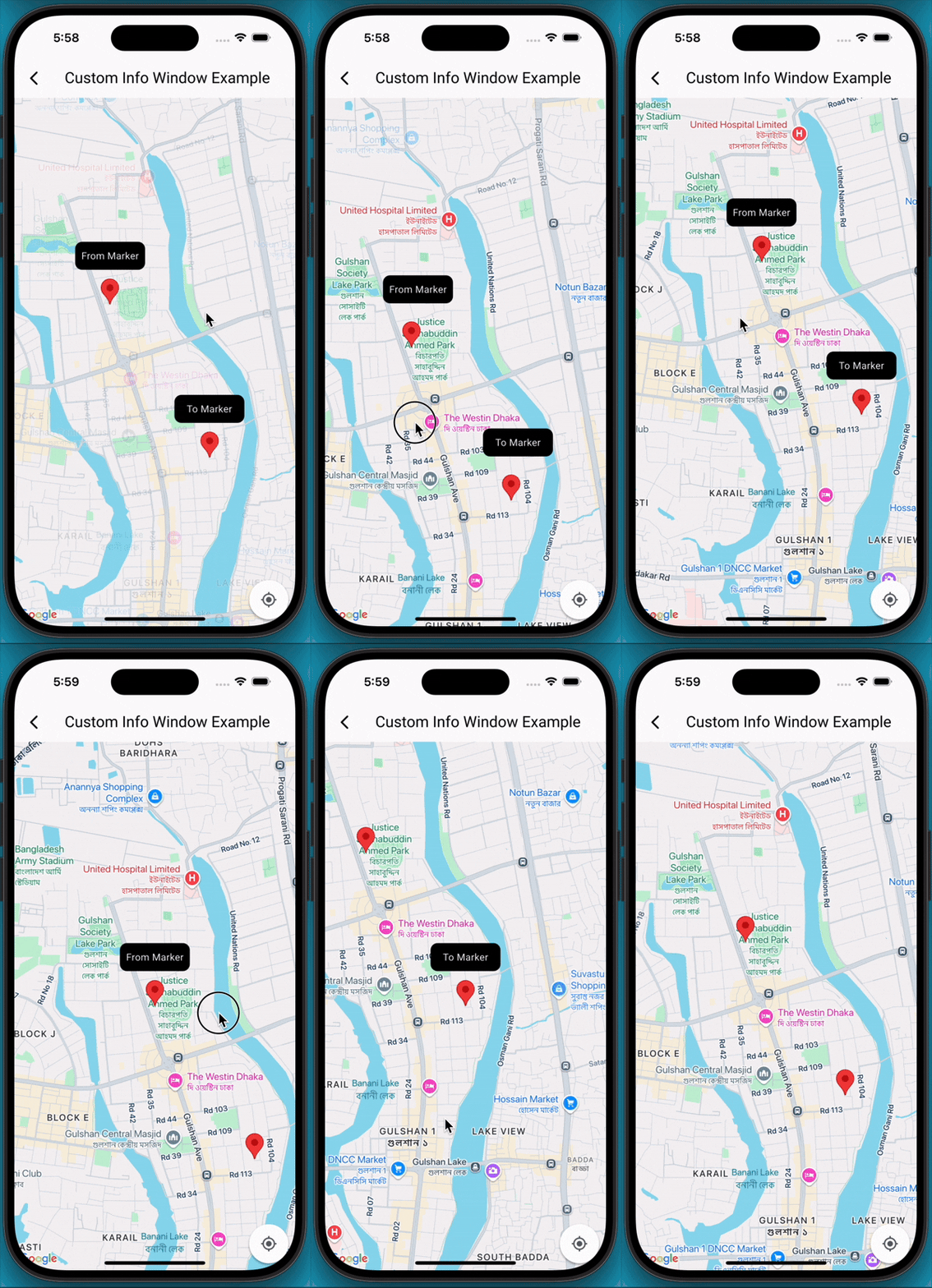
  • Multiple Info Windows: Display several info windows at once, ideal for showing details of nearby locations or clustered markers.
  • Highly Flexible: Control the content, styling, and behavior of each info window independently.
  • Easy Integration: Seamlessly integrates with your existing Maps_flutter implementation.

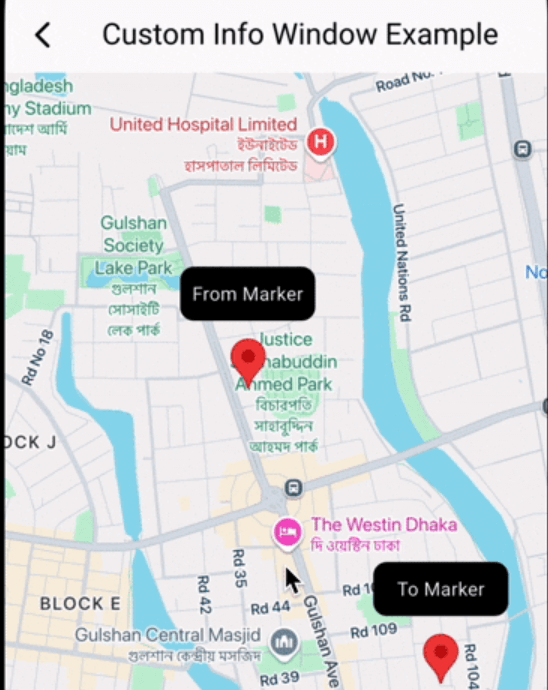
📸 Demo screen recording

🚀 Getting Started

  1. Add Dependencies First, ensure you have google_maps_flutter integrated into your project. Then, add google_map_custom_windows to your pubspec.yaml:

     dependencies:
       google_map_custom_windows: ^1.0.1
    

    Run flutter pub get to fetch the new dependencies.

  2. Import

     import 'package:google_map_custom_windows/google_map_custom_windows.dart';
    
  3. Usage To use the custom info windows, you'll primarily interact with the GoogleMapCustomWindowController and the CustomMapInfoWindow widget.

  • Initialize GoogleMapCustomWindowController, Create an instance of GoogleMapCustomWindowController in your StatefulWidget's initState.
    late GoogleMapCustomWindowController _googleMapCustomWindowController;
    
    @override
    void initState() {
     super.initState();
     _googleMapCustomWindowController = GoogleMapCustomWindowController();
    }
    
  • Need to create your custom info window widget for view. You can create multiple window as your requirement.
    class MyCustomInfoWidget extends StatelessWidget {
    final String title;
    const MyCustomInfoWidget({super.key, required this.title});
    
    @override
    Widget build(BuildContext context) {
     return Container(
       decoration: BoxDecoration(
         borderRadius: BorderRadius.circular(10),
         color: Colors.black,
       ),
       alignment: Alignment.center,
       child: Text(
         title,
         style: TextStyle(color: Colors.white, fontSize: 14),
       ),
     );
    }
    }
    
  • Declare list of info window and same size of list LatLng.
    List<Widget> infoWidgets = [
    MyCustomInfoWidget(title: 'From Marker'),
    MyCustomInfoWidget(title: 'To Marker'),
    ];
    
    List<LatLng> infoPositions = [
    LatLng(23.798054, 90.413459),
    LatLng(23.789451, 90.419584),
    ];
    
  • Use Stack widget for using custom info window.
    @Stack(
         children: [
           GoogleMap(
             mapType: MapType.normal,
             markers: markers,
             initialCameraPosition: CameraPosition(target: initPosition, zoom: 15),
             onMapCreated: (GoogleMapController controller) {
               _setFromToMarker();
               _googleMapCustomWindowController.googleMapController = controller;
               _googleMapCustomWindowController.addInfoWindow!(infoWidgets, infoPositions);
             },
             onTap: (position) {
               _googleMapCustomWindowController.hideInfoWindow!();
             },
             onCameraMove: (CameraPosition cameraPosition) {
               _googleMapCustomWindowController.onCameraMove!();
             },
           ),
    
           CustomMapInfoWindow(
             controller: _googleMapCustomWindowController,
             offset: const Offset(0, 50),
             height: 40,
             width: 100,
           ),
         ],
       )
    
  1. Don't forget to dispose _googleMapCustomWindowController
    @override
      void dispose() {
        _googleMapCustomWindowController.dispose();
        super.dispose();
      }
    

🤝 Contributing

Contributions are welcome! If you find a bug or have a feature request, please open an issue on GitHub. If you'd like to contribute code, please fork the repository and submit a pull request.

Categories

Dependencies

Dependency list 1 items

Source repository

Projects using this package

No data available yet.