

 v0.3.0
container_tab_indicator
Build your own Tab indicator using familiar Container-like properties.
44Likes 6.8K30-day downloads160Pub points
AndroidiOSWebmacOSWindowsLinux
Build your own Container-like Tab indicator

English project snapshot. Visit GitHub for the latest content.

Add customized ContainerTabIndicator as an indicator for your TabBar. You can manipulate width, height, color, radius, border and positioning within Tab.
class ContainerTabIndicator extends Decoration {
  final double width;
  final double widthFraction;
  final double height;
  final double heightFraction;
  final EdgeInsetsGeometry padding;
  final Color color;
  final BorderRadius radius;
  final double borderWidth;
  final Color borderColor;
  ...
}
The full example code can be found here.
import 'package:container_tab_indicator/container_tab_indicator.dart';

...

TabBar(
  tabs: [
    Text('First', style: TextStyle(color: Colors.black)),
    Text('Second', style: TextStyle(color: Colors.black)),
  ],
  indicator: ContainerTabIndicator(
    width: 16,
    height: 16,
    radius: BorderRadius.circular(8.0),
    padding: const EdgeInsets.only(left: 36),
    borderWidth: 2.0,
    borderColor: Colors.black,
  ),
),
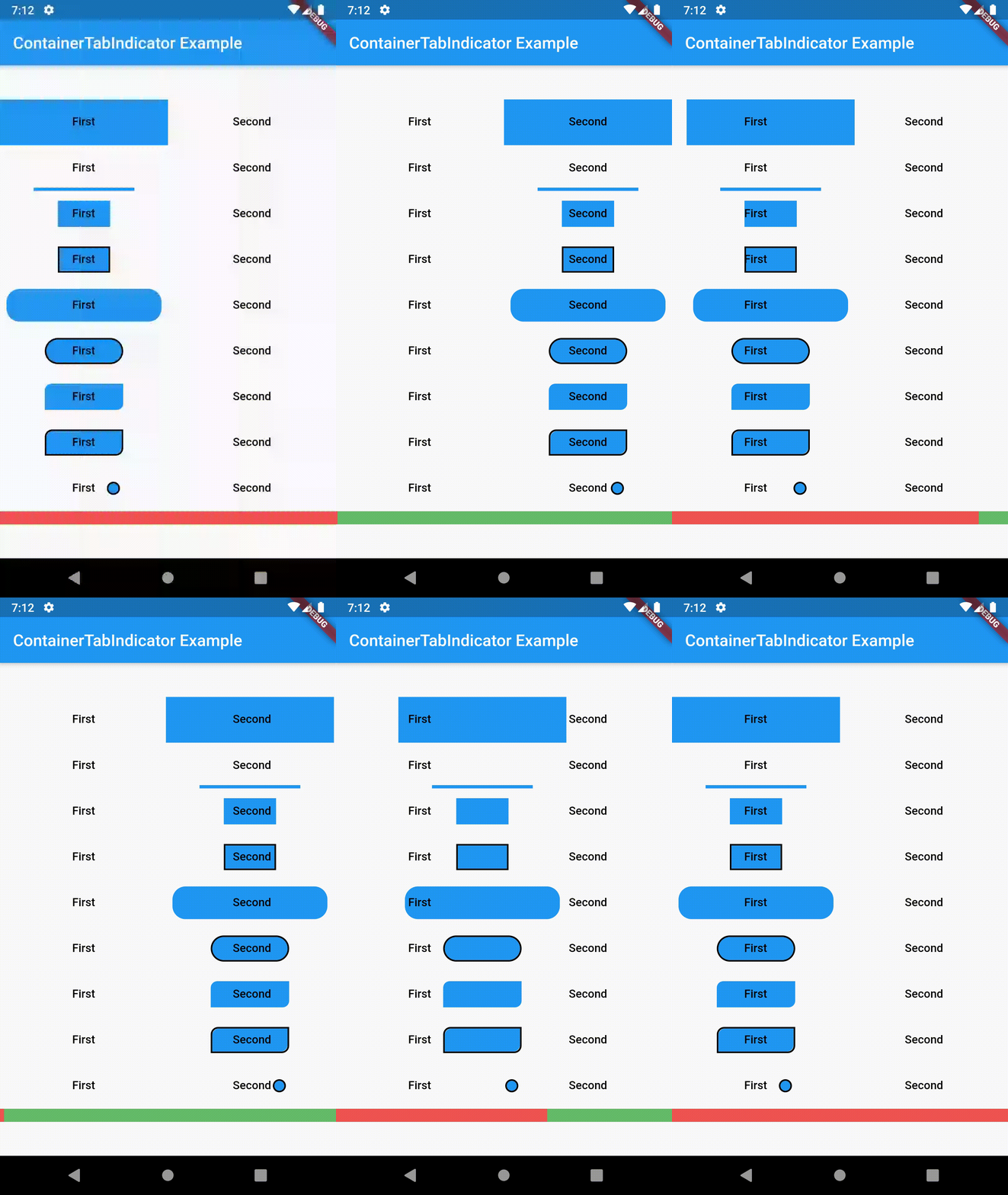
This package is still in early stages. To see the upcoming features, check the Issue board. If you notice any bugs not present in issues, please file a new issue. If you are willing to fix or enhance things yourself, you are very welcome to make a pull request.
Dependency list 2 items
{"sdk":"flutter"}{"sdk":"flutter"}Start with your use case, compare repository activity, and check the original project before adopting it.
“A repository is the most basic element of GitHub.”
GitHub Docs — About repositories ↗