
 v1.1.4
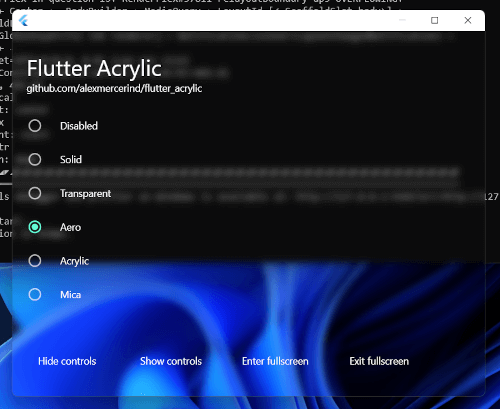
flutter_acrylic
Window acrylic, mica & transparency effects for Flutter on Windows, macOS & Linux.
600Likes 19.5K30-day downloads150Pub points
macOSWindowsLinux
Keyviz is a free and open-source software to visualize your ⌨️ keystrokes in realtime! Let your audience know what handy shortcuts/keys you're pressing during screencasts, presentations, collaborations, or whenever you need it.
 v1.1.4
Window acrylic, mica & transparency effects for Flutter on Windows, macOS & Linux.
This plugin allows Flutter desktop apps to defines system tray.
This plugin allows Flutter desktop apps to Retrieve information about screen size, displays, cursor position, etc.
 v0.3.4
Keyboard event plugin for Flutter Desktop(Windows)
{"sdk":"flutter"}{"git":{"url":"https://github.com/Krysl/keyboard_event.git","ref":"main"}}^6.0.3^1.1.0^0.1.8^6.1.5^0.2.5^1.0.0^0.1.2^2.0.15{"sdk":"flutter"}^2.0.0^3.6.2English project snapshot. Visit GitHub for the latest content.
Keyviz - Visualize your keystrokes in real-time | Product Hunt downloads
Keyviz is a free and open-source software to visualize your ⌨️ keystrokes in realtime! Let your audience know what handy shortcuts/keys you're pressing during screencasts, presentations, collaborations, or whenever you need it.
keyviz-preview
multiple-styles
Don't restrain yourself to just black & white! Change the visualization's style, size, color (modifier and normal keys), border, icon, and symbols.
keyviz-settings
Powerful and easy to use configuration options.
You can download the latest version of keyviz from the Github Releases page. Unzip the downloaded file, run the installer and follow the familiar steps to install keyviz.
You can check out this video tutorial as well.
To get started, follow the above installation process. You can start visualizing your keystrokes by just running the application.
To open the settings window, find the keyviz icon on the right side of the Taskbar or Taskbar > Hidden Icons ^. Then click on the icon and select Settings. The settings window will appear from which, you customize the style, appearance, and other general settings of the visualization.
If you want to request any features, join our discord community and let us know about your suggestions. You can also vote for the requested features by others and see the future development plans.