

 v2.6.1
tbib_downloader
This package for download file and open it you can display notifications and progress notification and can receive download bytes and total bytes.
30Likes 4730-day downloads130Pub points
AndroidiOS
the-best-is-best/tbib_downloader open-source repository details.

English project snapshot. Visit GitHub for the latest content.
This package for download file and open it you can display notifications and progress notification and can receive download bytes and total bytes
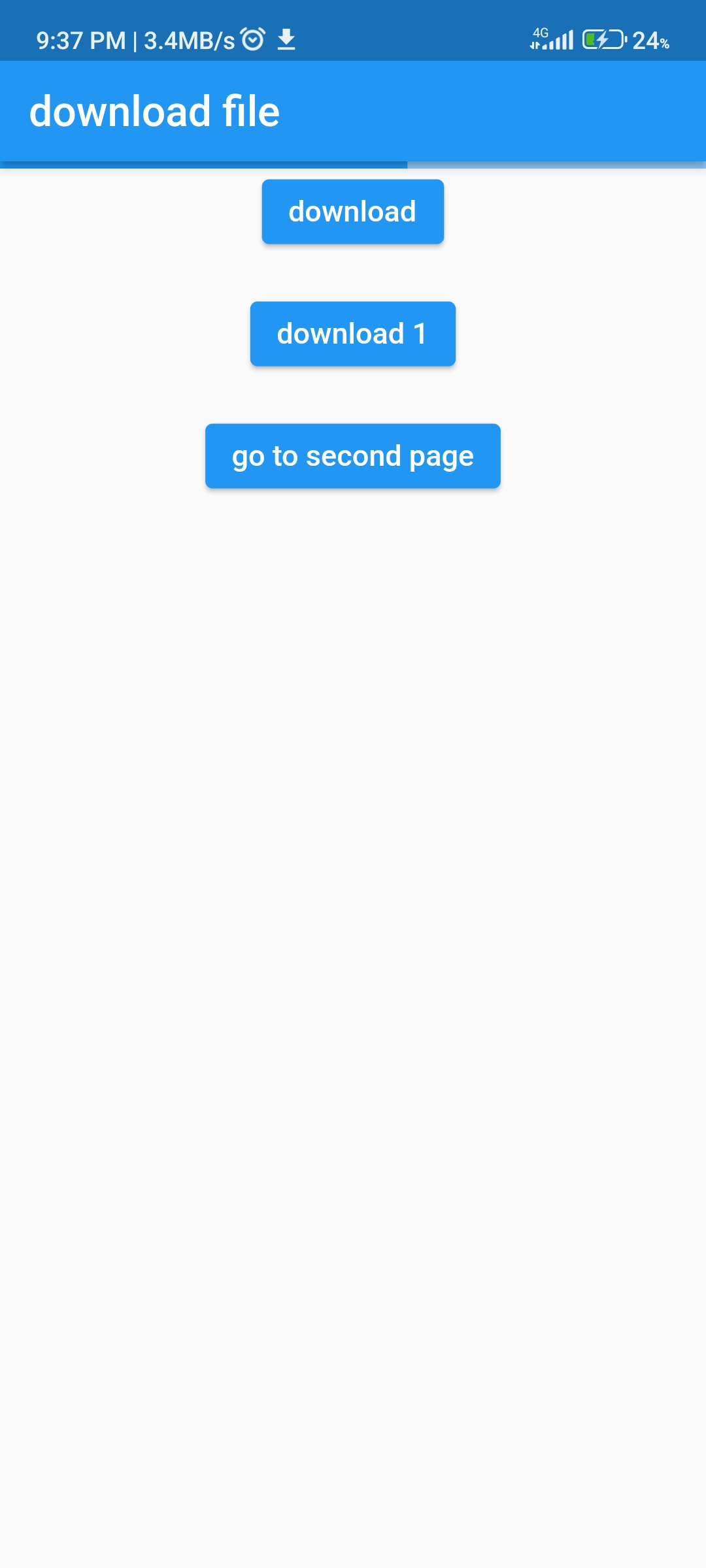
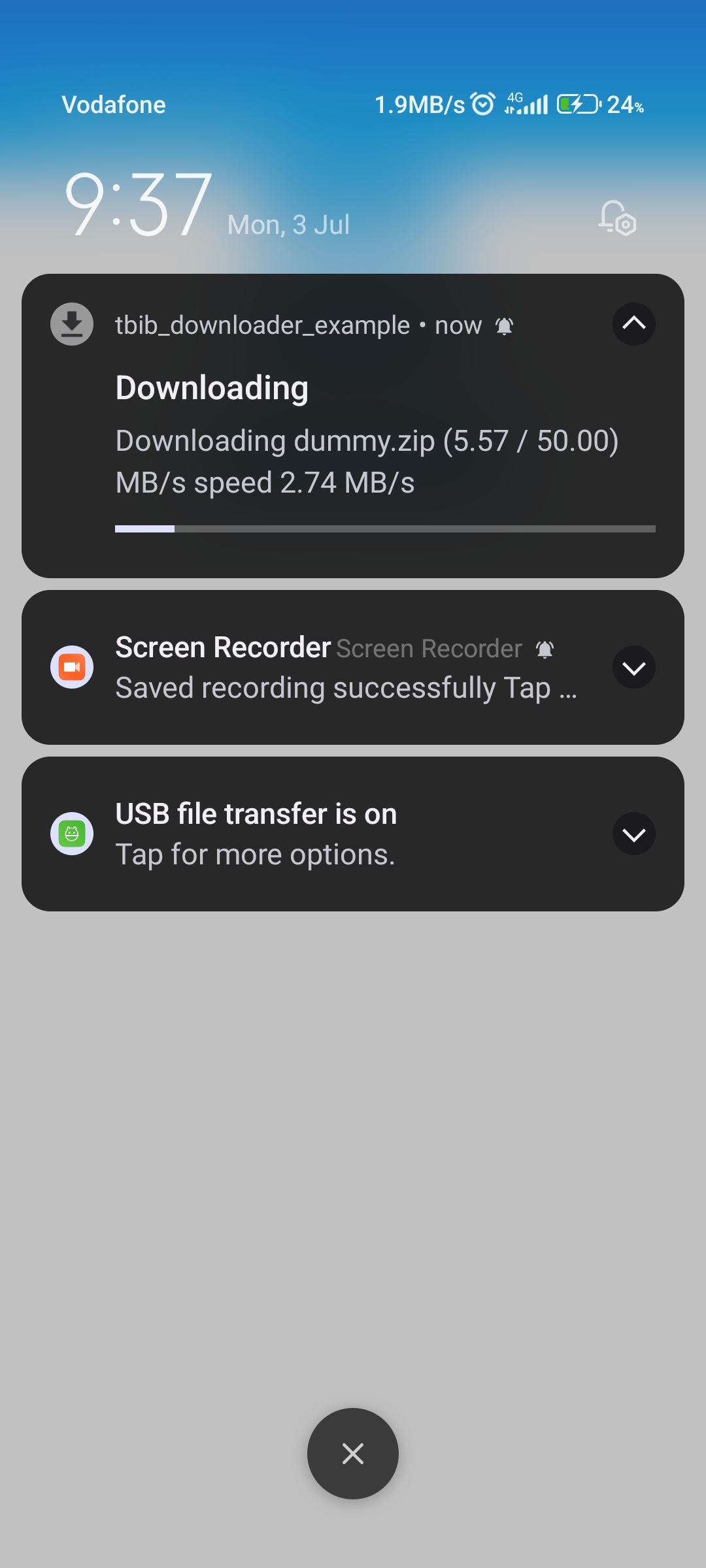
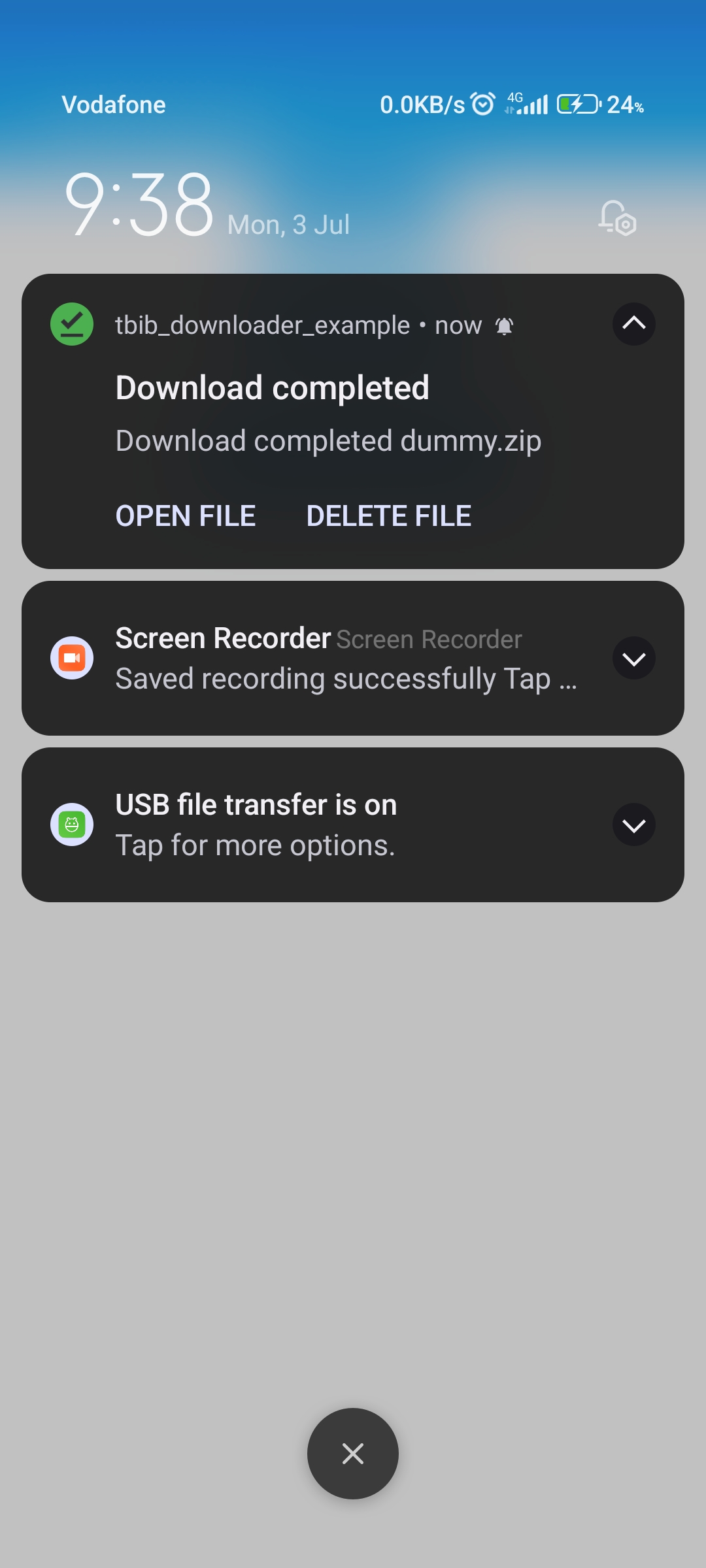
 Change
  BUILD_LIBRARY_FOR_DISTRIBUTION = YES
 to
 BUILD_LIBRARY_FOR_DISTRIBUTION = NO
    <key>LSSupportsOpeningDocumentsInPlace</key>
    <true/>
    <key>UIFileSharingEnabled</key>
    <true/>
void main() async {
  WidgetsFlutterBinding.ensureInitialized();

  await TBIBDownloader().init();
  ....
}
  @override
  void initState() {
    super.initState();
    AwesomeNotifications().setListeners(
        onActionReceivedMethod: MyNotificationService.onActionReceivedMethod,
        onNotificationCreatedMethod:
            MyNotificationService.onNotificationCreatedMethod,
        onNotificationDisplayedMethod:
            MyNotificationService.onNotificationDisplayedMethod,
        onDismissActionReceivedMethod:
            MyNotificationService.onDismissActionReceivedMethod);
            ...
  }
import 'dart:developer';

import 'package:awesome_notifications/awesome_notifications.dart';
import 'package:tbib_downloader/tbib_downloader.dart';

class MyNotificationService {
  /// Use this method to detect when a new notification or a schedule is created
  @pragma("vm:entry-point")
  static Future<void> onNotificationCreatedMethod(
      ReceivedNotification receivedNotification) async {
    // Your code goes here
  }

  /// Use this method to detect every time that a new notification is displayed
  @pragma("vm:entry-point")
  static Future<void> onNotificationDisplayedMethod(
      ReceivedNotification receivedNotification) async {
    // Your code goes here
  }

  /// Use this method to detect if the user dismissed a notification
  @pragma("vm:entry-point")
  static Future<void> onDismissActionReceivedMethod(
      ReceivedAction receivedAction) async {
    // Your code goes here
  }

  /// Use this method to detect when the user taps on a notification or action button
  @pragma("vm:entry-point")
  static Future<void> onActionReceivedMethod(
      ReceivedAction receivedAction) async {
    if (receivedAction.buttonKeyPressed == 'tbib_downloader_open_file') {
      var res = await TBIBDownloaderOpenFile()
          .openFile(path: receivedAction.payload!['path']!);

      log(res.message);
    } else if (receivedAction.buttonKeyPressed ==
        'tbib_downloader_delete_file') {
      await TBIBDownloaderOpenFile()
          .deleteFile(receivedAction.payload!['path']!);
    }
  }
}
in version 1.0.1 can use attribute saveFileInDataApp to save in android/data/${package name}/...
 ElevatedButton(
                onPressed: () async {
                  var path = await TBIBDownloader().downloadFile(
                    url: 'http://212.183.159.230/50MB.zip',
                    fileName: 'dummy.zip',
                    directoryName: 'test',
                    onReceiveProgress: ({int? receivedBytes, int? totalBytes}) {
                      if (!context.mounted) {
                        return;
                      }
                      setState(() {
                        progress = (receivedBytes! / totalBytes!);
                      });
                    },
                  );
                  debugPrint('path $path');
                  if (!context.mounted) {
                    return;
                  }
                  setState(() {
                    progress = 0;
                  });
                },
                child: const Text('download'),
              ),
onReceiveProgress use it for get current downloaded and max file size with bytes
package support download one file and download file in background
if user leave page download will be continue but not support stop download
{
            {".3gp",    "video/3gpp"},
            {".torrent","application/x-bittorrent"},
            {".kml",    "application/vnd.google-earth.kml+xml"},
            {".gpx",    "application/gpx+xml"},
            {".csv",    "application/vnd.ms-excel"},
            {".apk",    "application/vnd.android.package-archive"},
            {".asf",    "video/x-ms-asf"},
            {".avi",    "video/x-msvideo"},
            {".bin",    "application/octet-stream"},
            {".bmp",    "image/bmp"},
            {".c",      "text/plain"},
            {".class",  "application/octet-stream"},
            {".conf",   "text/plain"},
            {".cpp",    "text/plain"},
            {".doc",    "application/msword"},
            {".docx",   "application/vnd.openxmlformats-officedocument.wordprocessingml.document"},
            {".xls",    "application/vnd.ms-excel"},
            {".xlsx",   "application/vnd.openxmlformats-officedocument.spreadsheetml.sheet"},
            {".exe",    "application/octet-stream"},
            {".gif",    "image/gif"},
            {".gtar",   "application/x-gtar"},
            {".gz",     "application/x-gzip"},
            {".h",      "text/plain"},
            {".htm",    "text/html"},
            {".html",   "text/html"},
            {".jar",    "application/java-archive"},
            {".java",   "text/plain"},
            {".jpeg",   "image/jpeg"},
            {".jpg",    "image/jpeg"},
            {".js",     "application/x-javascript"},
            {".log",    "text/plain"},
            {".m3u",    "audio/x-mpegurl"},
            {".m4a",    "audio/mp4a-latm"},
            {".m4b",    "audio/mp4a-latm"},
            {".m4p",    "audio/mp4a-latm"},
            {".m4u",    "video/vnd.mpegurl"},
            {".m4v",    "video/x-m4v"},
            {".mov",    "video/quicktime"},
            {".mp2",    "audio/x-mpeg"},
            {".mp3",    "audio/x-mpeg"},
            {".mp4",    "video/mp4"},
            {".mpc",    "application/vnd.mpohun.certificate"},
            {".mpe",    "video/mpeg"},
            {".mpeg",   "video/mpeg"},
            {".mpg",    "video/mpeg"},
            {".mpg4",   "video/mp4"},
            {".mpga",   "audio/mpeg"},
            {".msg",    "application/vnd.ms-outlook"},
            {".ogg",    "audio/ogg"},
            {".pdf",    "application/pdf"},
            {".png",    "image/png"},
            {".pps",    "application/vnd.ms-powerpoint"},
            {".ppt",    "application/vnd.ms-powerpoint"},
            {".pptx",   "application/vnd.openxmlformats-officedocument.presentationml.presentation"},
            {".prop",   "text/plain"},
            {".rc",     "text/plain"},
            {".rmvb",   "audio/x-pn-realaudio"},
            {".rtf",    "application/rtf"},
            {".sh",     "text/plain"},
            {".tar",    "application/x-tar"},
            {".tgz",    "application/x-compressed"},
            {".txt",    "text/plain"},
            {".wav",    "audio/x-wav"},
            {".wma",    "audio/x-ms-wma"},
            {".wmv",    "audio/x-ms-wmv"},
            {".wps",    "application/vnd.ms-works"},
            {".xml",    "text/plain"},
            {".z",      "application/x-compress"},
            {".zip",    "application/x-zip-compressed"},
            {"",        "*/*"}
}
ios support
{
".rtf": "public.rtf",
".txt": "public.plain-text",
".html": "public.html",
".htm": "public.html",
".xml": "public.xml",
".tar": "public.tar-archive",
".gz": "org.gnu.gnu-zip-archive",
".gzip": "org.gnu.gnu-zip-archive",
".tgz": "org.gnu.gnu-zip-tar-archive",
".jpg": "public.jpeg",
".jpeg": "public.jpeg",
".png": "public.png",
".avi": "public.avi",
".mpg": "public.mpeg",
".mpeg": "public.mpeg",
".mp4": "public.mpeg-4",
".3gpp": "public.3gpp",
".3gp": "public.3gpp",
".mp3": "public.mp3",
".zip": "com.pkware.zip-archive",
".gif": "com.compuserve.gif",
".bmp": "com.microsoft.bmp",
".ico": "com.microsoft.ico",
".doc": "com.microsoft.word.doc",
".xls": "com.microsoft.excel.xls",
".ppt": "com.microsoft.powerpoint.ppt",
".wav": "com.microsoft.waveform-audio",
".wm": "com.microsoft.windows-media-wm",
".wmv": "com.microsoft.windows-media-wmv",
".pdf": "com.adobe.pdf"
}
Dependency list 13 items
^0.12.0^12.4.0^5.9.2{"sdk":"flutter"}^2.0.0^4.0.0^2.1.5^12.0.3^2.1.8^12.0.2^1.9.1^6.0.0{"sdk":"flutter"}Start with your use case, compare repository activity, and check the original project before adopting it.
“A repository is the most basic element of GitHub.”
GitHub Docs — About repositories ↗