
 v0.3.1
read_pdf_text
This is a plugin that parses string out of pdf documents. It uses apache PDFbox and PDFKit parse the pdf document. There is only three functions so it is simple to use.
52Likes 6.9K30-day downloads140Pub points
AndroidiOS
This is a flutter package that parses pdf documents to strings

{"sdk":"flutter"}{"sdk":"flutter"}English project snapshot. Visit GitHub for the latest content.
This package parses text out of PDF document and returns it as a string.
On Android the plugin uses PDFbox open source library modified by Tom Roush.
The iOS plugin uses PDFKit to parse the text out of PDF documents. It requires iOS version 11 or higher.
For error like: "Could not find or use auto-linked library 'swiftObjectiveC'"
Solution can be found here: https://stackoverflow.com/a/54586937/2881394
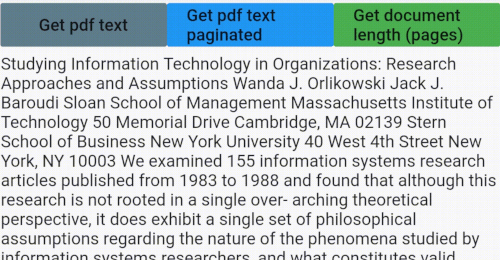
The package only has three functions getPDFtext(path), getPDFtextPaginated(path) and getPDFlength(path). Path is the file path to the PDF file you want to parse. I used file_picker package in the example to get the path of the PDF file.
Check the example for more details.
read_pdf_text.gif
Returns text from PDF file as a String.
    Future<String> getPDFtext(String path) async {
    String text = "";
    try {
      text = await ReadPdfText.getPDFtext(path);
    } on PlatformException {
      print('Failed to get PDF text.');
    }
    return text;
  }
Returns text from PDF but in a String list, where each item is a page of the PDF file.
  Future<List<String>> getPDFtextPaginated(String path) async {
    List<String> textList = List<String>();
    try {
      textList = await ReadPdfText.getPDFtextPaginated(path);
    } on PlatformException {
      print('Failed to get PDF text.');
    }
    return textList;
  }
Returns length of the document as an integer.
  Future<int> getPDFlength(String path) async {
    int length = 0;
    try {
      length = await ReadPdfText.getPDFlength(path);
    } on PlatformException {
      print('Failed to get PDF length';)
    }
    return length;
  }