
 v10.3.0
flutter_map_location_marker
A flutter map plugin for displaying device current location.
188Likes 37.3K30-day downloads150Pub points
AndroidiOSWebmacOSWindowsLinux
A flutter map plugin for displaying device current location.

{"sdk":"flutter"}^8.1.0^0.3.0^14.0.0>=0.9.1 <0.11.0^6.0.0{"sdk":"flutter"}English project snapshot. Visit GitHub for the latest content.
pub package github tag license
flutter_map_location_marker is a flutter_map plugin for
displaying the device's current location on a map. It provides a simple and flexible way to add a
customizable location marker to your map.
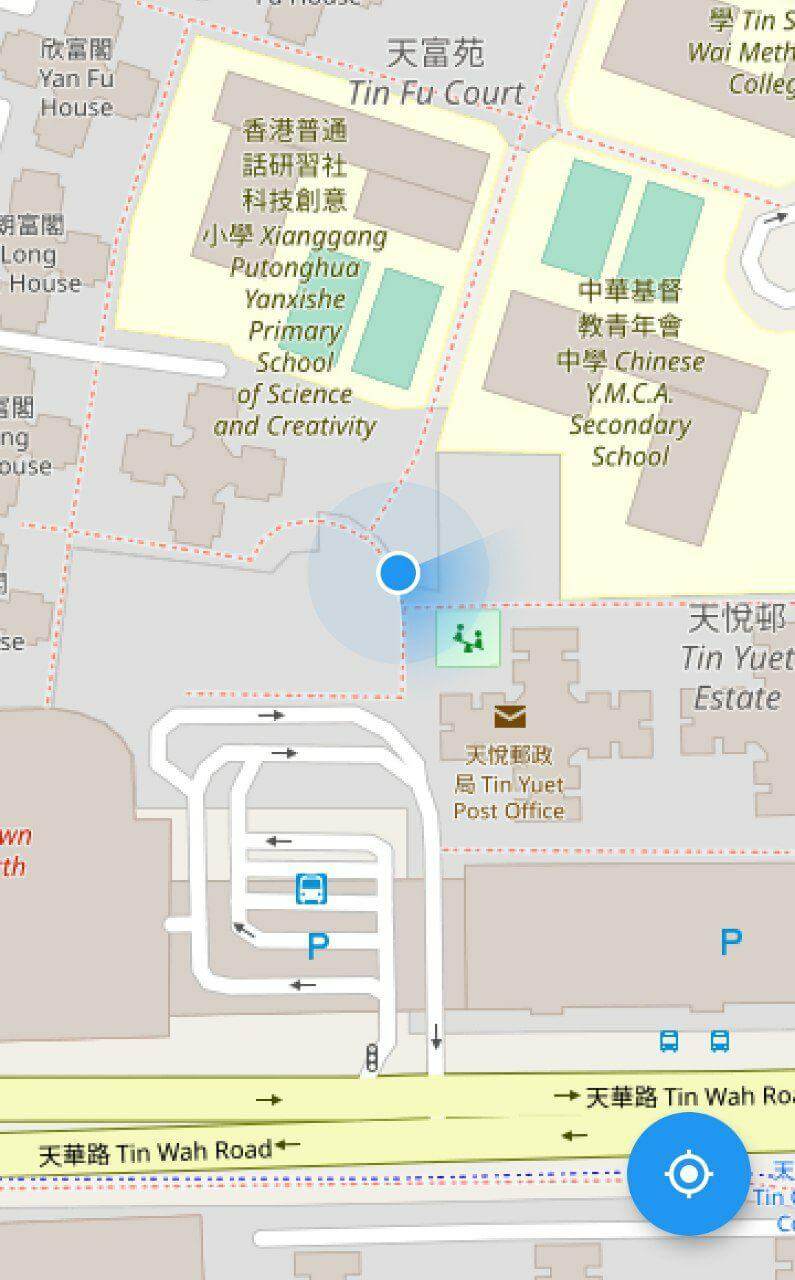
Interface preview
Join flutter_map Discord server to talk
about flutter_map_location_marker, get help and help others in the #plugins channel.
Simple: The only thing you need to do is to add a CurrentLocationLayer() to your map
because all parameters have good default values.
Flexible: The default implementation receives the device's position from the geolocator package and the device's heading from the flutter_rotation_sensor package, but with type conversion, streams from other sources are also supported.
Auto-following: The map follows the new location when the location is updated. This feature is disabled by default.
Auto-rotating: The map can be rotated automatically in navigation mode. This feature is disabled by default.
Customization: The location marker can be fully customized, including the colors of the accuracy circle and heading sector.
Add flutter_map_location_marker to your pubspec.yaml:
dependencies:
  flutter_map_location_marker: any # or latest version
Add permission by following the instructions from the geolocator package.
Add the layer widget into FlutterMap:
Widget build(BuildContext context) {
  return FlutterMap(
    children: [
      TileLayer(
        urlTemplate: 'https://tile.openstreetmap.org/{z}/{x}/{y}.png',
        maxZoom: 19,
      ),
      CurrentLocationLayer(), // <-- add layer here
    ],
  );
}
Discover more parameters in CurrentLocationLayer .
Widget build() {
  return CurrentLocationLayer(
    alignPositionOnUpdate: AlignOnUpdate.always,
    alignDirectionOnUpdate: AlignOnUpdate.never,
    style: LocationMarkerStyle(
      marker: const DefaultLocationMarker(
        child: Icon(
          Icons.navigation,
          color: Colors.white,
        ),
      ),
      markerSize: const Size(40, 40),
      markerDirection: MarkerDirection.heading,
    ),
  );
}
Consider using either the AnimatedLocationMarkerLayer or the LocationMarkerLayer if multiple location markers need to be displayed.
Marker Customization: Change the marker to any widget you want.
Floating Action Button to Follow Current Location: Use a floating action button to move and zoom the map to the current location.
Change Geolocator Settings: Define Geolocator settings yourself.
Selectable Distance Filter: Change Geolocator settings at runtime.
Custom Stream: Use your own stream, such as position stream from another library or predefined route, as the source.
No Stream:
Use Flutter setState() to update position and heading.
Navigation Mode: Rotate the map to keep heading pointing upward.
Default Stream: Share the default streams between your app and this plugin.
Q: How can I get the positionStream , headingStream or their origin streams from a CurrentLocationLayer widget?
A: You should not get these streams from a CurrentLocationLayer widget. Instead, create your own streams with the same types and also pass them to all widgets that need them. CurrentLocationLayer doesn't own the streams; it just listens to them. You can use any implementation of position and heading streams, as long as the stream types are Stream<LocationMarkerPosition?> and Stream<LocationMarkerHeading?>, respectively. You may see this example to know about how to do this.