Package selection guidance compiled from public package information, community data, and project usage.
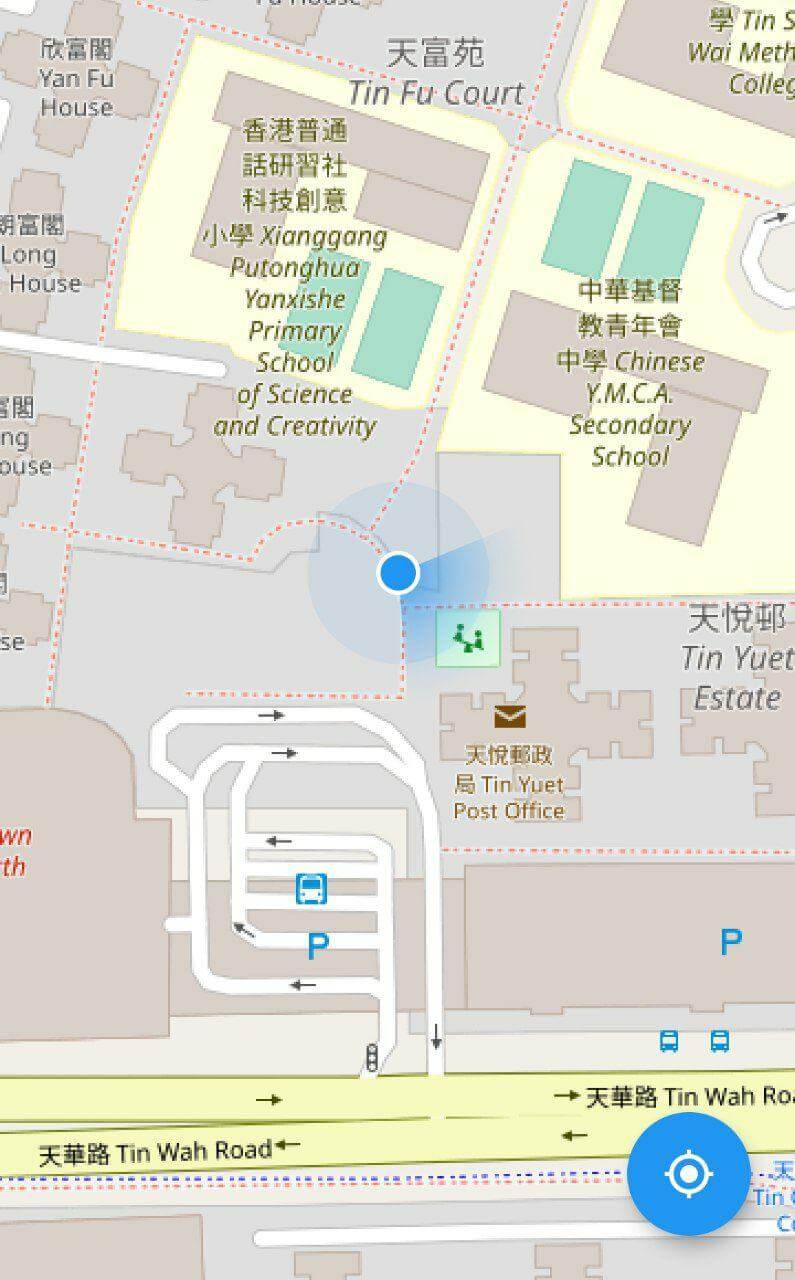
A Flutter plugin that enables the display of a device's current location on a map using flutter_map. It provides a simple way to visualize the user's real-time position with a customizable marker, enhancing geolocation-based applications. The plugin integrates seamlessly with the flutter_map package and supports multiple platforms including Android, iOS, Web, macOS, Windows, and Linux. It is ideal for apps requiring location awareness such as navigation tools, delivery tracking, or location-sharing services.
Use cases
Real-time location tracking
Navigation apps
Delivery and logistics
Location-based services
Map overlays with user position
Key features
Displays current device location
Customizable location marker
Seamless integration with flutter_map
Supports multiple platforms
Automatic updates for location changes
Suitable for
Developers building map-integrated apps
Apps needing real-time GPS tracking
Cross-platform geolocation solutions
Location-aware dashboards
Considerations
Requires location permissions
May consume battery when active
Depends on flutter_map being installed
Accuracy depends on device GPS
Needs proper handling of permission requests
Original README
Original README snapshot from the linked source repository. Visit the repository for the latest content.
flutter_map_location_marker
flutter_map_location_marker is a flutter_map plugin for
displaying the device's current location on a map. It provides a simple and flexible way to add a
customizable location marker to your map.
Join flutter_map Discord server to talk
about flutter_map_location_marker, get help and help others in the #plugins channel.
Features
Simple: The only thing you need to do is to add a CurrentLocationLayer() to your map
because all parameters have good default values.
Flexible: The default implementation receives the device's position from
the geolocator package and the device's heading from
the flutter_rotation_sensor package, but with
type conversion, streams from other sources are also supported.
Auto-following: The map follows the new location when the location is updated. This feature is
disabled by default.
Auto-rotating: The map can be rotated automatically in navigation mode. This feature is
disabled by default.
Customization: The location marker can be fully customized, including the colors of the
accuracy circle and heading sector.
Usage
Add flutter_map_location_marker to your pubspec.yaml:
dependencies:flutter_map_location_marker:any# or latest version
Add permission by following the instructions from
the geolocator package.
Custom Stream:
Use your own stream, such as position stream from another library or predefined route, as the
source.
No Stream:
Use Flutter setState() to update position and heading.
Navigation Mode:
Rotate the map to keep heading pointing upward.
Default Stream:
Share the default streams between your app and this plugin.
FAQ
Q: How can I get
the positionStream
, headingStream
or their origin streams from a CurrentLocationLayer widget?
A: You should not get these streams from a CurrentLocationLayer widget. Instead, create your own
streams with the same types and also pass them to all widgets that need them. CurrentLocationLayer
doesn't own the streams; it just listens to them. You can use any implementation of position and
heading streams, as long as the stream types are Stream<LocationMarkerPosition?> and
Stream<LocationMarkerHeading?>, respectively. You may
see this example
to know about how to do this.